Looking for a job in Saudi Arabia and tired of sending your CV to dozens of ads without a reply? If you want to know how to find a job in Saudi Arabia without the guesswork, the Sabbar job app is built for exactly that: one CV, applying in a few taps, and direct chat with employers.
Sabbar has more than 1.5 million job seekers in the Kingdom, and about 500,000 of them use it every week. Searching and applying for jobs on Sabbar is completely free.
This guide walks you through everything in the Sabbar job app, from signing up and building your CV to applying, tracking your applications and taking an interview with Saud.
What you will learn in this guide
- What the Sabbar job app is and who it is for.
- How to sign up and set up a job feed that fits you.
- How to build one CV and use it for every application.
- How to track applications and make your CV more visible to employers.
- How to handle employer invitations and AI interviews with Saud.
How to find a job in Saudi Arabia with Sabbar
Sabbar is a Saudi job platform and app that lets job seekers in the Kingdom find jobs near them, build a free CV, apply for jobs, chat with employers and take AI interviews with Saud, all in one place.
The app is available on iOS and Android in Arabic and English. It serves Saudi and non-Saudi job seekers living in Saudi Arabia, in roles such as cashier, barista, customer service, sales and office jobs.
Why job seekers in Saudi Arabia use Sabbar
Job seekers use Sabbar because it brings every step of the job search into one app: jobs, CV, applications, employer chat and the status of every application. It also lists job ads from outside Sabbar that you can apply to through the company website, WhatsApp or email.
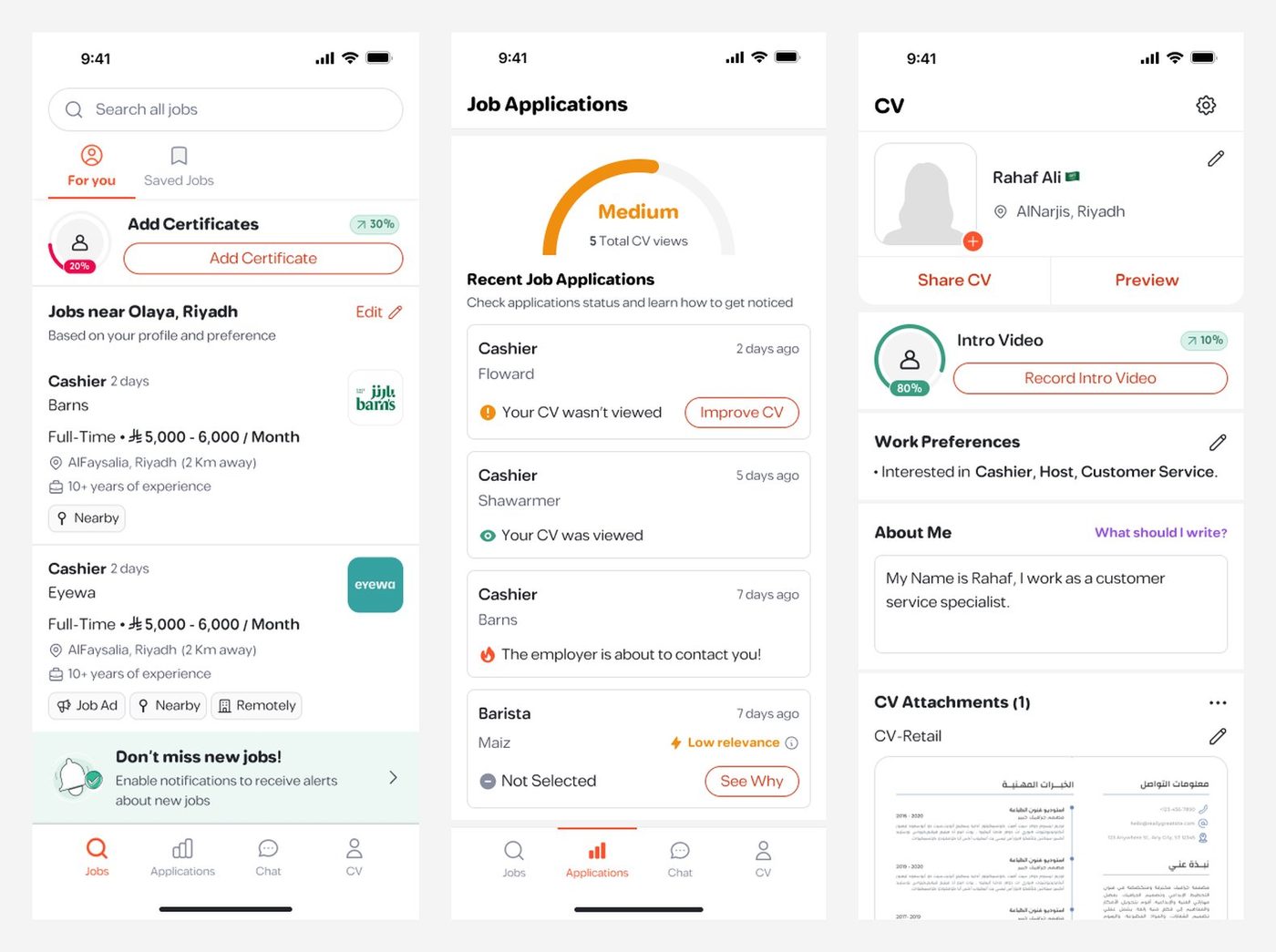
The four sections of the Sabbar app
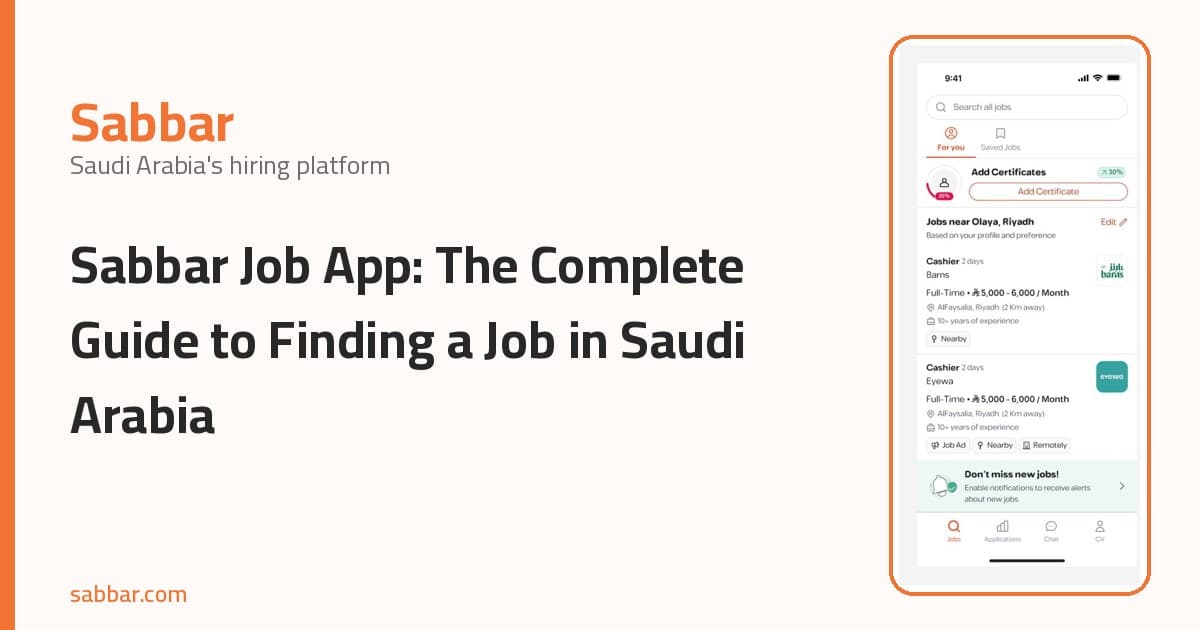
The Sabbar app has four main tabs at the bottom of the screen, and each one covers part of your job search.
Jobs
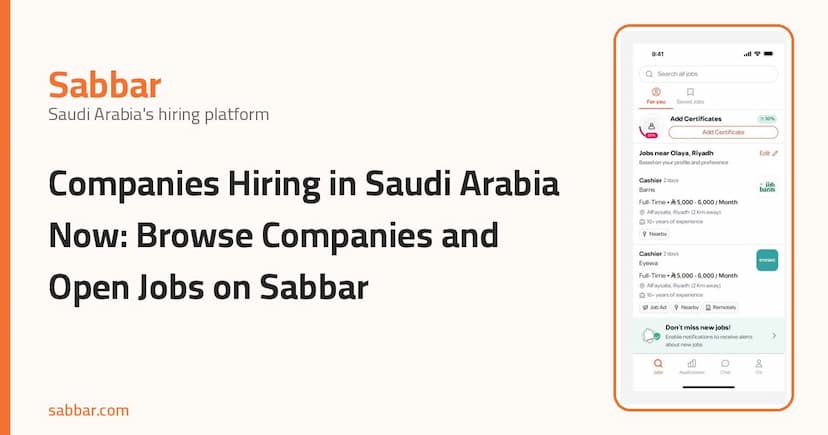
The Jobs tab includes search across all jobs, the "For you" feed with personalised jobs near you, and your saved jobs.
Applications
The Applications tab shows the status of every job you applied to, plus how visible your CV is to employers and how many times it was viewed.
Chat
The Chat tab holds your conversations with companies, job invitations and your interview chats with Saud.
CV
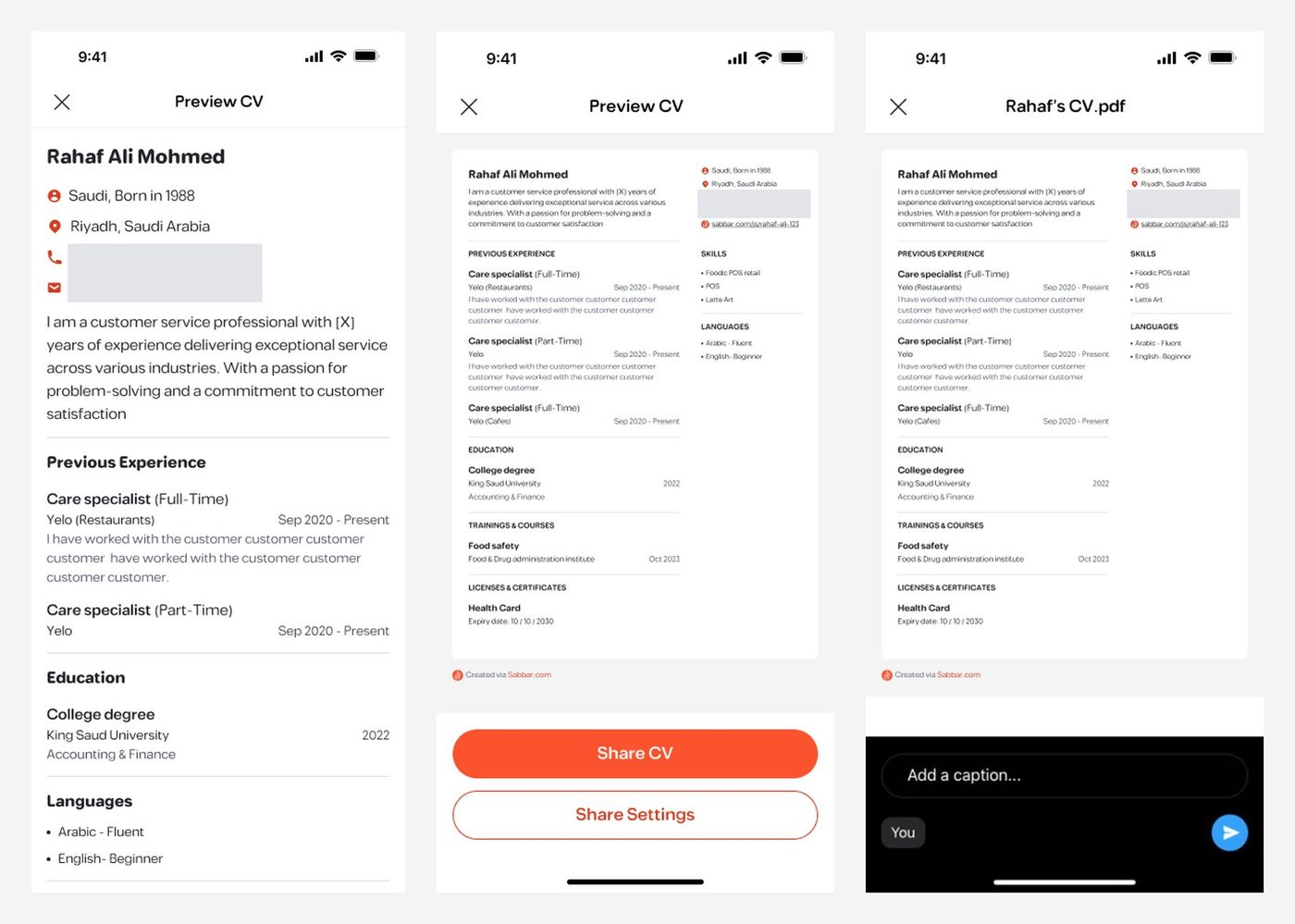
The CV tab is your profile, and it is the same CV employers see when you apply. From here you can preview and share your CV.
How to sign up for Sabbar
You sign up for Sabbar with your mobile number and a code sent by text message, with no password. The same step logs you in or creates a new account.
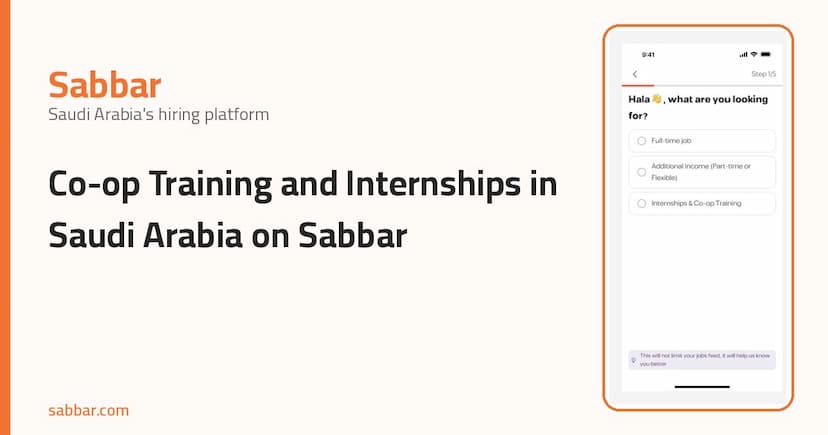
After verifying your number, the app asks what you are looking for: a full-time job, additional income (part-time or flexible) or internships and co-op training. Then you add your name, nationality and email.
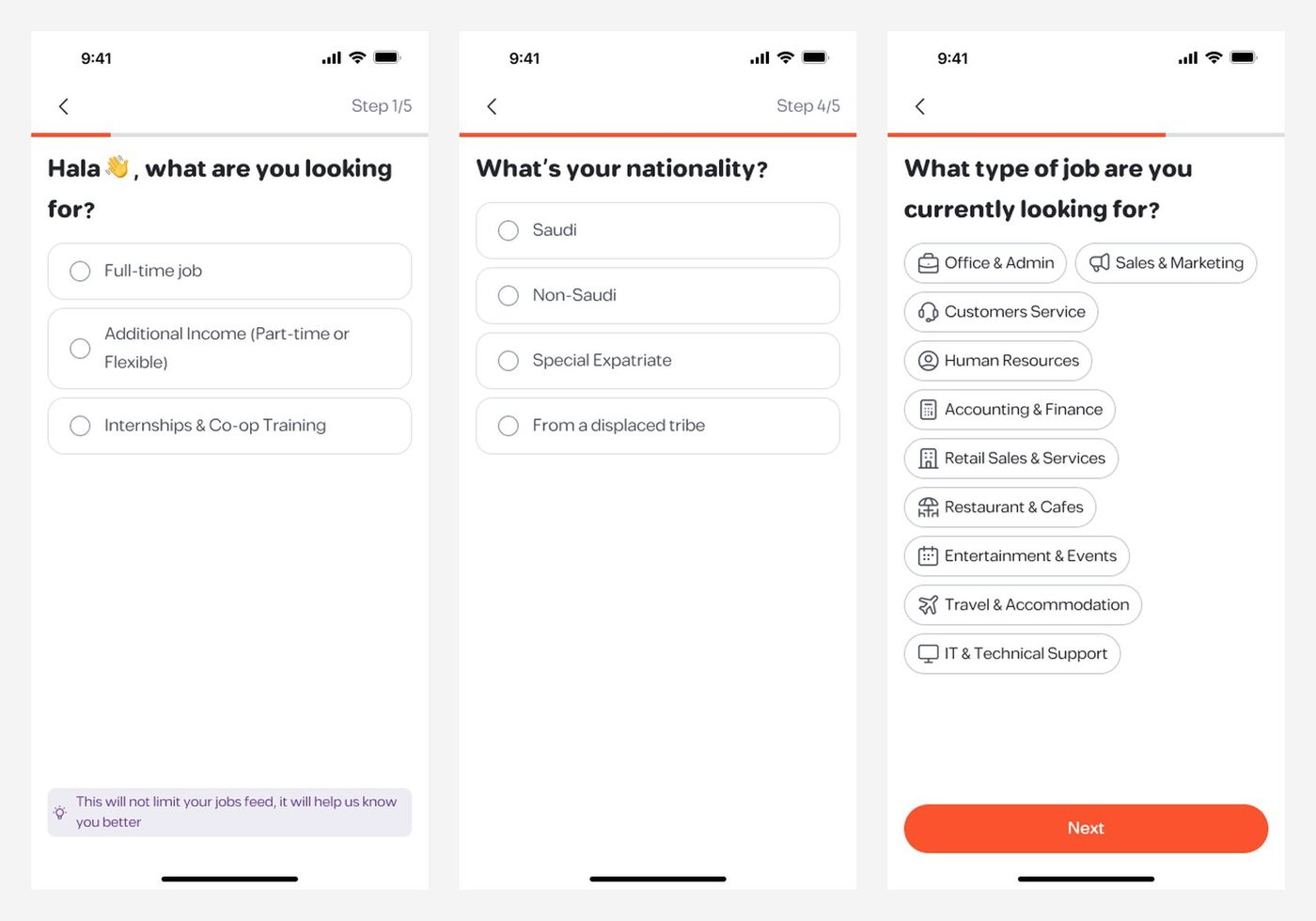
Setting up your job feed
After signing up, you choose job categories and your experience in them, job titles and your preferred work location. These choices do not limit the jobs you see, but they show jobs near you first.
Turn on notifications at this step so new jobs and employer invitations reach you as soon as they are posted.
How to search for jobs on Sabbar
You search for jobs on Sabbar by job title and city, with filters that get you to the right job quickly.
Quick filters
Quick chips include Easy Apply, No experience, Recent jobs, Remote jobs and Near me.
Detailed filters
You can filter by contract type (full-time, part-time or flexible, temporary or seasonal, internship), date posted, remote only, no experience required and female-only workplace.
Job alerts
Save any search as a job alert and Sabbar notifies you by push and email whenever a new matching job is posted.
Start now by browsing open jobs in Saudi Arabia on Sabbar and save your search as an alert so you never miss a new opening.

Sabbar is Saudi Arabia's leading local hiring platform
The go-to place for job seekers and employers across every sector in the Kingdom, with more than 1.5 million job seekers and thousands of companies
Get started with Sabbar today!
How to build your CV on Sabbar
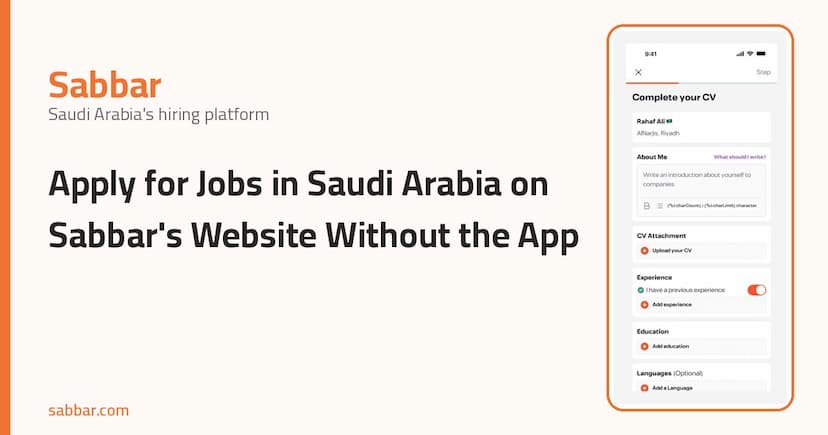
Your CV on Sabbar is your profile, built once and reused for every application. It covers work preferences, experience, about me, education, attachments, an introductory video, languages, skills, training and courses, and licences and certificates.
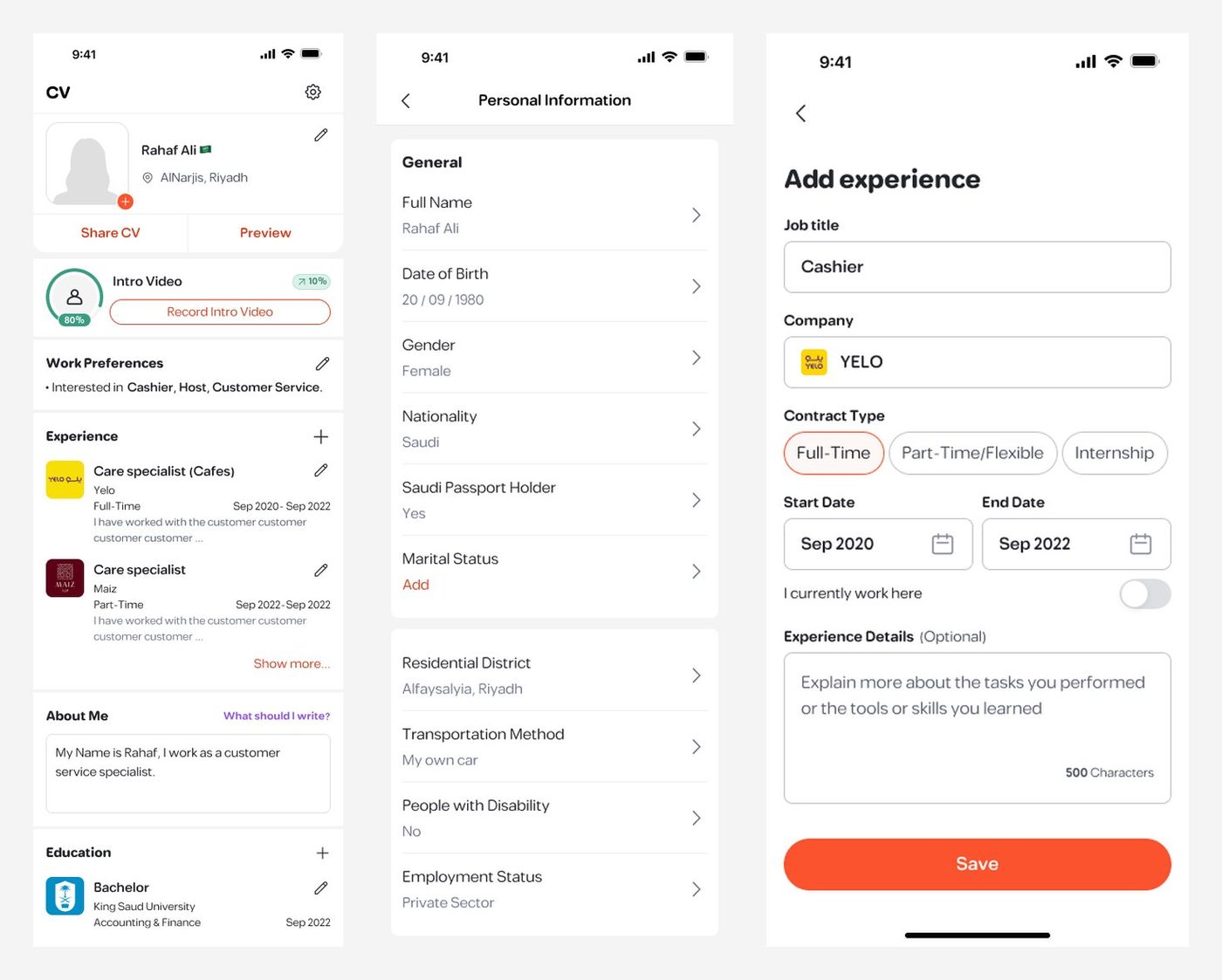
Profile photo and video introduction
The profile photo and video introduction are optional, and only verified employers can see them. Sabbar reviews every photo and video against clear guidelines, and you can delete your video at any time.
Uploading an existing CV
If you already have a CV, you can attach it as a PDF or image, as long as it is up to date and contains no ID number or sensitive data.
Sharing your CV
You can share your CV as a web link or PDF, in Arabic or English, through WhatsApp or any app. To protect your privacy, it shows only your city, not your district, and only your birth year.
How to apply for a job on Sabbar
Applying for a job on Sabbar takes a few taps, and the app only asks for what is missing from your CV.
- Tap "Apply". If the job is far from where you live, the app shows a distance warning first.
- Complete your CV if a required section, such as experience or education, is missing.
- Answer a few questions if the job needs them, such as English level, start date, transportation and expected salary.
- Confirm that the job requirements suit you, then submit your application.
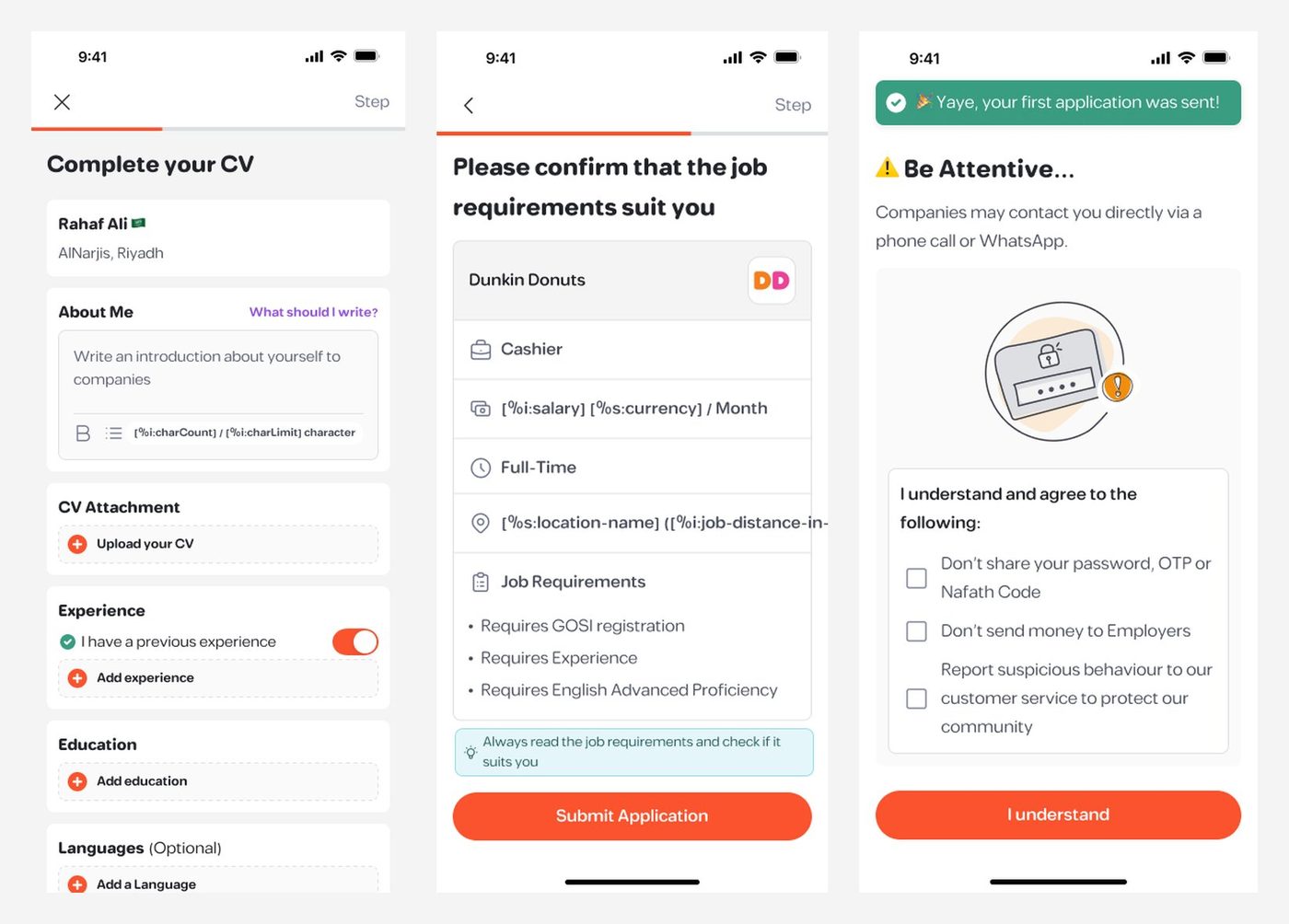
External job ads
Jobs tagged "Job Ad" are posted outside Sabbar, and the app shows them so you get alerts in one place. You apply on the company website, with the option to download your CV as a PDF, or by WhatsApp or email with a ready message that includes your CV link.
How to track your applications and raise your CV visibility
The Applications tab shows a CV visibility gauge (low, medium, high), your total CV views and the status of each application.
Application statuses on Sabbar
- Your CV wasn't viewed, with an "Improve CV" button.
- Your CV was viewed.
- The employer is about to contact you.
- Not selected, with a "See why" button.
- An interview invitation from Saud.
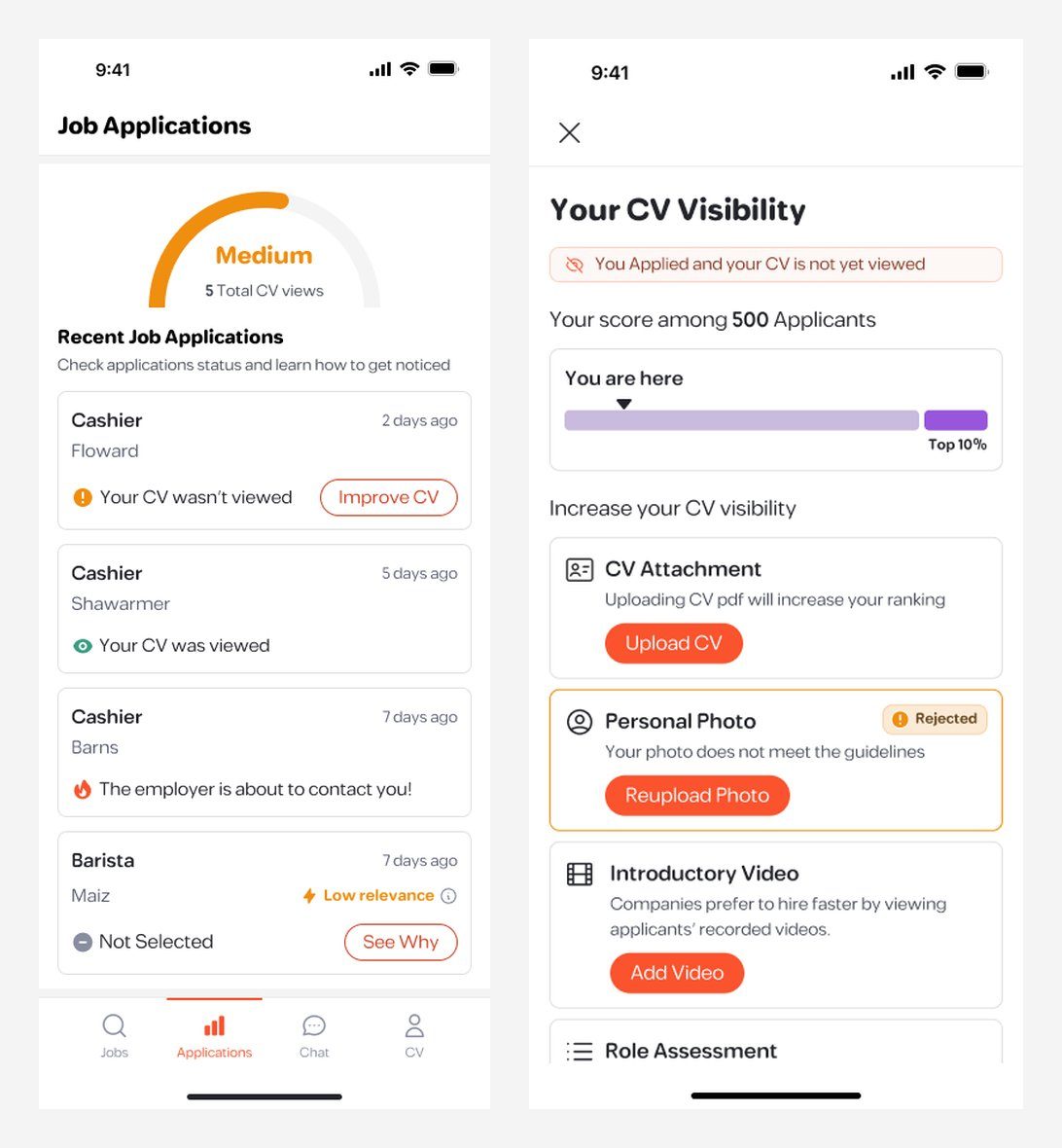
Three free tasks that raise your CV visibility
Your CV visibility increases when you complete three free tasks: attach a CV, add a profile photo and record a video introduction. Saudi employers favour candidates who introduce themselves on video because it shortens the interview.
Employer chat, job invitations and Saud interviews
After you apply, you and the employer talk inside the app, in one conversation per company that also shows events such as CV viewed, CV unlocked or job closed.
Job invitations
A company may invite you to discuss a job before you apply. You receive a notification and a card in chat, and answer: I am interested, I need more details, or I am not interested.
Saud AI interviews
A Saud interview is a short chat interview run by Saud, Sabbar's AI recruiter, on behalf of an employer. It runs by text or voice note, it is free, and you can resume it where you stopped.
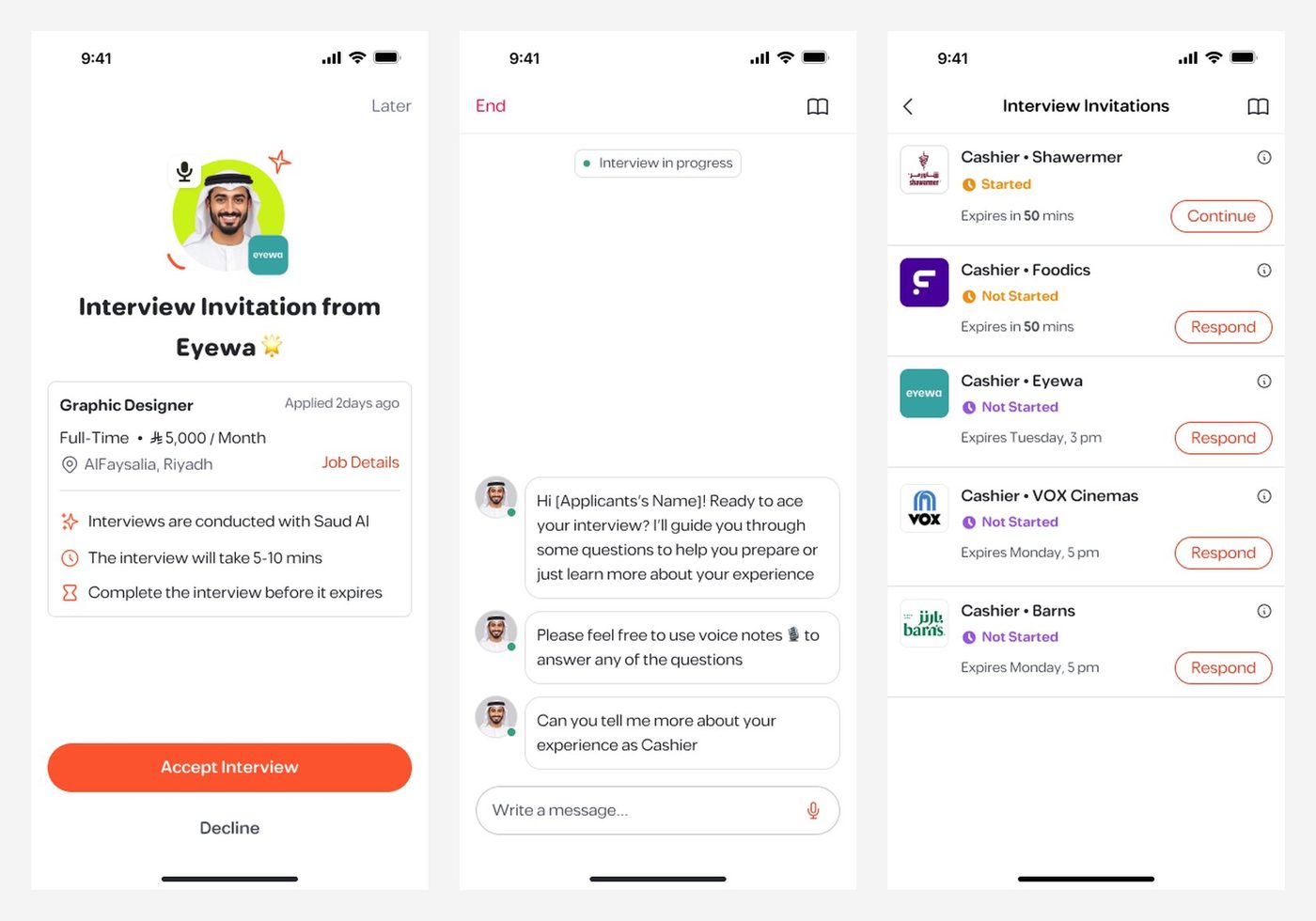
The more complete your CV, the more employer invitations and Saud interviews you receive. Sign up for Sabbar and complete your CV today to be first in line for new openings.
How Sabbar protects you from fake jobs
Sabbar protects job seekers from fake jobs in three ways: a warning when you apply to jobs far from home, a safety page after your first application reminding you never to share passwords or codes or send money to an employer, and a button to report any suspicious job.
Sign up for Sabbar free and start your next job search today
Signing up for Sabbar is free and takes a minute with your mobile number. Build one CV, apply to jobs near you in Riyadh, Jeddah, Dammam and every city in the Kingdom, and track every application until the right job comes through.
Summary
If you are wondering how to find a job in Saudi Arabia, the Sabbar job app puts everything in one place: jobs near you, a free CV you use for every application, quick applying, direct chat with employers and AI interviews with Saud.
The key takeaway: complete your CV with a photo, video and attachment, turn on job alerts and follow the status of every application. These steps alone clearly raise your chances of reaching employers.
Frequently asked questions about the Sabbar job app
Is applying for jobs on Sabbar free?
Yes, searching and applying for jobs on Sabbar is completely free for job seekers, as are building a CV and taking Saud interviews.
Is Sabbar only for Saudi nationals?
No, Sabbar serves Saudi and non-Saudi job seekers living in Saudi Arabia, and employers can set the required nationality for each job.
Can I use Sabbar in English?
Yes, the Sabbar app works in Arabic and English, follows your phone's language automatically, and can be changed in Settings.
Who can see my photo and video on Sabbar?
Only verified employers on Sabbar can see your profile photo and video introduction; both are optional and you can delete your video at any time.
How do I delete my Sabbar account?
You can delete your Sabbar account from Settings in the app by choosing a reason and confirming with a code sent to your phone.