A job link reaches you on WhatsApp while you are at your work computer, or your phone is full and has no room for another app. Do you lose the chance? No. You can apply for a job online on Sabbar's website directly, with nothing to download.
This article covers the steps on Sabbar's website, what you need, and when the app serves you better afterwards.
What you will learn
- How to browse jobs on Sabbar's website.
- The steps to apply from the job page.
- The details and files required.
- How applying on the website differs from the app.
How do you apply for a job online on Sabbar's website?
You apply through a short form inside the job page itself. Fill in your basic details, upload your CV and tap "Submit". No account and no app.
Your application reaches the employer's account like any other applicant's. Applying is completely free.
How do you browse jobs on the website?
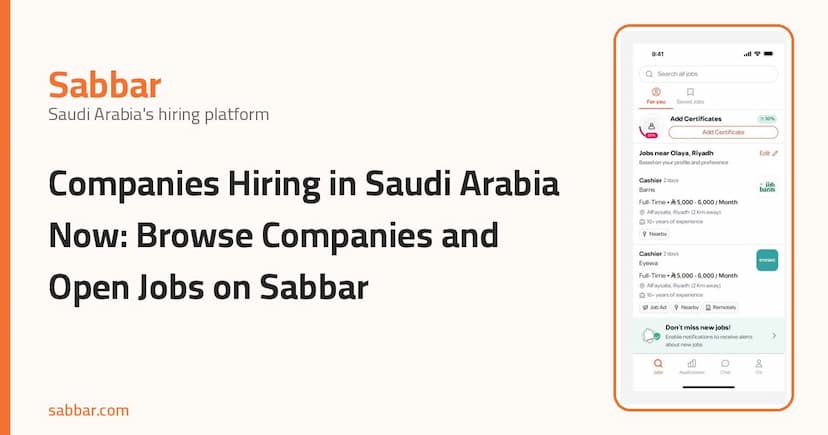
The Find Jobs page on Sabbar's website lists all jobs with clear filters.
- City.
- Department or field.
- Contract type.
- Quick filters: Saudis only, remote work, women's workplace, fresh graduates.
There are also ready pages by city or title, such as jobs in Riyadh or barista jobs.
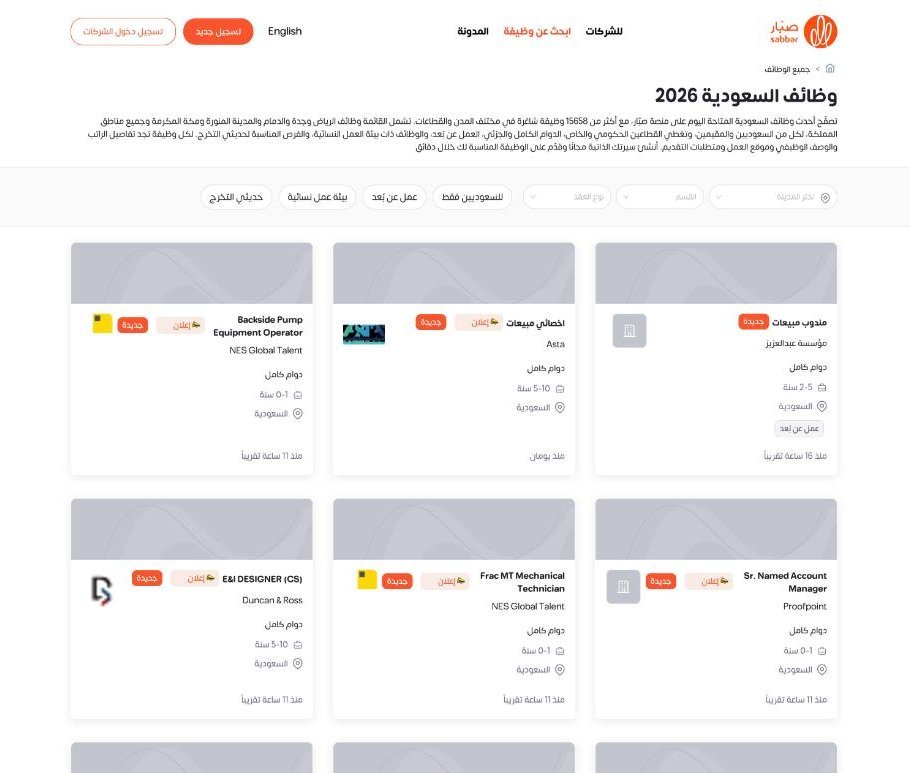
What does a job card show on the website?
- The job title.
- Company name and logo.
- Contract type and experience required.
- Location.
- A "new" tag for recent jobs.
- A remote tag where it applies.
- A job ad tag for jobs posted outside Sabbar.
- How long ago it was posted.
Steps to apply on the website
- Open the job page you are interested in.
- Read the job details tab: description and requirements.
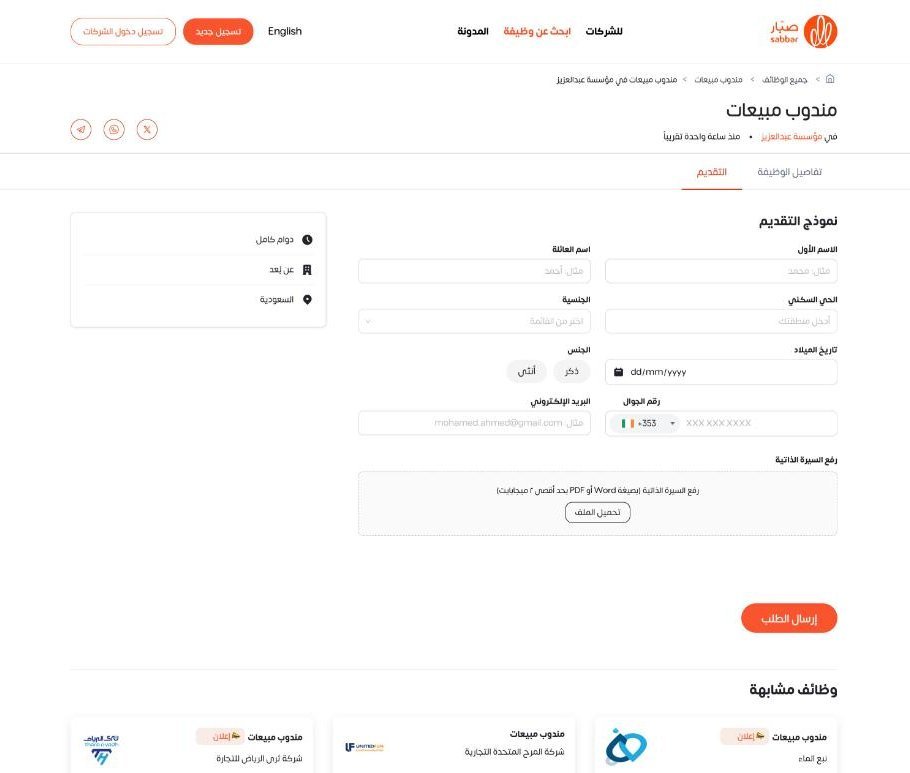
- Switch to the application tab.
- Fill in the form.
- Upload your CV in Word or PDF.
- Tap "Submit".
Try it now with nothing to download. Browse jobs on Sabbar's website and apply straight from the job page.

Sabbar is Saudi Arabia's leading local hiring platform
The go-to place for job seekers and employers across every sector in the Kingdom, with more than 1.5 million job seekers and thousands of companies
Get started with Sabbar today!
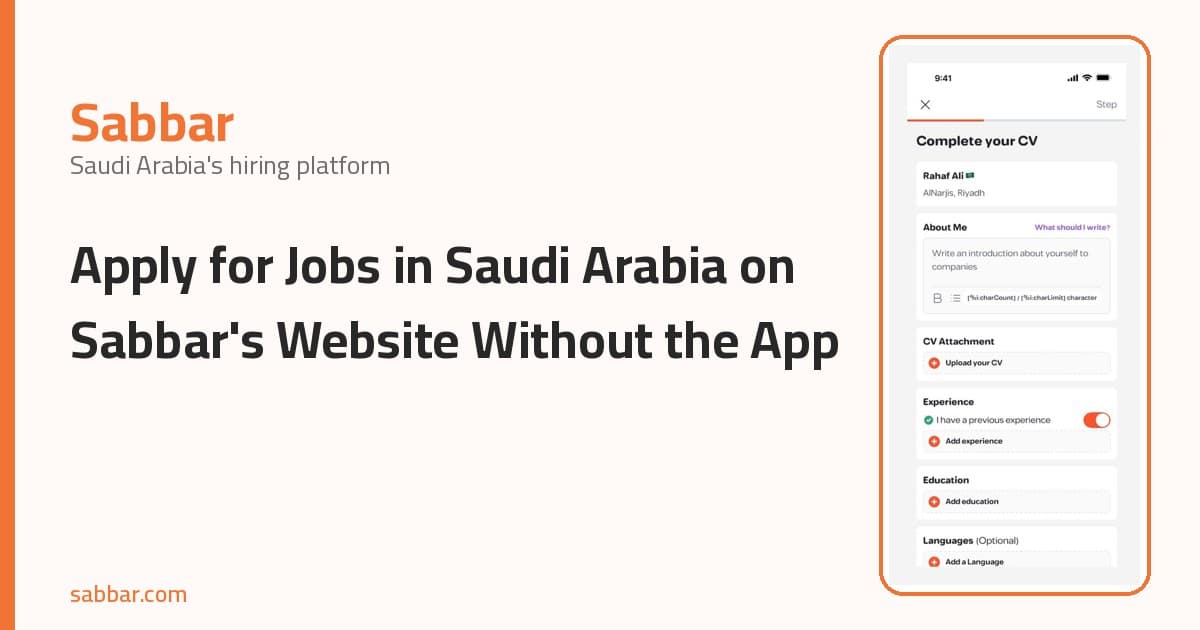
What details does the form ask for?
The form is short: eight fields and a file.
- First name and last name.
- District.
- Nationality.
- Date of birth.
- Gender.
- Mobile number.
- Email.
- CV file: Word or PDF.
Enter a mobile number you really use; the employer will contact you on it.
How do you prepare your CV file before uploading?
On the website the file is all the employer sees of you, so take care with it.
- PDF is better: its layout holds on every device.
- One or two pages.
- Update your latest job.
- A clear file name: your name and the title.
- No sensitive data: no ID number.
- Check spelling.
If you would rather not maintain a file, one CV built in the Sabbar app can be exported as a PDF; see Share your CV as a link or PDF.
When does applying on the website suit you?
- The job link reached you while on a computer.
- You want to apply to one job quickly.
- You have a CV file ready.
- Your phone has no space right now.
- You arrived on a job page from Google.
How does applying on the website differ from the app?
Both deliver your application. The difference is what happens next.
- The CV: on the website you upload a file each time; in the app one saved CV applies with a tap.
- Tracking: the app shows each application's status and whether your CV was viewed.
- Chat: in the app you talk to the employer directly.
- Suggested jobs: the app shows nearby jobs in your For You feed.
- Alerts: the app notifies you of new jobs and company invitations.
- Photo and video: in the app you add them to raise your CV's visibility.
The practical rule: apply on the website now if you are in a hurry, and get the app if you will apply to more than one job. Statuses are explained in Job application status on Sabbar.
What happens after you submit on the website?
Your application reaches the employer and appears in its applicants list. If you fit, they contact you on the mobile number or email you entered.
- Keep your phone available.
- Check your email, including spam.
- Reply quickly to any contact.
- Keep applying to other jobs.
Is applying on the website safe?
Yes. Sabbar jobs are published after the company's account is reviewed. In every case, keep to the fixed rules.
- Never pay for a job.
- Never share verification codes or bank details.
- Jobs tagged as ads were posted outside Sabbar, so check the advertiser.
Details are in Fake jobs and job scams in Saudi Arabia.
Can you share a job page with a friend?
Yes. The job page shares to WhatsApp, Telegram and X. If you see a job that suits a friend, send it, and they can apply from the link with no app.
Similar jobs are listed at the bottom of the page.
Common mistakes when applying on the website
- Uploading an old file, or one in a format that will not open.
- Entering the wrong mobile number.
- Applying without reading the requirements.
- Leaving the district empty or vague.
- Applying once and forgetting to watch your phone.
Applying to more than one job? Save time. Download the Sabbar app, build your CV once and track every application.
An illustrative example: applying from a work computer in five minutes
This illustrates applying on the website; it is not a real case. An office worker in Dammam receives a link to a sales coordinator job during his lunch break.
- He opens the link in the browser and reads the "Job details" tab: hours, experience and location.
- He checks the fit: the branch is close to home and the required experience matches his.
- He moves to the "Apply" tab and fills the fields from memory.
- He uploads his CV as a PDF saved in his email.
- He checks the mobile number and email and presses "Send application".
He downloaded nothing and finished before the break ended. What made it possible was a CV file that was ready, up to date and stored somewhere he could reach.
Prepare your CV file before you need it
Applying on the website depends on a file you upload, so the quality of the file is the quality of your application. Prepare it once.
- Format: PDF is best, because it keeps its layout on any device. Word is also accepted.
- File name: your name and title, such as "Mohammed-Alotaibi-Sales", not "CV-final-2".
- Size: a light file with no large images uploads quickly.
- Content: one or two pages, with your experience, dates and duties.
- Contact details: your mobile number and email at the top.
- No sensitive data: no ID number and no copy of your ID.
- Where to keep it: in your email or your phone's files, so you can find it from any device.
If you have no file, build your CV in the Sabbar app and download it as a PDF, and you will have a copy ready for any form.
Form mistakes that lose your application
The form is short, which is why one mistake matters. Check these before sending.
- A wrong mobile number: the most common reason opportunities are lost. Read it digit by digit.
- An old email: you do not open it, so you never see the reply.
- An inaccurate district: distance is a matching factor, so enter your real district.
- The wrong file: an old CV or another document.
- A name that differs from your documents: write it as it appears on your ID.
- Sending twice: you pressed the button again because the page was slow. Wait for the confirmation.
What to do after sending
Sending the application is the first step. What follows decides whether it becomes an interview.
- Keep your phone available: the employer will contact the number you entered.
- Watch your inbox: including the junk folder.
- Record what you applied for: company, title and date.
- Download the app when you can: to follow your applications and chats in one place.
- Keep applying: do not wait on one reply.
When is the website the better choice, and when is the app?
Neither is always better. It depends on your situation.
- The website suits you: a link reached you on a computer, you want one quick application, or your phone has no space.
- The app suits you: you search regularly and want new job alerts, a status for every application, and chat with employers.
- Both together: browse on the computer in your free time and follow up from your phone.
Apply now on Sabbar's website with no app to download
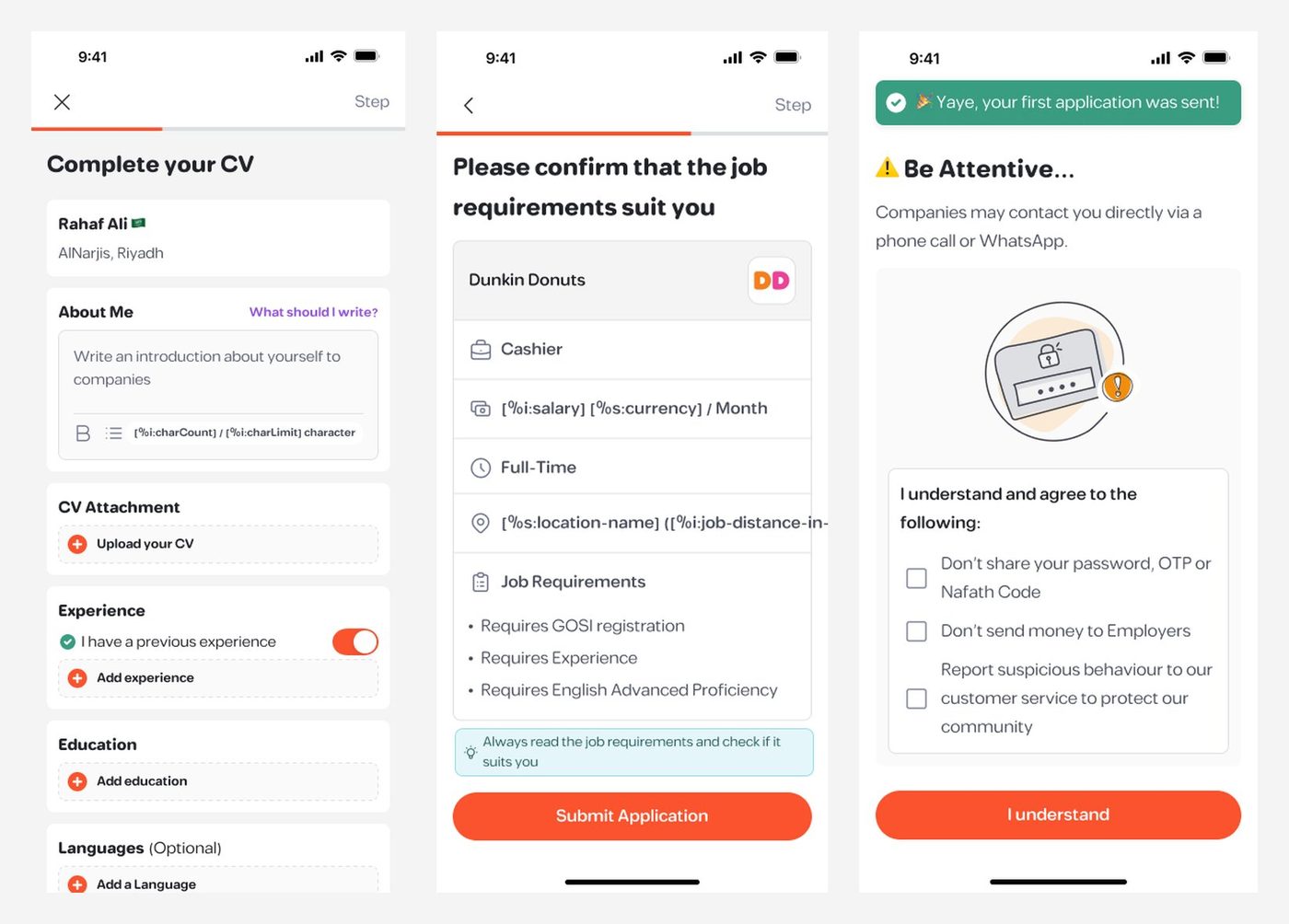
Thousands of jobs across Saudi cities, with a short form and a CV upload straight from your browser. Choose your job and submit in two minutes, for free.
Summary
To apply for a job online on Sabbar's website you need no app and no account: open the job page, fill in a short form, upload a Word or PDF CV and submit. For status tracking, chat and alerts, the app completes the experience.
FAQs about applying on Sabbar's website
Do I need an account to apply on the website?
No. Fill in the form on the job page and submit.
Which CV formats are accepted?
Word or PDF.
Is applying on the website free?
Yes, completely free.
How do I find out the result?
The employer contacts you by phone or email. Real-time status tracking is in the app.
Can I apply from my phone without the app?
Yes. The website works in a mobile browser.