An employer asks for your CV on WhatsApp, a website wants a PDF upload, or a manager at a job fair wants a link. In each case you need to share your CV quickly, from your phone.
In the Sabbar app your CV is ready to share in two taps, as a web link or a PDF, in the language you choose. This article covers the method, the settings and when each format fits.
What you will learn
- The two ways to share a CV from Sabbar.
- The preview and share steps.
- How to choose Arabic or English.
- What shows and what is hidden on a shared CV.
What does it mean to share your CV on Sabbar?
To share your CV on Sabbar is to turn your in-app profile into a CV ready to send outside Sabbar, in two forms: a web link or a PDF.
The CV is built automatically from your details in the CV tab, so you need no design software or template. Every shared CV says it was created via Sabbar. Building the CV itself is covered in One CV for every job in Saudi Arabia.
What are the two ways to share?
Share your CV as a web link
The link is a web page showing your CV. You send it in a message and the recipient opens it on any device with no download. Its advantage is that it always shows your latest version.
Share your CV as a PDF
The PDF is a fixed copy of your CV, shared straight to WhatsApp or saved to Files. It suits forms that ask for a file upload, and printing.
How do you share your CV, step by step?
- Open the CV tab.
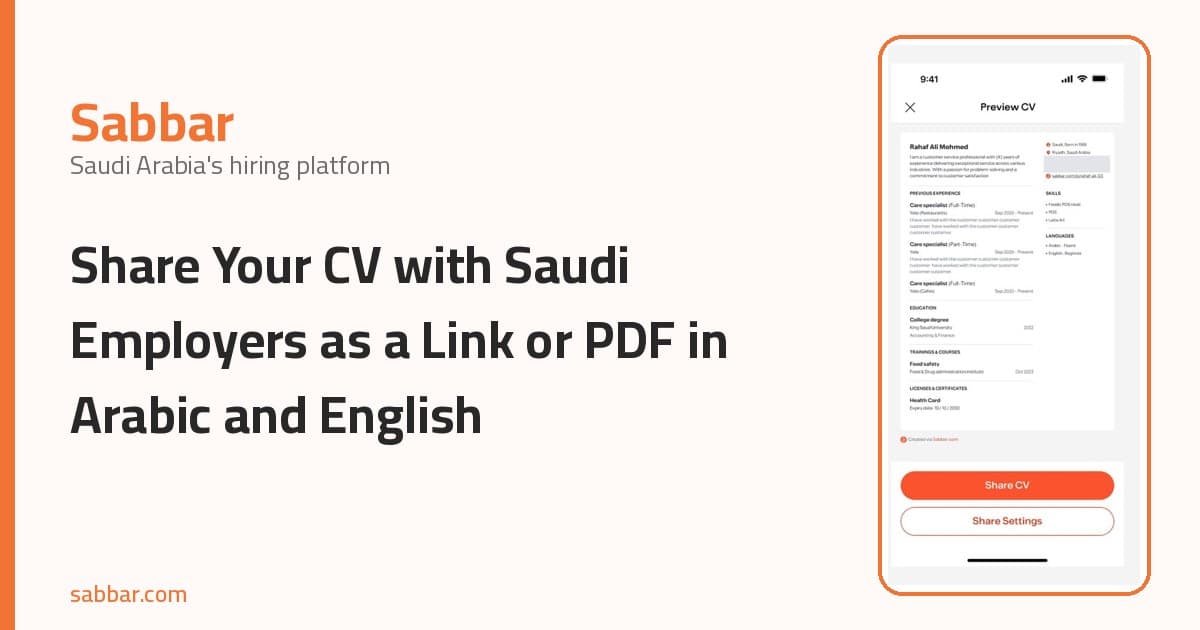
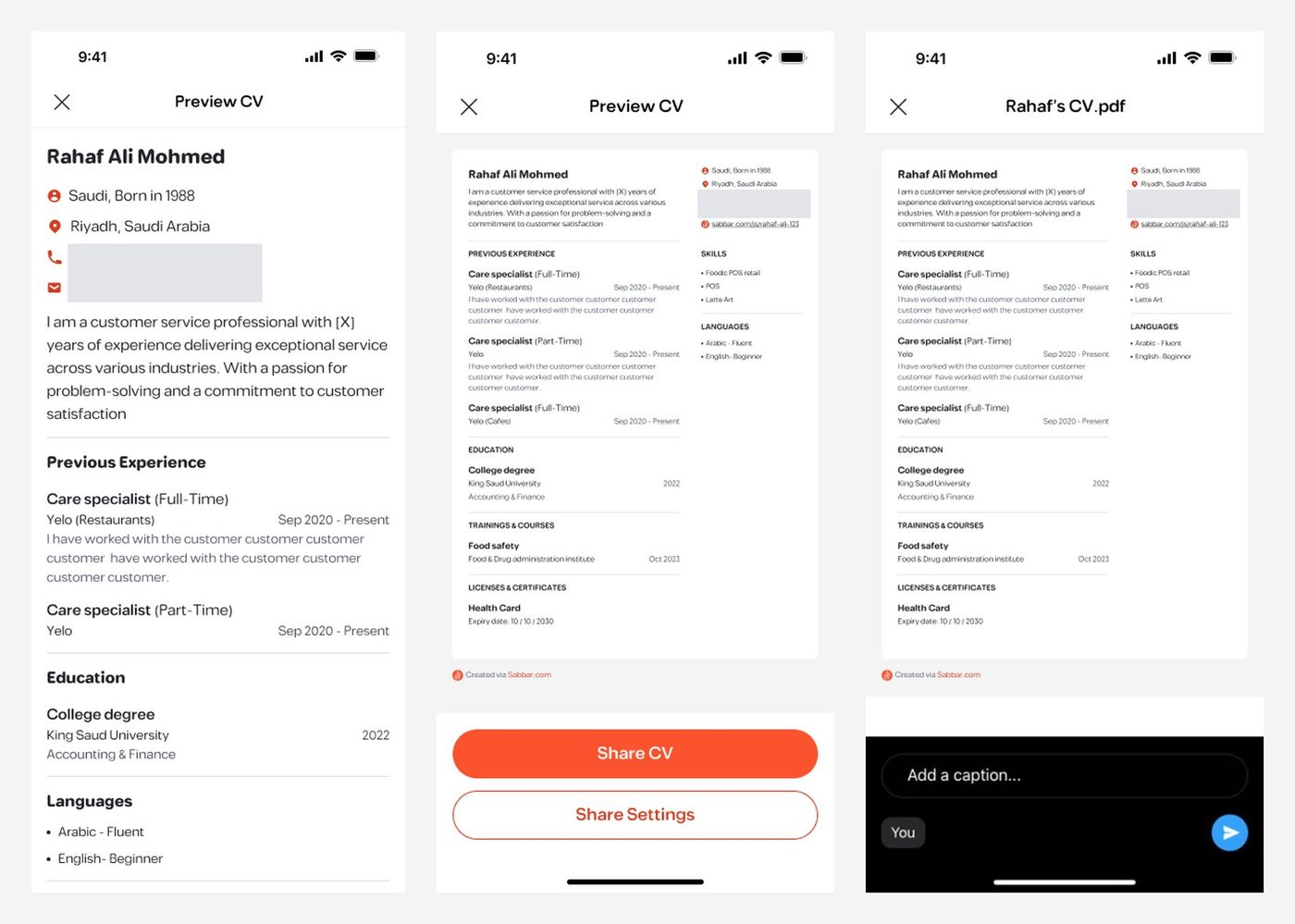
- Tap Preview to see the CV as it will appear.
- Tap Share CV.
- Choose "Share my CV as a web link" or "as PDF".
- Pick the app: WhatsApp, email or Files.
- Review the message and send.
Your CV becomes a link and a PDF in two taps. Download the Sabbar app, build it once, and share it wherever you need.

Sabbar is Saudi Arabia's leading local hiring platform
The go-to place for job seekers and employers across every sector in the Kingdom, with more than 1.5 million job seekers and thousands of companies
Get started with Sabbar today!
How do you choose the CV language?
Choose it in Share Settings before sending: Arabic or English.
- Arabic: for local companies, frontline roles and most sectors.
- English: for multinationals, international hotels and jobs advertised in English.
- The simple rule: send the CV in the language of the job post.
If the post is in English, make sure your About Me and experience read clearly in both languages.
What shows and what is hidden on a shared CV?
Sabbar protects your privacy automatically on any CV that leaves the app.
- Location: your city only, never your district.
- Date of birth: birth year only.
- Content: your experience, education, skills and languages.
You can share with organisations you do not know well without exposing your home address.
When should you use a link, and when a PDF?
- WhatsApp with a recruiter: a link is easier and lighter.
- An application form on a company site: a PDF, because it asks for a file.
- A formal email: a PDF attached, with the link in the body.
- Your professional profile online: the link.
- A job fair or interview: a PDF to print, the link for quick sending.
- A CV that changes often: the link, as it shows updates at once.
How does this help with external job ads?
Posts tagged "Job Ad" on Sabbar are applied to outside the app, and sharing is your tool there.
- Company website: download the CV as a PDF and upload it.
- WhatsApp: a ready message with your CV link.
- Email: a ready message with the link.
Details are in External Saudi job ads on Sabbar.
What should you write when you send the CV?
Do not send the link alone. Add three lines.
- A greeting and the job title: "Hello, I am applying for the [title] position."
- One line on your experience and availability.
- The CV and thanks: "My CV is attached. Thank you for your time."
A short, tidy message leaves a better impression than a bare link.
6 tips before you tap Share
- Check the preview: read the CV as the employer would.
- Update your latest job: never send an incomplete CV.
- Check spelling: especially in About Me.
- Pick the right language.
- Order your skills: the most relevant first.
- Test the link: open it yourself once before sending.
How is sharing different from a CV attachment?
- Sharing: sending your Sabbar CV out to someone external.
- CV Attachment: a file you upload to your Sabbar profile for employers on the platform to see, which also raises your CV's visibility.
Both are useful, each for its own purpose. See How to make your CV more visible on Sabbar.
Shared your CV outside Sabbar? Do not forget inside. Apply to Sabbar jobs with the same CV in one tap.
An illustrative example: three situations, three ways to share
These illustrate how to choose the method and language for the situation.
- An opening through a personal contact: a relative tells a job seeker about a role at his company and asks for the CV on WhatsApp. The best fit is the CV link in Arabic with two lines about his experience, which the relative can open and forward to the recruiter in one tap.
- Applying on an international hotel's website: the form asks for a file upload. The best fit is the PDF in English, after checking that names and dates came out correctly.
- A university careers fair: a graduate prepares a printed PDF for employers who want paper, and keeps the link on her phone to send instantly to anyone who asks.
In all three the CV is the same. What changed is the format and language to suit the other side.
How to prepare your CV to look right in English
Choosing English when sharing changes the CV template and its section headings, but what you typed appears as you typed it. Check these before sending an English version.
- Your name: write it in Latin letters as it appears on your official documents.
- Job titles: use the common English title, such as Cashier or Sales Associate.
- Duties: if they are written in Arabic, rewrite them as short English sentences that start with a verb.
- Names of organisations: use the official English name of the company and university.
- Summary: three simple lines beat a long paragraph with mistakes.
- Preview: open the English version and read it through before sending.
If you are not confident in your English, ask someone who is to check the summary and duties once.
Where to use your CV link besides job applications
The link is a web page of your CV, so use it wherever an employer might see you.
- Email signature: a last line with your CV link.
- Professional profiles: in the website or bio field.
- Networking messages: when you contact someone in your field.
- After an interview: in your thank-you message, so the interviewer can return to it easily.
- Referrals: send it to someone who offered to refer you, so they can forward it as it is.
Because the link shows the latest version, you do not need to send a new copy each time you edit your CV.
A CV checklist before any share
Open the preview and check these points. Two minutes prevent a bad impression.
- No spelling mistakes in your name and summary.
- Your latest job is added with dates and duties.
- No unexplained gaps in the dates.
- Skills relate to the job you are sending it for.
- The chosen language matches the post.
- Your mobile number and email are correct.
- No sensitive data in the CV attachment, such as an ID number.
Common mistakes when sharing a CV
- Sending the link with no words: add two lines: who you are, and which job.
- An Arabic version for an English post: or the reverse.
- An old CV: you forgot to add your latest job or course.
- Sending a picture of the CV instead of the file: a screenshot is hard to read and cannot be stored in company systems.
- Sending to unknown numbers: check who the employer is before sending your details.
Prepare your CV once and share it with any employer in seconds
One CV on your phone, as a link or PDF, in Arabic or English, with your address and birth date protected automatically. Download the app and start now for free.
Summary
You share your CV from Sabbar in two taps: an always-current web link or a fixed PDF, in Arabic or English. Your city shows without the district, and your birth year without the date. Check the preview, choose the right language and format, and add a short message.
FAQs about sharing your CV on Sabbar
Is sharing the CV free?
Yes. Previewing and sharing as a link or PDF is completely free.
Can I share my CV in English?
Yes. Choose the language in Share Settings.
Does my home address appear on the shared CV?
No. Only your city is shown, never the district.
Does the link update when I edit my CV?
The link shows your CV from Sabbar, so edit your details and check the preview before sending it again.
Can I send the CV straight to WhatsApp?
Yes. Choose WhatsApp in the share options and the file or link is attached.