External Saudi Job Ads on Sabbar: Applying by Company Website, WhatsApp or Email 2027


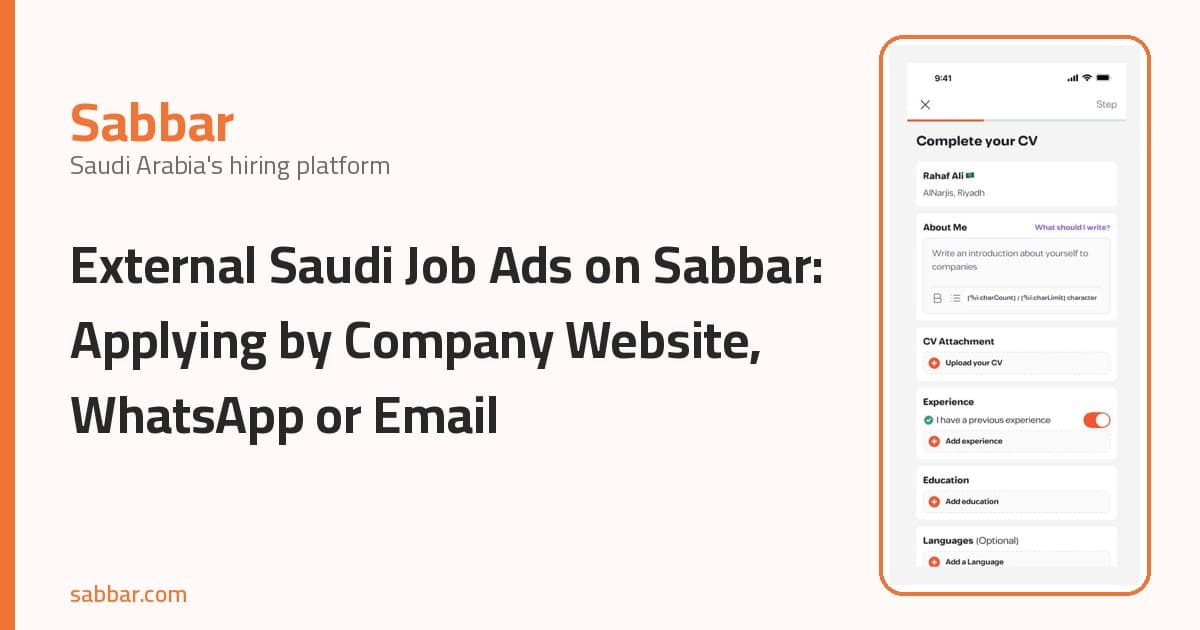
As you browse the Sabbar app you will notice some posts carry a small tag: "Job Ad". These job ads are not Sabbar jobs. Companies published them elsewhere, and the app shows them so you do not miss out.
Applying to them works a little differently. This article explains the tag, the three ways to apply, and how your Sabbar CV helps even outside the app.
What you will learn
- The difference between Sabbar jobs and external ads.
- The three ways to apply to an external ad.
- How to send your CV as a link or PDF.
- How to follow up and check the advertiser.
What are "Job Ad" job ads on Sabbar?
"Job Ad" job ads are jobs posted outside Sabbar that the app and website show in search results. The app puts it this way: job ads are posted outside Sabbar, and they are shown so you can easily receive alerts and send your CV to employers.
The benefit is that every opportunity is in one place, and your alerts cover them. For an overview of the app, read the Sabbar job app guide.
How does a Sabbar job differ from an external ad?
The difference is where you apply and how you follow up.
- A Sabbar job: tagged "Easy Apply". You apply in the app with your CV, track the status in the Applications tab, and talk to the company in chat.
- An external ad: tagged "Job Ad". You apply with the advertiser and follow up with them directly.
- Employer review: companies on Sabbar have their accounts reviewed before their jobs go live. For an external ad, you need to check the advertiser yourself.
How do you apply to an external job ad?
You apply in one of three ways, depending on what the advertiser set.
1. On the company's website
The app opens the application link on the company's site, with a "Download CV as PDF" option so you can upload it to their form.
2. By WhatsApp
The app prepares a ready message with your CV link and opens it in a WhatsApp chat with the advertiser. Review it, then send.
3. By email
The app prepares a ready email that includes your CV link. Add a line about yourself and send.
Every opportunity in one place, from Sabbar and beyond. Browse open jobs now and filter by your city and field.

Sabbar is Saudi Arabia's leading local hiring platform
The go-to place for job seekers and employers across every sector in the Kingdom, with more than 1.5 million job seekers and thousands of companies
Get started with Sabbar today!
How does your Sabbar CV help outside the app?
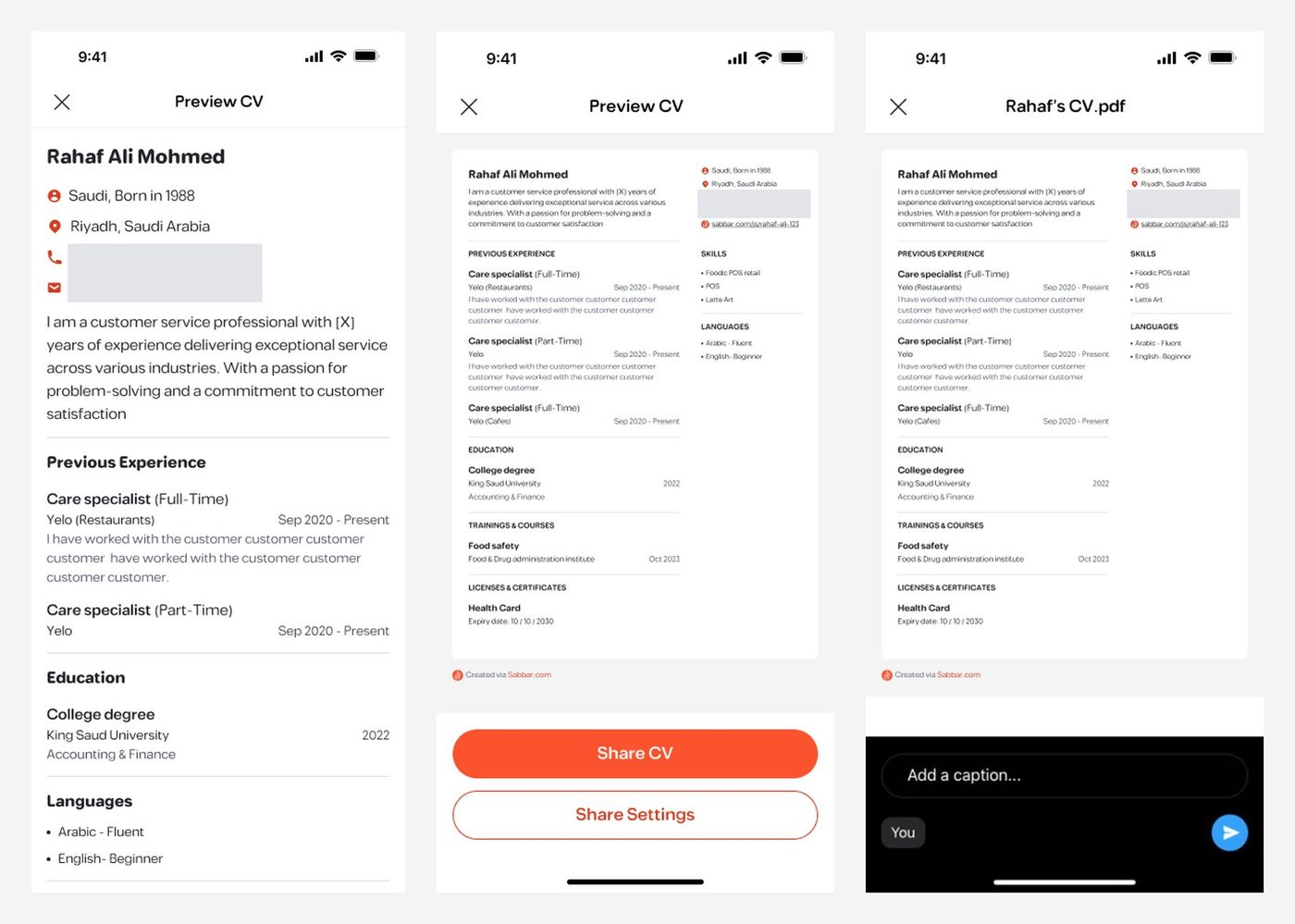
Your Sabbar CV becomes a file or link you can send to anyone.
- A web link: a page showing your CV, sent in a message.
- A PDF: downloaded or shared straight to WhatsApp or Files.
- Language: choose Arabic or English in Share Settings.
- Privacy: city only, never the district, and birth year only.
Every shared CV says it was created via Sabbar.
How do you write a short application message?
The ready message is enough, but two lines from you make a difference. A simple template:
- Greeting and job title: "Hello, I am applying for the [title] position you advertised."
- One line on experience: "I have [duration] of experience in [field]."
- Availability: "I can start [when] and I live in [district]."
- The CV: the link or file.
- Close: "Thank you for your time."
Keep it short and error-free. The CV itself is covered in One CV for every job in Saudi Arabia.
How do you follow up on an external ad?
You follow up with the advertiser directly, because that is where you applied.
- Keep the advertiser's name and the date you applied.
- If there is no reply within a week, send one polite follow-up.
- Do not message every day.
- Keep applying to other jobs.
Sabbar jobs, by contrast, are tracked in the Applications tab; see Job application status on Sabbar.
How do you check the advertiser?
Check in five quick steps before sending any document.
- Look up the company name and its official website.
- Make sure the application link is on the company's domain.
- Check the WhatsApp number belongs to a business, not an unknown individual.
- Do not send your ID or IBAN with a first application.
- Do not pay anything, under any name.
If the ad looks suspicious, report it from the job page. Details are in Fake jobs and job scams in Saudi Arabia.
Do job alerts include external ads?
Yes, and that is one benefit of showing them on Sabbar. When you save a search as an alert, you get a push notification and an email when a matching job is posted, whether it is a Sabbar job or an external ad.
Setting up alerts is covered in Job search on Sabbar: filters and job alerts.
Which should you start with: Sabbar jobs or external ads?
Start with Sabbar jobs, then add external ads.
- Sabbar jobs are quicker to apply to and clearer to track.
- External ads widen your options, especially for office specialisms.
- Use the "Easy Apply" chip if you want Sabbar jobs only.
Tips for applying to external ads
- Update your Sabbar CV before sharing it.
- Match the CV language to the ad's language.
- Read the whole ad; some ask for a specific email subject.
- Apply only through the route the advertiser named.
- Keep a note of what you applied to.
Your CV is the key to all these routes. Download the Sabbar app, prepare it once, and share it wherever you need.
Ready examples: an application message for each case
A template helps, but a complete example is easier to adapt. Here are three short illustrative messages.
- With experience, on WhatsApp: "Hello, I am applying for the receptionist role you advertised. I worked for two years at the reception of a dental clinic in Jeddah, booking appointments and dealing with patients. I can start within two weeks and I live in Al Safa. Here is my CV link. Thank you for your time."
- Fresh graduate, by email: "Hello, I am applying for the administrative assistant role. I graduated this year in business administration and trained for two months in an HR department. I am confident with Office software and can start immediately. My CV link is attached."
- Part time, on WhatsApp: "Hello, I am applying for the part-time cashier role. I am a university student, available daily from 5 pm and on Fridays and Saturdays. I worked as a cashier last summer. Here is my CV link."
Each message has the title, one fact that shows fit, availability and the CV. Keep it to five lines.
Applying on a company website: how to fill the form quickly
Company forms differ, but they mostly ask for the same information. Prepare it once.
- Download your CV as a PDF from Sabbar in the language the post is written in.
- Copy your summary and experience from your CV to paste into the form fields.
- Have exact dates for jobs and education: forms ask for month and year.
- Read the extra questions carefully: such as expected salary and start date, and answer honestly.
- Check before sending: a wrong mobile number loses the whole application.
- Save a screenshot of the confirmation page: it is your only proof of applying.
A simple log for tracking external job ads
You follow Sabbar jobs in the Applications tab. External ads need your own record, because each advertiser replies in its own way.
- The employer's name and the job title.
- The date and method: website, WhatsApp or email.
- The number or email you contacted.
- The follow-up date: one week after applying.
- The outcome: reply, interview, or no reply.
Keep these in your phone notes. After twenty applications you will know which method brings more replies, and can focus on it.
What to do if the advertiser asks for something unusual
After applying to an external ad you may receive requests that need care. This is the rule.
- An interview at their office: normal. Check the address on a map before you go.
- Documents before an interview: ask why. ID and IBAN usually come after a job offer.
- A fee under any name: stop immediately. No real job starts with a payment.
- A verification code you received: share it with nobody.
- Moving to a personal account with no company name: ask for the legal name of the business first.
For more on the warning signs, read Fake Jobs and Job Scams in Saudi Arabia.
Common mistakes when applying to external ads
- Sending the ready message with nothing added: two lines about you set you apart from dozens of identical messages.
- A CV in a different language from the post: an English post suits an English file.
- Applying without reading the conditions: an external ad shows you no distance warning or match, so read it yourself.
- Waiting with no follow-up: one follow-up message after a week is acceptable and useful.
- Neglecting Easy Apply jobs: do not let external ads replace them. They are easier to follow.
Apply to every opportunity with one CV from Sabbar
Sabbar jobs and external ads in a single app. Apply with a tap inside the app, or send your CV as a link or PDF over WhatsApp and email, with no fees.
Summary
"Job Ad" job ads on Sabbar were posted outside the platform. You apply on the company's website, by WhatsApp or by email, and your Sabbar CV is ready as a link or PDF. Check the advertiser first, follow up with them directly, and never pay anyone.
FAQs about external job ads on Sabbar
What does the "Job Ad" tag mean?
It means the job was posted outside Sabbar and you apply with the advertiser.
Can I use Easy Apply on an external ad?
No. Easy Apply is for Sabbar jobs. For an external ad you apply by website, WhatsApp or email.
Does my status for an external ad show in the Applications tab?
Statuses are for Sabbar jobs. You follow up on an external ad with the advertiser.
Should I send my CV as a link or a PDF?
Both work. A link is easier on WhatsApp, and a PDF suits website forms.
Has Sabbar reviewed the advertiser?
External ads were posted outside Sabbar, so check the advertiser yourself before sending documents.