Searching without tools means scrolling through hundreds of posts that do not fit. In the Sabbar app you type a title and a city, tap a filter or two, and save the search so job alerts reach you whenever a new matching job is posted.
This guide explains search, filters and job alerts step by step, with ready search combinations for different situations.
What you will learn
- How to search by job title and location.
- The quick chips and detailed filters, and when to use each.
- How to save a search as a job alert.
- Ready search combinations for fresh graduates, part-time and remote work.
What are job alerts and search on Sabbar?
Search on Sabbar is the feature in the Jobs tab that finds posts by keyword and place, then narrows them with filters. Job alerts are saved searches that notify you when new jobs match.
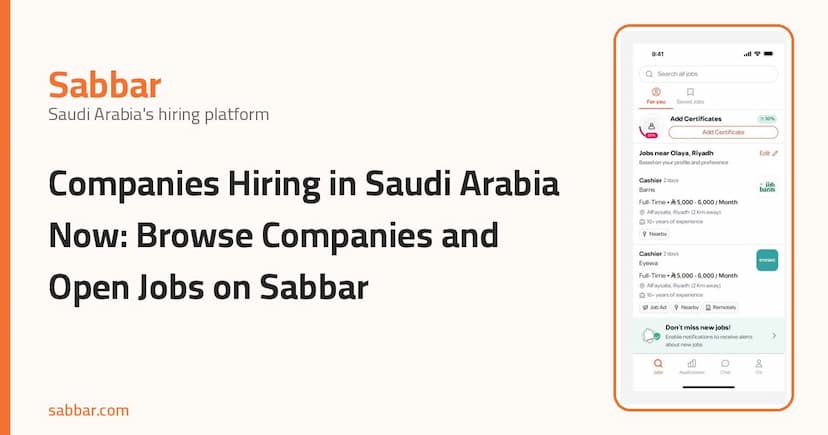
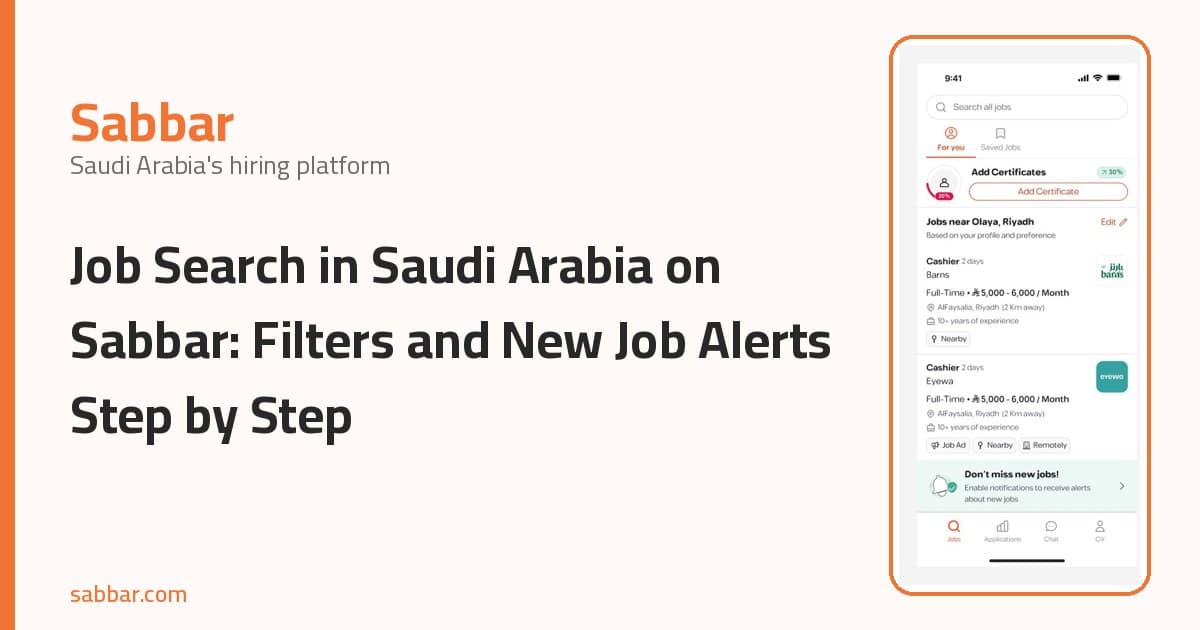
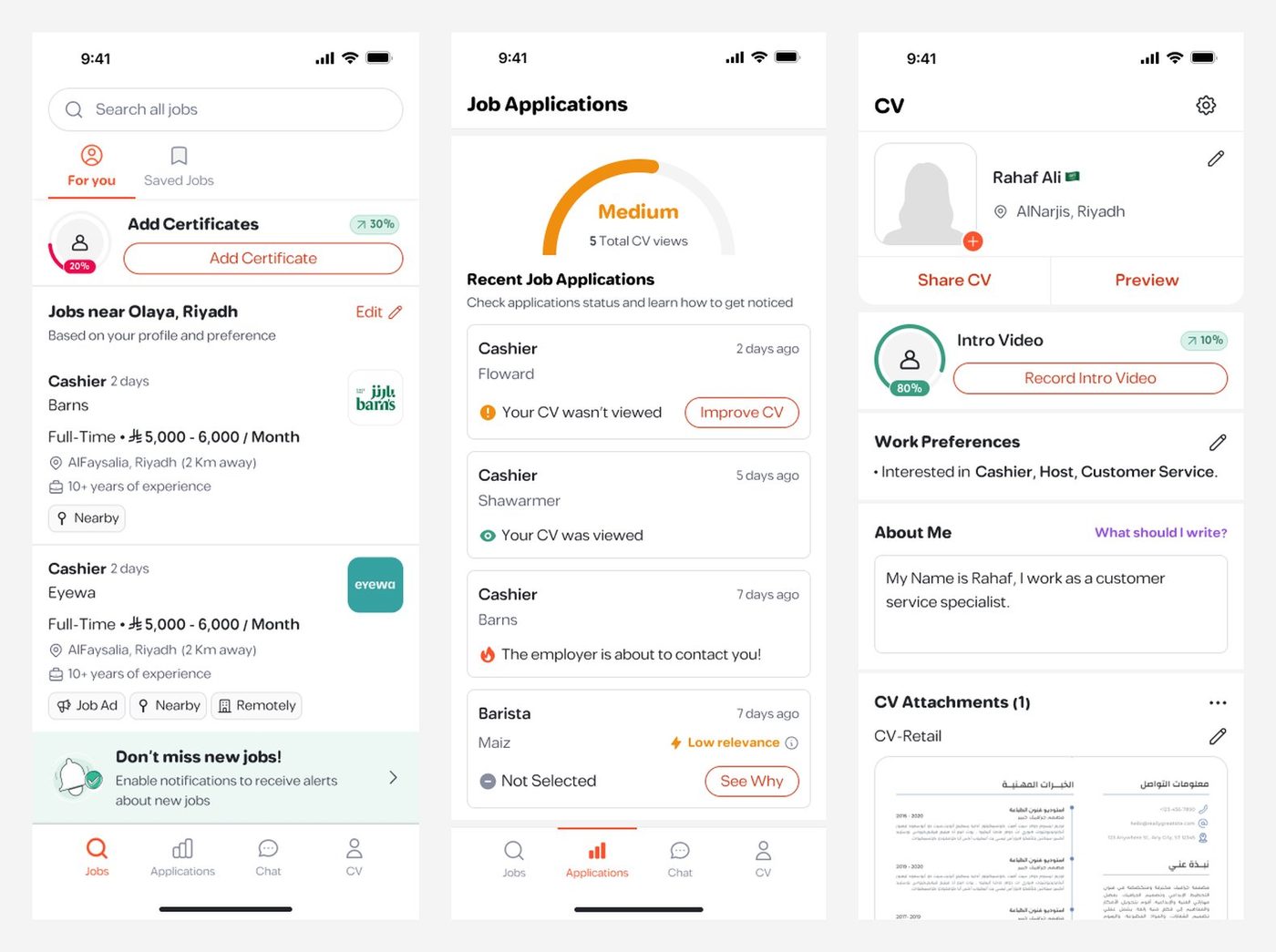
The Jobs tab opens with "Search all jobs", then the personalised "For you" feed and "Saved Jobs". Search is free, like everything in the app for job seekers. For the full overview, read the Sabbar job app guide.
How do you search for a job on Sabbar, step by step?
You search on Sabbar in five simple steps.
- Open the Jobs tab and tap the search field.
- Type a job title or a keyword such as "cashier" or "sales".
- Type the location: a city or a district.
- Tap a quick chip if you want one.
- Open the job you like, read the details, then apply or save it.
The app keeps your recent searches, so you can return to them with a tap.
What are the quick chips?
Quick chips are buttons above the results that switch on with one tap. There are five:
- Easy Apply: Sabbar jobs you apply to inside the app.
- No experience: jobs that need no previous experience.
- Recent Jobs: the newest posts.
- Remote jobs: work-from-home roles.
- Near Me: the closest to your location.
What are the detailed filters?
Detailed filters give you finer control over results.
- Contract type: Full-Time, Part-time / Flexible, Temporary / Seasonal, Internship.
- Date posted: to leave out old posts.
- Remote work only.
- No experience required.
- Female-only workplace.
Sabbar's website offers similar filters, plus quick filters such as Saudis only and fresh graduates.
Try the filters on real jobs now. Search jobs on Sabbar and choose your city and the contract type that suits you.

Sabbar is Saudi Arabia's leading local hiring platform
The go-to place for job seekers and employers across every sector in the Kingdom, with more than 1.5 million job seekers and thousands of companies
Get started with Sabbar today!
How do you read a job card in the results?
A job card gives you the essentials before you open the post.
- Job title, company name and logo.
- Contract type and salary.
- Area and distance from you.
- Experience required.
- Tags such as Nearby, New, Remotely, Always Hiring, Easy Apply and Job Ad.
"Job Ad" means the job was posted outside Sabbar, and you apply on the company's website, by WhatsApp or by email. "Always Hiring" marks a job that stays open.
How do you turn on job alerts?
A job alert is a saved search that sends a push notification and an email when a new matching job is posted. To set one up:
- Run your search with the title, location and filters you want.
- Save the search as an alert.
- Allow notifications for the app on your phone.
- Review, edit or delete alerts under "My Job Alerts".
An alert puts you among the first applicants, which matters because employers start contacting the earliest good matches.
Ready search combinations for your situation
Start with these practical combinations instead of searching at random.
- Fresh graduate: your field's title + your city + "No experience".
- Student wanting extra income: "cashier" or "barista" + your district + contract type "Part-time / Flexible".
- Looking for work from home: "customer service" + "Remote jobs".
- Looking for training: your specialisation + contract type "Internship".
- Prefer a women's workplace: the title + "Female-only workplace".
Tips for faster search and better results
Smart searching saves hours. Five tips:
- Try more than one wording for the title: "sales associate", "salesperson", "sales representative".
- Start with your district and widen to the city if results are thin.
- Save two or three alerts for related titles.
- Save a job if you are not ready to apply, and come back to it in Saved Jobs.
- Complete your CV before searching so you can apply at once. See One CV for every job in Saudi Arabia.
Do not want to search every day? Download the Sabbar app, save your search as an alert, and let new jobs come to your phone.
Alternative search words for the same job
Employers write the same title in different ways, and searching with one word makes you miss posts. Try the alternatives for each job you target.
- Cashier: till operator, POS cashier, checkout staff.
- Customer service: call centre agent, customer support, customer care representative.
- Sales associate: salesperson, sales representative, sales consultant.
- Receptionist: front desk officer, front office staff.
- Barista: coffee maker, café staff.
- Data entry: administrative assistant, office assistant, secretary.
Search once with each wording, notice which brings more results in your city, then save those as alerts.
An illustrative example: a broad search and a focused one
This illustrates how to narrow results. A job seeker in Jeddah has one year of sales experience and wants a full-time job close to home.
The broad search: types "jobs" and picks Jeddah. The result is hundreds of posts from every field, and the time goes on scrolling.
The focused search:
- Types "sales associate" and picks Jeddah.
- Taps the "Near me" filter to see the closest first.
- Sets the contract type to Full Time.
- Sorts by newest and saves the search as an alert.
The result is a short list that can be read in minutes, plus an alert that delivers new posts without repeating the search every day.
How many alerts do you need, and how to set them
Too many alerts turn into noise that you ignore. A few specific ones work better.
- A main alert: your target title in your city with the contract type.
- An alternative alert: another wording of the same title, or a closely related title.
- A flexible alert: a filter such as Remote or No experience, if it suits you.
Set each alert to a specific district or city, and review them every two weeks: delete what no longer fits and adjust any that bring results far from your goal.
A ten-minute daily search routine
A short regular search beats one long session a week, because early applicants are contacted first.
- Two minutes: open notifications and new job alerts.
- Three minutes: check the For You feed and open what matches your experience and location.
- Three minutes: apply to one or two jobs after reading the full requirements.
- Two minutes: open the Applications tab, follow your statuses, and reply to any message.
Common job search mistakes
These mistakes make the search feel fruitless, and they are easy to fix.
- Searching with a very general word: "job" or "work" gives results that are not organised around your field.
- Ignoring location: a great job in a distant district may not last. Use the nearby filter.
- Applying without reading: read the contract type and required experience first so you do not waste applications.
- Overlooking the "Job Ad" tag: these jobs are applied for outside Sabbar, so check the advertiser before sending your details.
- Not saving jobs: save what you like so you can return to it, since posts close when the headcount is filled.
Search jobs in Saudi Arabia now and save your first alert
Thousands of jobs from more than 12,000 companies across Saudi cities. Search by title and district, filter by contract type and experience, and save the search so every new job reaches you as soon as it is posted.
Summary
Job search on Sabbar is three moves: a keyword and a location, then a filter, then saving the search as one of your job alerts. You see only what fits and reach new jobs before others do.
FAQs about search and job alerts on Sabbar
Is job search on Sabbar free?
Yes. Search, filters and alerts are all free for job seekers.
How do I find jobs with no experience?
Use the "No experience" quick chip or "No experience required" in the detailed filters.
How do job alerts reach me?
They arrive as a push notification and an email when a job matching your saved search is posted.
What does the "Job Ad" tag mean?
It means the job was posted outside Sabbar, and you apply on the company's website, by WhatsApp or by email.
Can I search on the website without the app?
Yes. The jobs page on Sabbar's website has city, department and contract type filters, and you can apply directly from the site.