There are two ways to reach the right talent: wait for it to apply, or go and find it. On Sabbar both are open, and each completes the other. Talent search is done by you, across a base of more than 1.5 million job seekers, and Saud takes care of screening and interviewing whoever applies.
This article sets out exactly who does what, and how to combine your search with Saud's intelligence to reach the best candidates in the least time.
What you will learn
- The employer's role in search and Saud's role in screening.
- How to search Sabbar's database and invite candidates.
- How Saud ranks and interviews applicants.
- A plan that combines search, invitations and screening.
Who runs the talent search: you or Saud?
The employer runs the search, using Candidate Search, a beta feature of the Sabbar employer platform. Saud does not search the database on your behalf.
Saud's role starts when a candidate applies to your job: he rates their fit, interviews them on WhatsApp and writes his notes. We spell this out because the two roles are often confused. For an introduction, read What Is Saud by Sabbar?.
Where do candidates come from on Sabbar?
Candidates come from four sources, all feeding one list.
- Applicants to your post: people who saw the job and applied.
- Recommended job seekers: suggested by Sabbar after you post, for you to invite.
- Your search results: people you find with Candidate Search.
- Candidates-by-role pages: website pages showing ready profiles for specific titles.
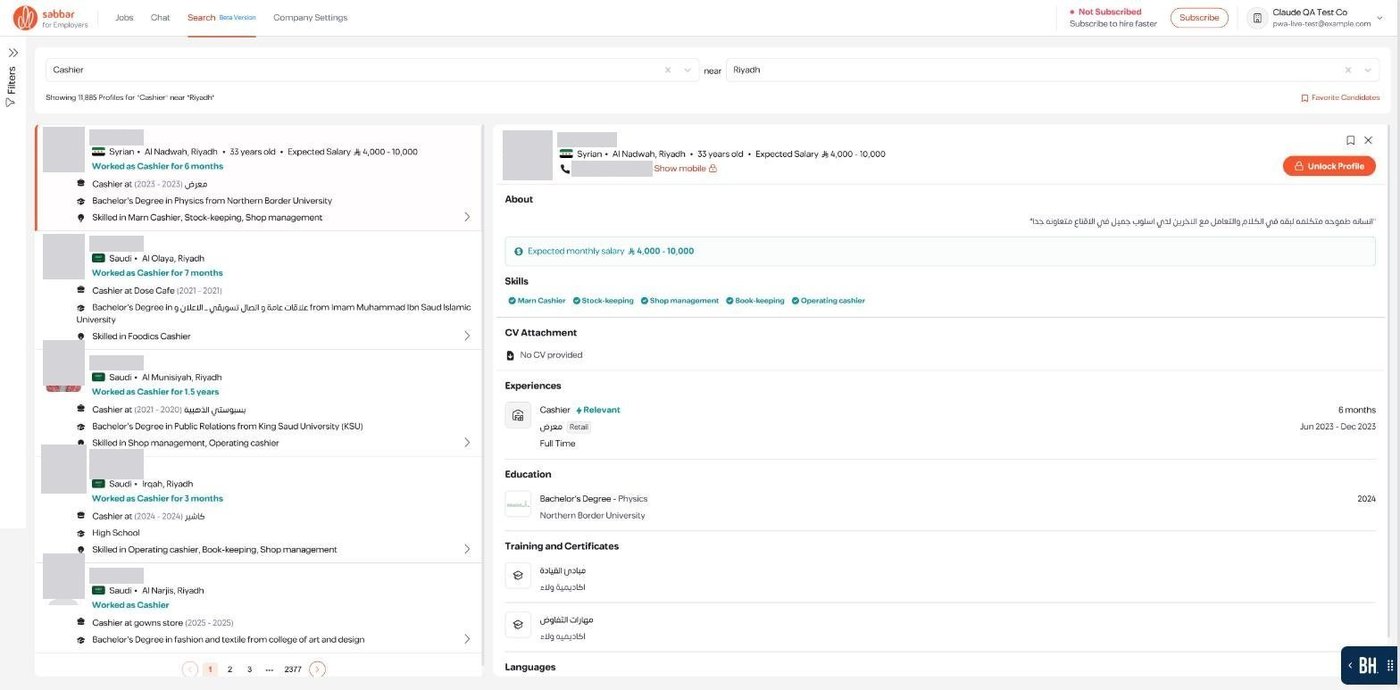
How do you search for talent in Sabbar's database?
You search by job title near a city or district, then narrow with filters.
- Type the title, such as "sales supervisor".
- Set the city or district.
- Apply filters: experience, nationality, education, salary expectation, English.
- Open profiles and save the right ones as favourites.
- Unlock the profile of anyone you want to contact.
The nationality filter helps you reach Saudi talent in support of Saudization plans. The full walkthrough is in Searching Sabbar's CV database.
Want to see search and screening working together? Book a Saud demo and we will walk through a real role with you.

Sabbar is Saudi Arabia's leading local hiring platform
The go-to place for job seekers and employers across every sector in the Kingdom, with more than 1.5 million job seekers and thousands of companies
Get started with Sabbar today!
How do you invite a candidate to apply?
You invite them from the recommended list after posting, and the invitation reaches their app.
- The job seeker gets a notification that your company invited them.
- An invitation card appears in chat.
- They choose: I am interested, I need more details, or I am not interested.
- The chat opens once they answer.
Sabbar's recommendations favour active seekers, relevant experience and proximity to the job.
What does Saud do once a candidate applies?
After the application, Saud's work begins, in three steps.
Matching with a reason
Saud compares the applicant's data with your requirements and rates them Good Fit or Close Fit with a short reason, such as relevant experience or a short commute.
The first interview
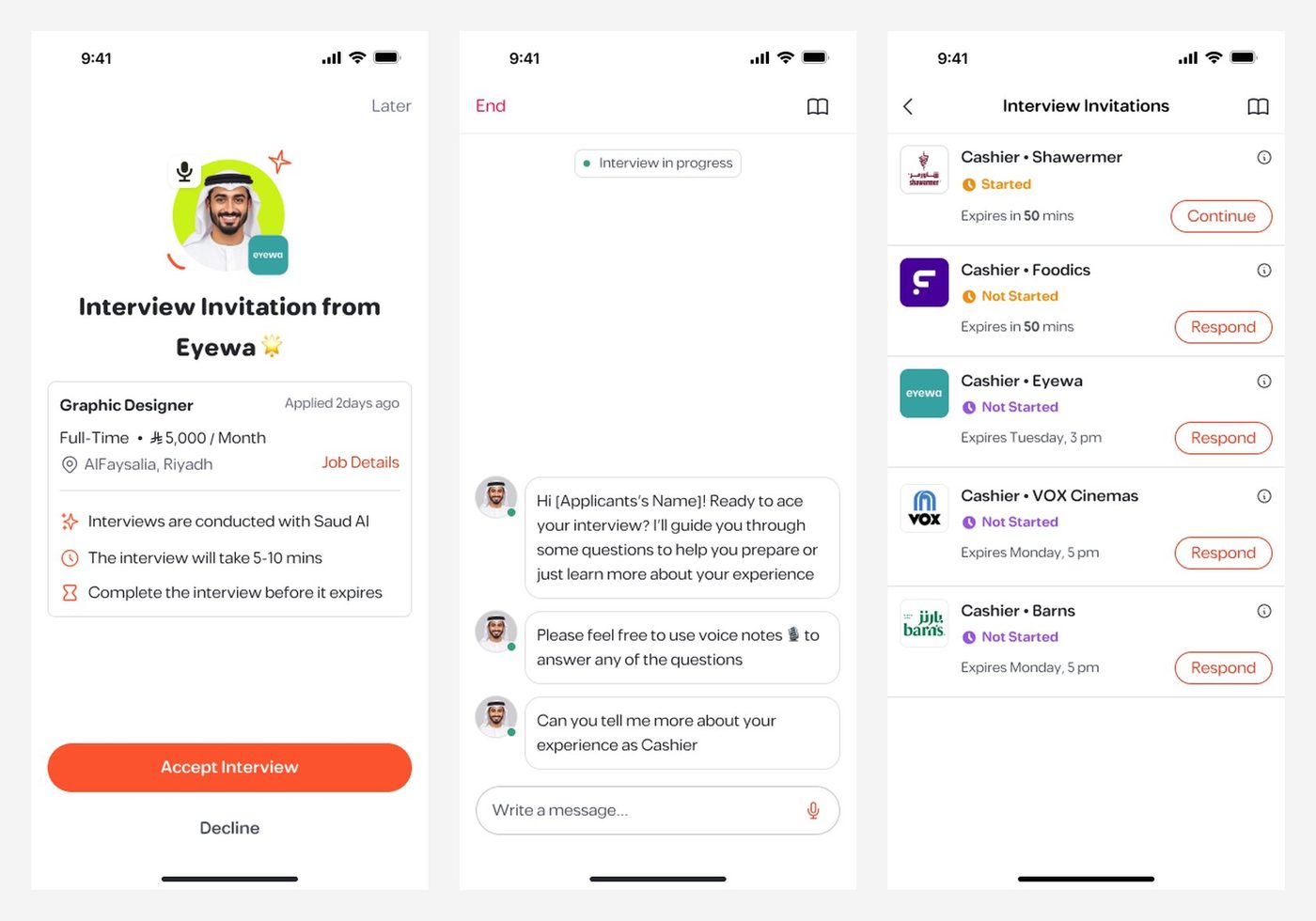
In the Premium and Premium Plus plans, Saud runs a first interview on WhatsApp by text or voice.
The notes
Saud writes a summary, matching points and unmatched points, with the full transcript on the applicant's profile.
People you found by search and people who applied on their own end up in one ranked list. See AI CV screening in Saudi Arabia.
Small teams feel the benefit most: once candidates applied, Chez Ayah let Saud screen them and run first interviews, and reached a team of about 6 on its very first hire. Read how Chez Ayah did it.
Why is combining search and Saud stronger?
Because each solves half the problem.
- Search widens the list with people who never saw your post.
- Saud narrows the list to those who deserve your time.
- Search alone leaves you with hundreds of profiles to read.
- Waiting alone misses suitable people who did not apply.
A practical plan: from search to shortlist
- Post the job: with clear requirements in their fields.
- Invite recommended job seekers: right after posting.
- Search the database: with related titles, district first.
- Unlock the best profiles: and start a chat.
- Let Saud screen and interview: everyone who applies.
- Review Good Fit first: and move the best to the shortlist.
The last step is covered in Candidate shortlisting with AI.
How do you reach Saudi talent specifically?
Reach it with four tools on Sabbar.
- The nationality filter in search and on the applicants list.
- A post with a description and salary that match Saudi candidates' expectations.
- A work location set to the district, so nearby people see the job.
- Fast replies, because good candidates get several offers.
For the link with your ratio, read the Saudization hiring guide.
Common mistakes in talent search
- Searching with a single title.
- Stacking filters until results vanish.
- Unlocking many profiles without a clear first message.
- Calling from an unknown number instead of using chat.
- Neglecting applicants to the post and relying on search alone.
The candidate base is ready; what is missing is someone to rank it for you. See Saud for employers and his first interviews.
An illustrative example: looking for a store manager in Khobar
This illustrates how to combine sources; it is not a real customer case. A furniture chain needs a Saudi store manager for its new branch in Khobar.
- Day one: the job is posted with clear requirements: experience managing a sales team, a set salary and the branch location.
- The same day: the recommended candidates are opened, and those with supervisory experience are invited to apply.
- Day two: a search for "store manager" and "sales supervisor" in Khobar and Dammam, with the nationality and experience filters, and eight profiles saved to Favourites.
- Day three: applicants are reviewed. Saud has rated them Good Fit or Close Fit with reasons, and interviewed those who suit.
- Day four: the three sources are compared, the best four are unlocked, and interviews are booked.
For a leadership role like this, the post alone would have brought few people. Search and invitations widened the list, and Saud ranked it.
How to choose who to invite from the recommendations
Inviting someone to apply takes a second, but random invitations fill your list with people who do not fit. Choose on three criteria.
- Experience in the same or a close title: not just experience in the sector.
- Closeness to the workplace: especially for branch roles.
- Recent activity: an active job seeker answers an invitation quickly.
Invite a number that matches the vacancy. For one role, ten to fifteen chosen invitations are enough. Then watch who answers "Interested" and who asks for more details. Someone asking for details is a serious candidate, so answer the same day.
How to write requirements that make Saud's assessment sharper
Saud assesses applicants on what you enter in the post's fields. The more specific the requirements, the fewer Close Fits whose rating you cannot explain.
- Experience as a number: "three years managing a team" rather than "suitable experience".
- Skills chosen from the list: not only written in the description paragraph.
- Language level: if the role needs English, set the level.
- The real salary: even if you hide it from the post.
- The work location by district: so distance enters the assessment.
In Enterprise you can add your own questions and the criteria for who Saud interviews automatically.
Track the source of every candidate
After two months of hiring this way you will know which source gives the best result, provided you keep a record.
- How many reached the shortlist from each source: the post, recommendations, search.
- How many were hired from each.
- How many days each took to reach a hire.
- Who stayed after three months.
If search gives you most hires for supervisory roles, start with it straight away next time. If the post is enough for frontline roles, do not spend time searching for those.
Common mistakes in reaching talent
- Relying on one source: a post alone misses people who do not browse, and search alone misses people looking for you.
- Inviting without follow-up: the candidate answered "Interested" and nobody messaged them.
- Generic requirements: they make the assessment less accurate however good the system is.
- Unlocking before screening: it spends contact credit on people you have not checked.
- Skipping the nationality filter in Saudization plans: you find out late that your list does not serve your ratio.
You search, and Saud ranks the best candidates for you
You reach talent in a base of more than 1.5 million job seekers, and Saud screens, interviews and writes his notes. Book a demo and see both routes meet in one list.
Summary
Talent search on Sabbar is done by you with Candidate Search, and Saud screens and interviews whoever applies. Combine them: post, invite, search, then let Saud rank the list, and you will reach the right people sooner.
FAQs about AI talent search
Does Saud search the CV database himself?
No. Database search is a tool the employer uses. Saud screens and interviews applicants.
Is Candidate Search open to everyone?
It is available in beta on the Sabbar employer platform, and unlocking contact details needs a paid plan.
Can I invite a candidate who has not applied?
Yes. You invite recommended job seekers after posting, and each can accept, decline or ask for details.
Does Saud interview the people I invited?
Saud interviews applicants to your job in the Premium and Premium Plus plans.
Can I search for Saudis only?
Yes. The nationality filter is available in search and on the applicants list.