Sometimes you do not want to wait for applicants. The role is urgent, or few people apply for the specialism, and you would rather go to the candidate. That is what CV search is for: you search Sabbar's base of more than 1.5 million job seekers inside Saudi Arabia and contact the ones who fit.
This article explains Candidate Search on Sabbar, how to use it well, and when it beats waiting for applications.
What you will learn
- What Candidate Search is and where to find it.
- How to search by job title and city or district.
- The filters available and how to narrow results.
- What Favorite Candidates and Unlock Profile mean.
- When to search and when to post.
What is CV search on Sabbar?
CV search on Sabbar is a feature of the employer web platform called Candidate Search, currently in beta. It lets an employer search the job seeker database by job title near a city or district.
The search is done by the employer or recruiter. It complements posting a job; it does not replace it. For the rest of the tools, read the Sabbar for Employers guide.
How do you search for a candidate, step by step?
You search for a candidate in five steps.
- Open Candidate Search on the Sabbar employer platform.
- Type the job title you are looking for.
- Set the city or district near the workplace.
- Apply the filters that matter.
- Open the right profiles and save the ones you like as favourites.
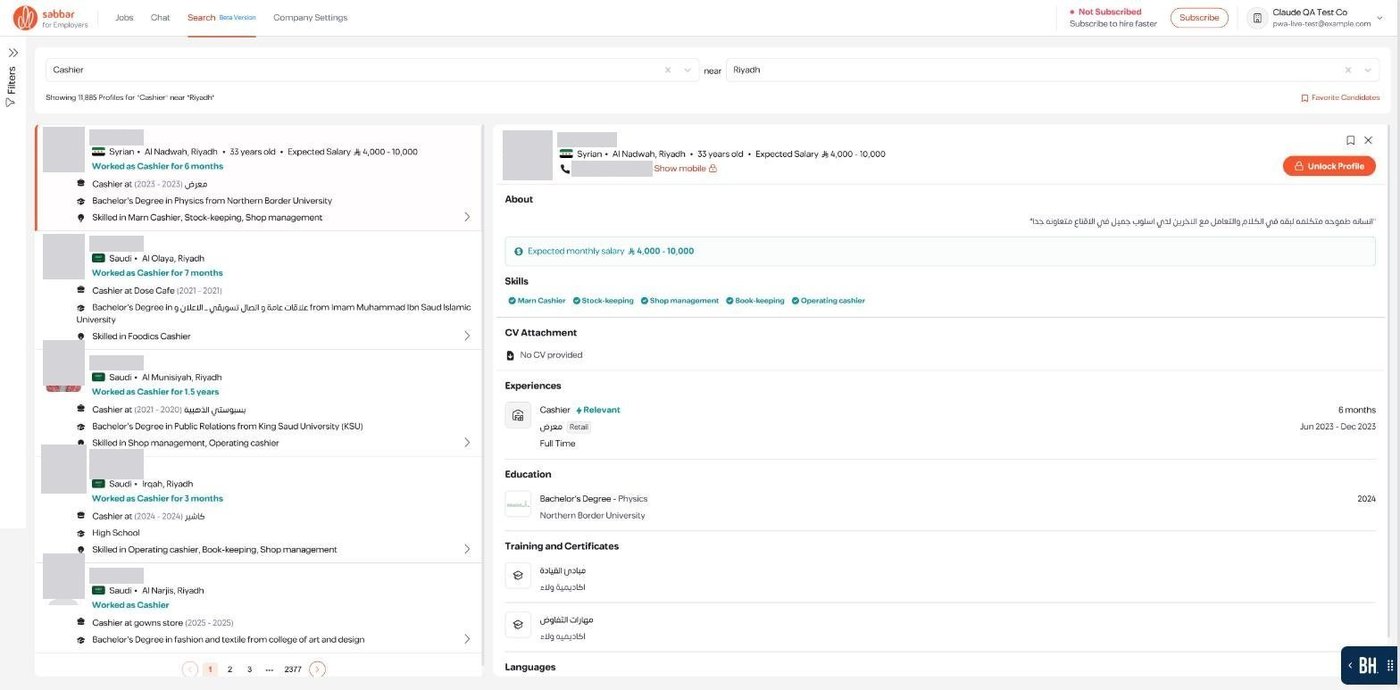
What do search results show?
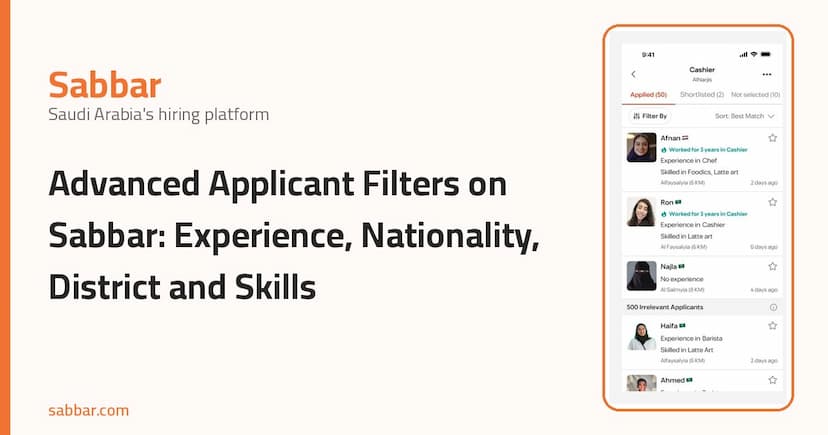
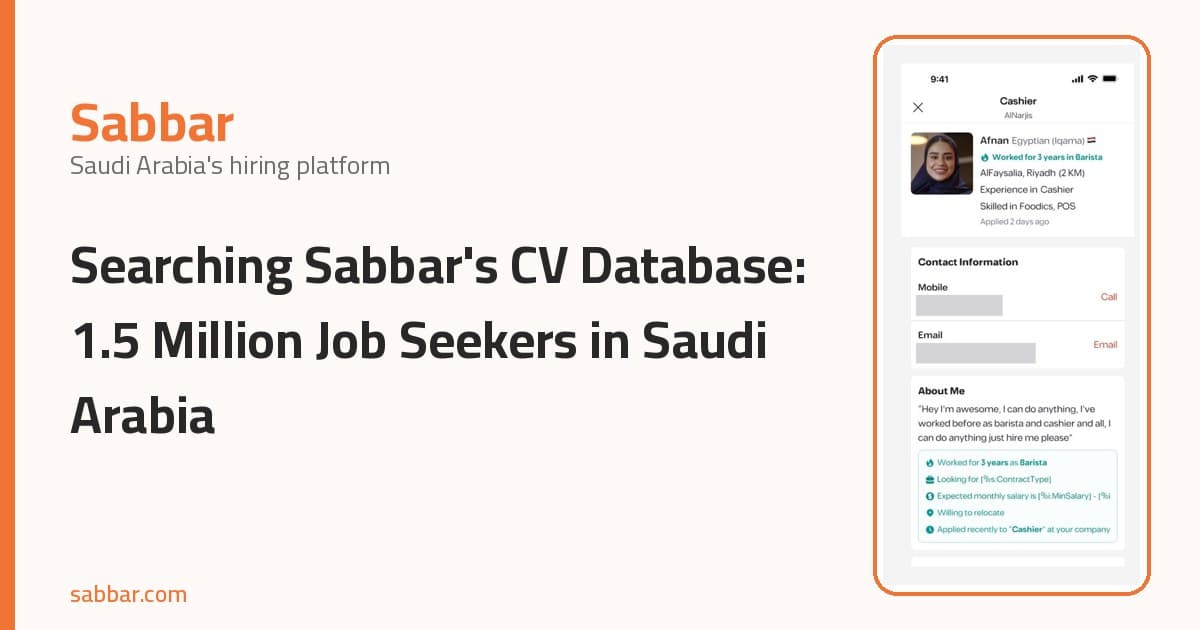
Results show a card for each candidate with enough for a first judgment.
- Nationality and area.
- Years of experience in the role you searched.
- Latest job.
- Education.
- Skills.
Contact details are not shown in results. They appear after Unlock Profile.
Which filters are available?
Candidate Search has about ten filters, covering most job conditions.
- Experience: years in the field.
- Nationality: to support Saudization plans.
- Education: the qualification you need.
- Age and gender.
- Contract preference: full-time or part-time.
- Salary expectation: to avoid people expecting more than your budget.
- English level.
- Special needs.
- Profiles with recorded video interviews: to see the candidate before contact.
Want to start from a ready base instead of waiting? Register your company on Sabbar and try Candidate Search in your city.

Sabbar is Saudi Arabia's leading local hiring platform
The go-to place for job seekers and employers across every sector in the Kingdom, with more than 1.5 million job seekers and thousands of companies
Get started with Sabbar today!
What do Favorite Candidates and Unlock Profile mean?
These are the two steps after you find someone you like.
Favorite Candidates
Favourites is a list where you save candidates to return to. It helps when you are searching for several roles or want to share names with a branch manager.
Unlock Profile
Unlock Profile reveals the candidate's contact details. It needs a paid plan and uses the Applicant Contacts in your plan. When you unlock, the job seeker is notified that your company unlocked their CV.
When should you search, and when should you post?
The choice depends on urgency and how rare the role is.
- A recurring role with many openings: post a job and let matching work.
- An urgent role: search and invite, and post at the same time.
- A rare specialism or specific experience: search is better because applicants are few.
- A remote site or a specific district: search by district to reach people who live nearby.
The best result comes from both: a live post collecting applications, and active search reaching those who never saw it.
How is search different from recommended job seekers?
You start a search with a keyword and filters. Recommended job seekers are suggested by Sabbar automatically right after you post.
- Recommended: people who match your job, favouring active seekers, relevant experience and proximity, invited with a tap.
- Search: full freedom over title, location and filters, even with no live post.
A job seeker you invite can accept, decline or ask for details from their app.
6 tips for searches that deliver
- Try related titles: "sales associate", "salesperson", "sales consultant".
- Start with the district, then widen: nearby people stay longer.
- Go easy on filters: start with two or three.
- Use the video filter: for customer-facing roles.
- Write a clear first message: title, location, salary and hours.
- Use chat: many people do not answer unknown numbers.
How matching ranks the people who do apply is explained in Matched candidates within 24 hours.
Where does Saud come in?
Searching the database is the employer's job. Saud's role begins once a candidate applies: he rates their fit, runs the first interview on WhatsApp in the Premium and Premium Plus plans, and writes his notes. See AI CV screening in Saudi Arabia.
Need Applicant Contacts to unlock profiles? See Sabbar's plans and choose what fits the number of people you want to reach.
An illustrative example: searching for a sales supervisor in Jeddah
This illustrates how to narrow a search; it is not a real result. A retailer needs a sales supervisor for its branch in Al Salamah, Jeddah within two weeks.
- First search: type "sales supervisor" and pick Jeddah. Many results appear at different experience levels.
- Experience filter: set three years or more, which narrows the list to people with real supervisory experience.
- Expected salary filter: remove those who expect far more than the role's budget.
- Tighter location: search by the district and its neighbours to start with the closest.
- Review: open the profiles, save six to Favourites, then unlock the best three.
- In parallel: publish the job post so people who did not appear in the search can apply.
Notice that contact credit was only used at step five, after the company was sure about three candidates worth it.
How to assess a candidate profile in thirty seconds
When you pass through dozens of cards, you need a fixed reading order so you do not open profiles that do not fit.
- Latest job: is it close to the title you are searching for? Recent experience matters more than old.
- Years in the title: not total years of work.
- Area: do they live within a reasonable distance of the workplace?
- Skills: do the two core skills the job needs appear?
- Intro video: if there is one, watch the start for customer-facing roles.
If a profile passes three of these five, save it to Favourites and decide on unlocking once your list is complete.
A first message that gets a reply
A candidate you found through search did not apply to your job, so your first message is your advert. Make it answer their questions before they ask.
- Who you are: the company name and what it does, in one sentence.
- Why them: what caught your eye in the profile, such as experience in the same title.
- The job in brief: title, district, working pattern, and the salary or its range.
- The next step: are they interested, and when would a short conversation suit them?
For example: "Hello, this is the hiring team at a retail company in Jeddah. Your experience as a sales supervisor caught our attention. We have a full-time supervisor role at our Al Salamah branch. Could we talk about it tomorrow?"
A generic line such as "we have a suitable opportunity for you" is ignored by most candidates.
Use Favourites as a talent pool
Favourites is not for one job only. Organised well, it becomes a pool you return to whenever a vacancy opens.
- Save good candidates even when you do not need them now: the next vacancy will come.
- Check the list first for every new vacancy: before starting a search from scratch.
- Share it with colleagues: users on the company account are unlimited, so the branch manager can review candidates directly.
- Clean it regularly: remove people who no longer fit so the list stays usable.
Common mistakes in candidate search
- Unlocking before shortlisting: it spends contact credit on candidates you have not checked.
- Searching one title only: you miss candidates who wrote their title differently.
- Too many filters from the start: results become very few. Start wide, then narrow.
- Not publishing a post: search only reaches people you find, while a post reaches people looking for you.
- A first message with no details: no salary, location or hours means no reply.
Search 1.5 million CVs and contact the best fits
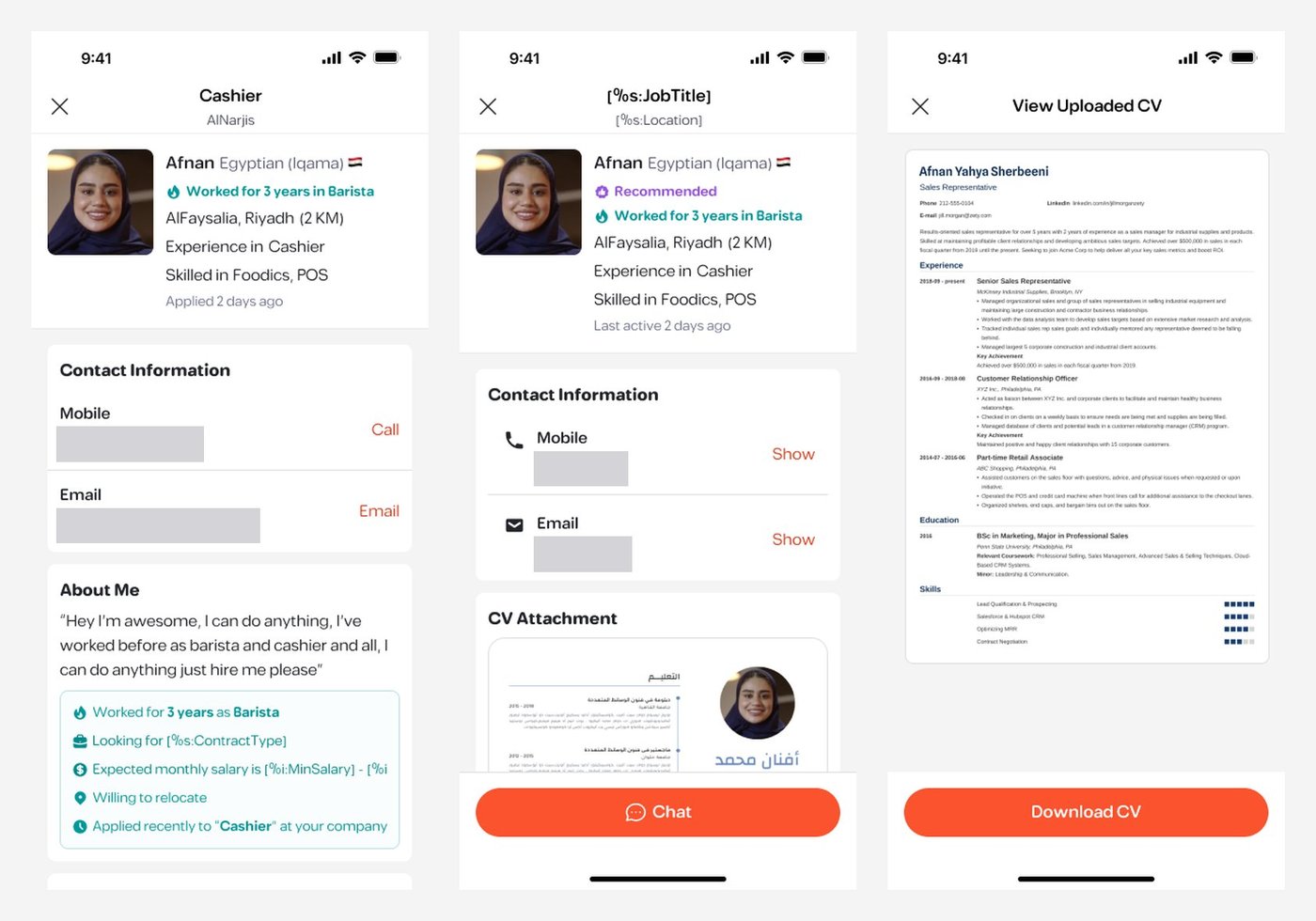
Do not wait for the right candidate to find you. Search by title and district in Sabbar's database, filter by experience, nationality and salary, unlock the right profile and start the conversation.
Summary
CV search on Sabbar gives you the initiative: search by title and city across more than 1.5 million CVs, filter, save favourites, and unlock the profile of anyone you want to contact. Pair it with a live post for the fastest result.
FAQs about CV search on Sabbar
Is Candidate Search available now?
Yes. It is available in beta on the Sabbar employer platform.
Do I see contact details in search results?
No. They appear after Unlock Profile, which needs a paid plan.
Can I search without posting a job?
Yes. Search is independent of job posts, though combining them works better.
Does the candidate know I unlocked their profile?
Yes. They are notified that your company unlocked their CV.
Does Saud search the database for me?
No. The employer runs the search. Saud screens and interviews the applicants to your jobs.