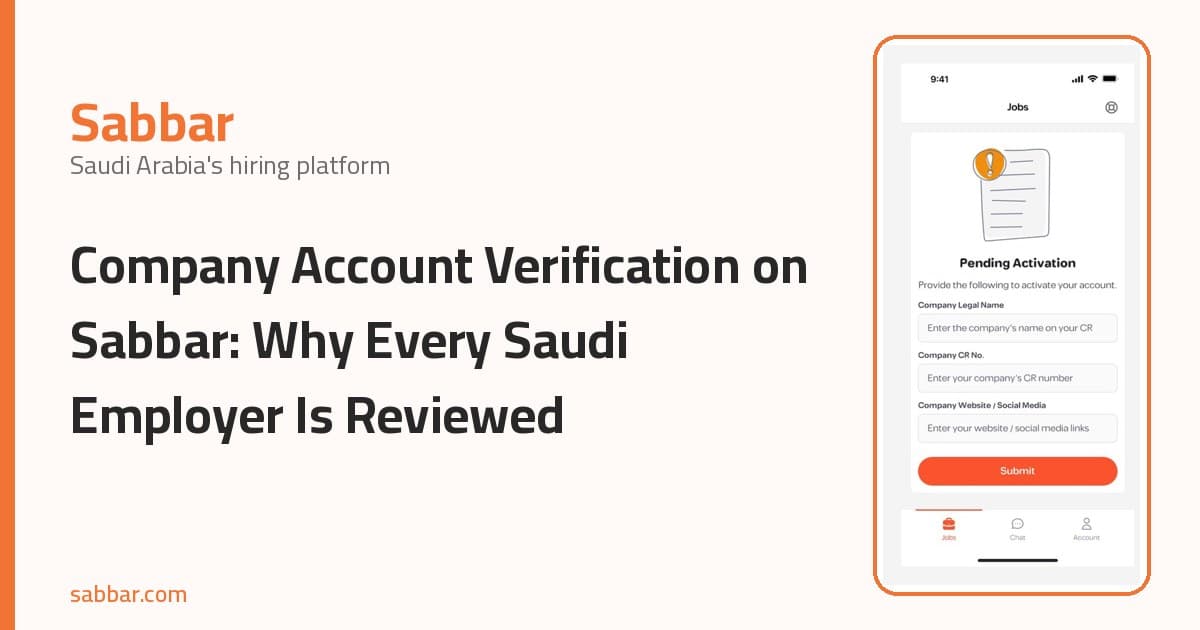
You registered your company and published your first job, and next to it appeared "Pending Approval". Why? Because Sabbar reviews every company before its jobs are shown to job seekers. Company verification is a short step, and it is the reason job seekers trust the posts.
This article answers the activation questions: what is asked of you, how long it takes, and why it serves you even before it serves the job seeker.
What you will learn
- What account activation is and which details are needed.
- What the job statuses mean before and after activation.
- Why Sabbar reviews every company.
- How to speed activation up and avoid delays.
What is company verification on Sabbar?
Company verification on Sabbar is a review of a new business's details before its jobs become visible to job seekers. In the product it is called account activation.
The review checks that the business is real and lawful. It happens once per company, not with every job.
Questions about the details required
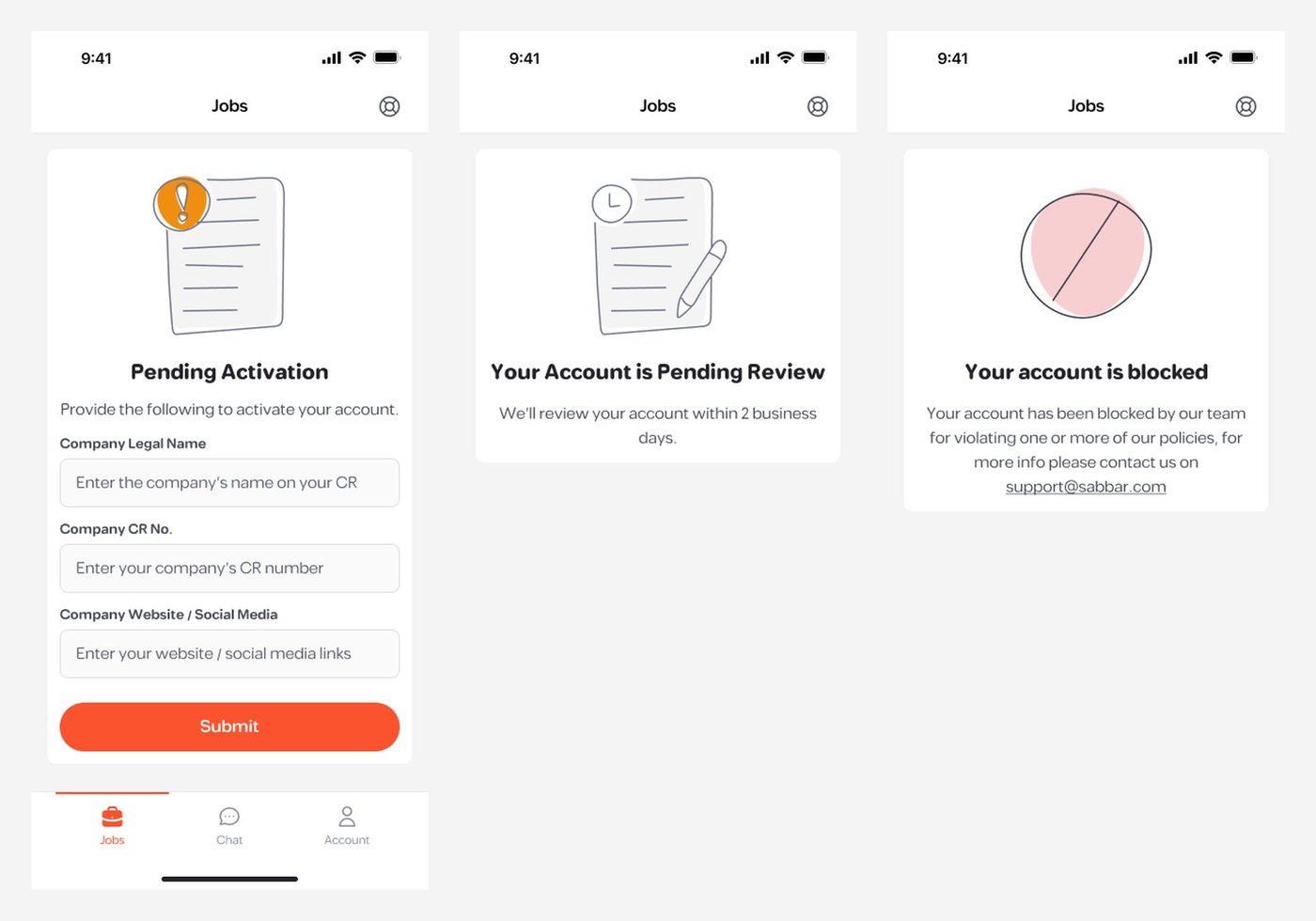
Which details does Sabbar ask for?
Sabbar asks for three things:
- The company's legal name: as on the Commercial Registration.
- The Commercial Registration (CR) number.
- Website or social accounts: optional.
Where do I enter them?
In the Sabbar Companies App during the activation steps, or under activation info in Account Settings on the web platform.
Are the website and social accounts required?
No, they are optional, though adding them helps complete the picture of the business.
Do I need to upload documents?
Activation asks for the legal name and CR number. If the team needs clarification, they will contact you.
What about the details at sign-up?
At sign-up you enter the company name, your name, mobile number, email, headcount and HQ city. Registration is self-serve with no sales call.
Questions about posting before activation
Can I post a job before the review is complete?
Yes. A new company can post right away. The job is saved as "Pending Approval" until the account review is finished.
What does "Pending Approval" mean?
Your job is ready but not yet visible to job seekers, because the company account is under review.
What happens after approval?
The job becomes Active and starts appearing to suitable job seekers. Most jobs receive matched candidates within 24 hours of that.
What are all the job statuses?
- Pending Approval: the account is under review.
- Active: receiving applicants.
- Closing soon.
- Closed: manually with a reason, or automatically.
A manually closed job can be reopened, and any job can be cloned.
Register and post in one sitting. Register your company on Sabbar and enter your CR details from the start.

Sabbar is Saudi Arabia's leading local hiring platform
The go-to place for job seekers and employers across every sector in the Kingdom, with more than 1.5 million job seekers and thousands of companies
Get started with Sabbar today!
Questions about why the review exists
Why does Sabbar review every company?
To protect job seekers and the reputation of serious employers. Sabbar has more than 1.5 million job seekers sharing their details and CVs, and they are entitled to a real advertiser.
How does the review help me as an employer?
- Applicant trust: job seekers apply with confidence.
- More serious applicants: they do not hesitate to share details.
- A cleaner platform: your post is not sitting next to fake ads.
- Access to photos and videos: job seekers' photos and introductory videos are shown to verified employers only.
- Your brand's reputation: a verified business on a trusted platform.
Is there an automated review?
Yes. At registration on the web platform, an AI review checks every new company, alongside the review of activation details.
How does this relate to fake jobs?
Fake ads depend on an anonymous advertiser. Requiring a legal name and CR number shuts out most of them. See Fake jobs and job scams in Saudi Arabia.
Questions about timing and delays
How long does the review take?
It varies with how complete the details are. Correct, complete details are reviewed faster.
How do I speed up activation?
- Enter the legal name exactly as on the CR.
- Enter the CR number correctly and in full.
- Add the company's website or official accounts.
- Complete the company profile with a logo and About.
- Use an email on the company's domain if you have one.
- Watch your phone and email for any question from the team.
What commonly causes delays?
- A trade name entered instead of the legal name.
- A CR number that is incomplete or mistyped.
- An expired CR.
- A job in an activity that does not match the company's.
- Contact details nobody answers.
What should I do if activation is delayed?
Check the details you entered first, then contact Sabbar support through the Contact us page on the website.
Questions about after activation
Do I need activation again for each job?
No. Activation is once for the account. After that your jobs publish directly.
Does it affect my teammates?
No. Activation is at company level and every user benefits. See One account for your hiring team.
How is activation different from the company profile?
Activation is legal information Sabbar reviews. The company profile is introductory content job seekers see: logo, About and photos. See Company profile on Sabbar.
Can I change activation details later?
Activation info appears in Account Settings. If your CR or legal name changes, contact support.
What should you do while waiting for approval?
Do not waste the time. Prepare what lifts your post's results the moment it appears.
- Complete the company profile and photos.
- Review the job description and use "Write with Saud".
- Check salary, district and shifts.
- Invite your colleagues to the account.
- Download the Companies App and switch on notifications.
- Look at the plans so you are ready when applicants arrive.
Posting steps are in How to post a job in Saudi Arabia for free, and plans in Sabbar plans for Saudi employers.
Does the review mean job seekers can stop being careful?
The review lowers the risk a great deal, and Sabbar still reminds job seekers of the safety rules: do not share passwords or codes, do not send money to employers, and report suspicious behaviour. Every post has a report option.
That works in your favour too: a platform job seekers trust brings you better candidates.
Account activated and ready to contact applicants? See Sabbar's plans and start today.
An illustrative example: two businesses that registered the same day
This illustrates the effect of accurate details; it is not a real case and not a promise of any timeframe.
The first business: typed its name the way customers know it from the signboard, and entered the registration number from memory, missing a digit. It added no website or accounts. The team had to contact it for clarification, and its job stayed "Pending Approval" until the details were corrected.
The second business: copied the legal name and registration number from the certificate itself, added its official account and completed the company profile. Nobody needed to ask it anything.
Both are real, lawful businesses. The difference is that the second left no open question for the reviewer; every missing or mismatched detail means one more round of contact.
Where do you take your correct legal details from?
Most delays come from details typed from memory. Take them from the source.
- The legal name: from the Commercial Registration certificate itself, with the same letters and spacing.
- The Commercial Registration number: copy it in full and check it digit by digit.
- The trade name: if it differs from the legal name, it belongs in the company profile job seekers see, not in the legal name field.
- Website and accounts: use the business's official accounts, not personal ones.
- Contact details: a number and an email that someone really answers during working hours.
Keep the certificate open in front of you while you fill in the details. One minute of matching saves days of waiting.
Who should register the company and follow up the verification?
Choosing the right person makes everything after verification easier.
- Someone staying with the business: the owner or the HR officer, not a temporary employee.
- With access to the legal details: or who knows exactly whom to ask for them.
- Who answers queries: watching their phone and email during the review days.
- Who invites the rest of the team afterwards: each colleague with a fitting role, instead of sharing one number.
If the person who registered is about to leave the business, arrange another colleague's access to the account before they go.
A checklist before you submit your verification details
Go through these items once before submitting.
- The legal name matches the certificate exactly.
- The Commercial Registration number is complete and free of errors.
- The Commercial Registration is valid.
- The advertised job fits the business's activity.
- The website or official accounts are added, if you have them.
- The logo and About text in the company profile are complete.
- The mobile number and email work and are answered.
If every item is ticked, you have done all that is in your hands, and what remains is waiting for the review.
A ready message to support if verification is delayed
If you have checked your details, found them correct, and the job still shows "Pending Approval", write to support with a clear message that cuts out the back-and-forth. Include:
- The business's legal name.
- The Commercial Registration number.
- The mobile number the account is registered with.
- The registration date and the title of the posted job.
- What you have already checked yourself.
Example: "We registered our business on this date and posted this job, and it is still pending approval. We checked the legal name and registration number and both match the certificate. Do you need anything else from us?"
A complete message the first time is handled faster than one that only says "my account is not verified".
Verify your company account and post to job seekers who trust you
Register your company, enter its legal name and CR number, and post your job for free. Once approved, it appears in front of more than 1.5 million job seekers.
Summary
Company verification on Sabbar happens once, with the legal name and Commercial Registration number. You can post straight away, and the job stays "Pending Approval" until the review is done. The step protects job seekers and puts your post on a platform they trust.
A few more quick questions
Is account activation free?
Yes. Registration, activation and posting a job are free.
Do I need a Commercial Registration to register?
Sabbar asks for the legal name and CR number to activate the account and show its jobs.
Do job seekers see my CR number?
Activation details are for review. What job seekers see is the company profile and its jobs.
Can I post from the app before activation?
Yes, and the job stays pending approval.
Whom do I contact if there is a problem?
Sabbar support, through the Contact us page.