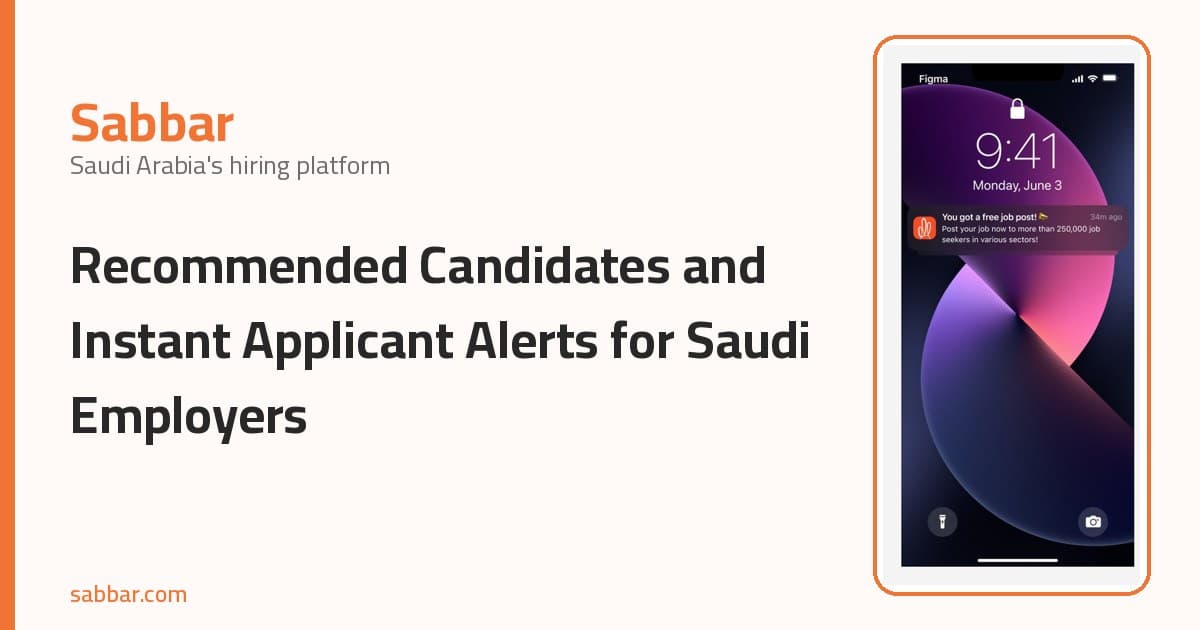
You posted the job in the morning, got busy at the branch, and opened the account three days later. The best applicants had already accepted other offers. In hiring today, candidate recommendation is half the job; the other half is reaching people while they are still available.
Sabbar handles this with two features: recommended job seekers to invite as soon as you post, and instant alerts for every new applicant. This article explains how they work and how to use them.
What you will learn
- Who recommended job seekers are and how they are chosen.
- How instant applicant alerts work.
- Why speed of reply decides the outcome.
- A simple daily plan so you never miss a candidate.
How does candidate recommendation work on Sabbar?
Candidate recommendation on Sabbar works in two complementary ways: your job is shown to suitable job seekers so they apply, and Sabbar suggests matching job seekers for you to invite.
You are not relying on waiting alone. Most jobs receive matched candidates within 24 hours. See Matched candidates within 24 hours.
Who are recommended job seekers?
Recommended job seekers are a list of people who match your job, shown right after you post it on the Sabbar employer platform. They have not applied yet; you invite them.
The list favours three groups:
- Active seekers: people looking right now.
- Relevant experience: people who worked in a similar title.
- People near the job's location.
What happens when you invite a recommended job seeker?
- You choose the person from the list and invite them.
- They get a notification that your company invited them.
- An invitation card appears in their chat.
- They choose: interested, needs more details, or not interested.
- The chat opens once they answer.
The full walkthrough is in Inviting candidates to apply.
See the recommended list for your job now. Post your job on Sabbar for free and invite your first candidates within minutes.

Sabbar is Saudi Arabia's leading local hiring platform
The go-to place for job seekers and employers across every sector in the Kingdom, with more than 1.5 million job seekers and thousands of companies
Get started with Sabbar today!
What are instant applicant alerts?
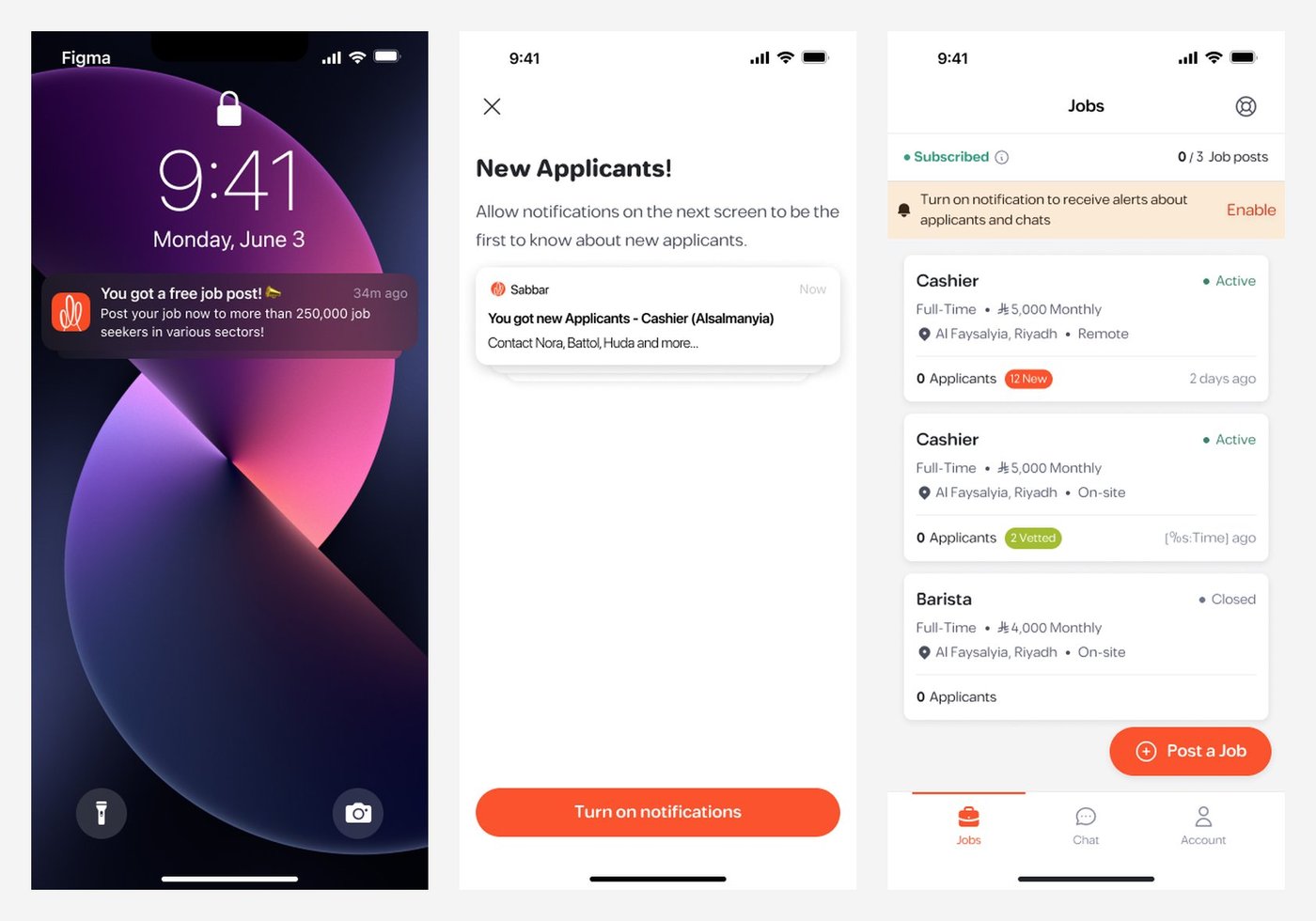
Instant applicant alerts are push notifications the Sabbar Companies App sends to your phone the moment a new applicant arrives. The alert says it plainly: you got new applicants, contact them before they get other offers.
This is the app's main advantage over the web platform: you do not have to open the account to find out; the news comes to you.
Which alerts do you receive?
- New applicants: as they arrive.
- A free job post reminder: if you have not used it yet.
- A prompt to enable notifications: after your first post.
You control applicant notifications in the app's settings.
Why does speed of reply decide the outcome?
Because good candidates do not wait. Someone looking for a frontline job applies to several places the same day and goes with whoever replies first.
- Within the first hour: still looking and keen.
- After a day: they have spoken to two other employers.
- After three days: they have probably accepted an offer.
- After a week: they have forgotten they applied.
The employer who sees the alert and replies within the hour beats the one who checks the account at the end of the week.
How do you turn alerts on?
- Download the Sabbar Companies App and sign in with your number.
- Post your first job.
- Allow notifications when prompted.
- Check notification settings on the phone itself.
- Review applicant notifications in the app's settings.
- Invite branch managers as users so alerts reach them directly.
See Sabbar employer app for Saudi businesses.
What do you do when an alert arrives?
Act in five steps that take minutes.
- Open the applicant's profile from the alert.
- Look at the fit rating and its reason.
- Check experience, district and distance.
- If they fit, move them to the shortlist.
- Start the chat with a clear message and propose a time.
Writing the first message is covered in Chat with candidates and unlock CVs on Sabbar.
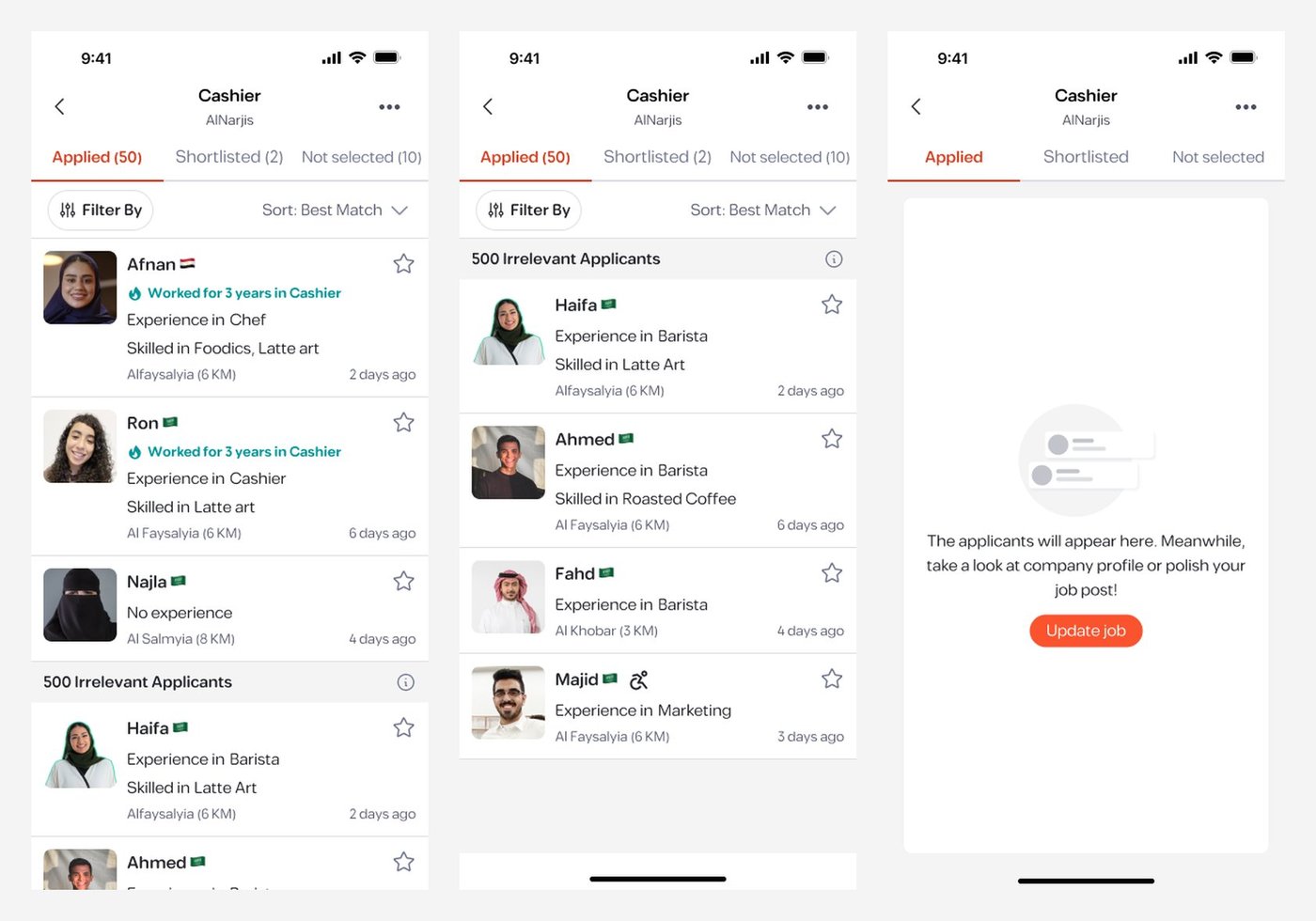
How do new applicants appear in the list?
In the Companies App, applicant cards carry tags.
- New: you have not opened the profile yet.
- Recommended: a strong match.
Sort the list by Best Match or Newest. Low-match applicants are grouped at the end.
A daily plan so you never miss a candidate
- Morning: post, or review your active jobs.
- Right after posting: invite recommended job seekers.
- During the day: reply to every alert within an hour.
- End of the day: check who you have not answered.
- Every two days: review the shortlist and book interviews.
How do you spread alerts across your team?
- Each branch manager follows their branch's jobs.
- A recruiter covers central jobs.
- A stand-in on days off.
- An agreed maximum reply time, such as two hours in working hours.
Users are unlimited; see One account for your hiring team.
What if there are more applicants than you can answer?
If numbers are high, let Saud take the first interview.
- Saud's WhatsApp interviews in Premium and Premium Plus.
- Auto interviews on your criteria in Enterprise.
- You receive a verdict and notes, and reply to the best fits.
See AI interviews on WhatsApp with Saud.
Common mistakes that make you miss candidates
- Notifications switched off on the phone.
- The account on the phone of someone on leave.
- Waiting for a full list before replying.
- Ignoring the recommended list.
- A generic reply with no details.
- Leaving a job open after it is filled.
A suitable candidate arrived and you want to talk now? See Sabbar's plans and start the conversation straight away.
An illustrative example: the same job, handled two ways
This is an illustration and the figures are hypothetical. Two restaurants in Jeddah post a cashier job on the same day.
The first restaurant: posts the job and closes the account. It opens it four days later and finds fifteen applicants. It messages the best five; only two reply, and the rest have already started work elsewhere.
The second restaurant: invites six recommended candidates straight after posting and turns on alerts. It replies to every matched applicant within the first hour, holds three interviews on day two and closes the job on day three.
The post is the same and the pay is similar. The whole difference is timing: the second spoke to candidates while they were still looking.
How do you choose which recommended candidates to invite?
The list can be long and your time is limited. Use these questions to prioritise.
- Is their experience in a title close to your job? Relevant experience means a faster start.
- Do they live near the workplace? Proximity reduces no-shows and early resignations.
- Are they active now? Someone searching right now replies sooner.
- Do the shift and contract type suit them? Check what their profile shows before inviting.
Start with those who tick most of these. And do not invite everyone at once if you cannot reply the same day to those who accept.
Ready first messages that save you time
Speed does not mean an empty message. Prepare short texts and change the details.
- To a new matched applicant: "Hello, thank you for applying for the cashier job at our Al Rawdah branch. The shift is evenings, 4 to 12. Would a short interview tomorrow at 5 suit you?"
- To a recommended candidate who chose Interested: "Hello, glad you are interested. The job is a barista role at a branch near your district, on the morning shift. When is a good time to talk?"
- To someone who asked for more details: "Gladly. The duties are these, the shift is this, and the salary is as shown in the post. When is a good time for you to talk?"
Three elements in every message: the job title and location, one thing the candidate cares about, and a clear question that is easy to answer.
How do you handle many alerts without ignoring them?
Lots of alerts is a good sign, but they turn into noise if you do not organise them.
- Set fixed reply times: such as the start, middle and end of your shift, if you cannot reply instantly.
- Open the newest first: a new applicant is still available.
- Decide quickly: shortlist or not suitable; do not leave a profile hanging.
- Spread jobs across the team: so they do not all pile up with one person.
- Close the job once you have enough: the alerts you do not need stop.
The rule is that every alert is read the day it arrives. An alert put off for three days is, in practice, an alert that never came.
How do you measure your reply speed and improve it?
What you do not measure does not improve. Watch three simple numbers each week.
- Time to first reply: how many hours between a matched applicant arriving and your first message?
- Share who reply to you: of every ten you message, how many answer?
- Days to first interview: from the posting date to the first appointment.
Keep them in a note on your phone. If the first reply takes longer than a day, the problem is how alerts are shared across the team, not the number of applicants.
Be the first to reply to the right candidate
Sabbar recommends matching job seekers as soon as you post and alerts you the moment each applicant arrives. Post your job for free, switch on alerts, and leave no candidate to your competitors.
Summary
For candidate recommendation that pays off, use both features together: invite recommended job seekers as soon as you post, and switch on instant applicant alerts in the Companies App. Then reply within the hour, because speed is what wins the right candidate.
FAQs about recommended candidates and alerts
When does the recommended list appear?
Right after you post the job on the Sabbar employer platform.
Are instant alerts available on the web?
Instant alerts are a feature of the Sabbar Companies App on your phone.
Can a recommended job seeker decline?
Yes. They choose interested, needs more details, or not interested.
Do alerts reach every team member?
They reach each user on their own phone, if notifications are on in the app.
Is inviting recommended job seekers free?
Posting and seeing matches is free. Contact and chat need a paid plan.