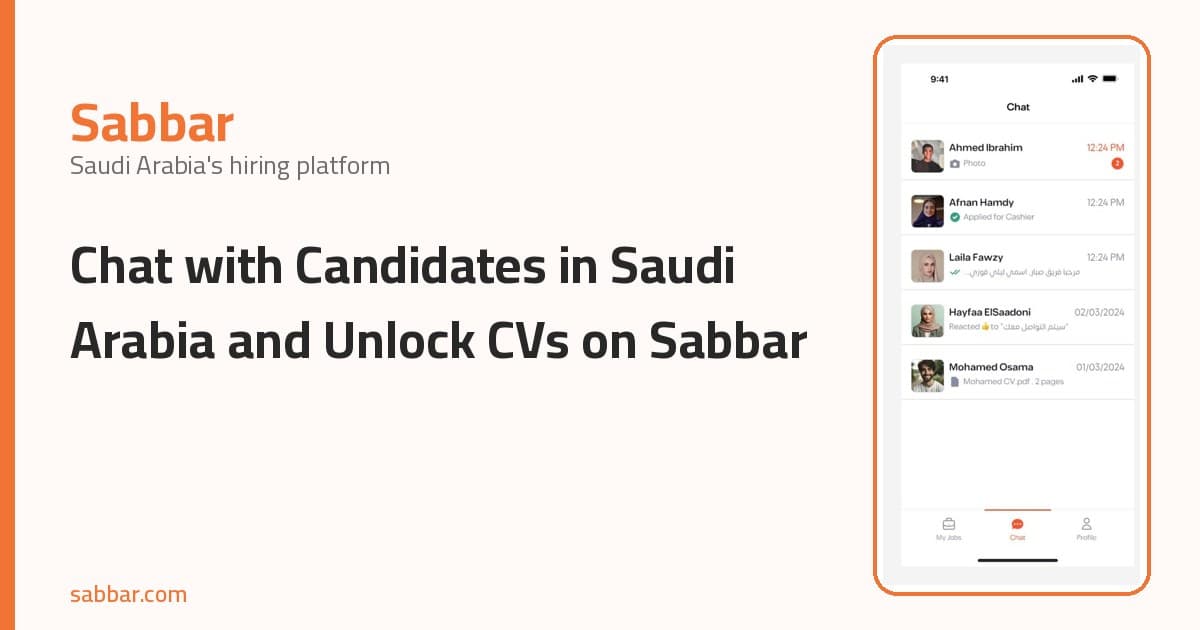
You found the right candidate. Now how do you reach them? A call from a number they do not know will probably go unanswered, and an email may be read a week later. The step where you contact candidates is where a lot of hiring falls apart.
On Sabbar you contact people directly through in-platform chat and unlock a candidate's profile to see their details, with no intermediary. This article explains how it works, what needs a plan, and how to write a first message that gets a reply.
What you will learn
- The ways to contact candidates on Sabbar.
- What chat offers: messages, calls, attachments and CV requests.
- What Unlock Profile and Applicant Contacts mean.
- How to write a strong first message and manage many chats.
How do you contact candidates on Sabbar?
You contact candidates on Sabbar with a set of tools that reach the applicant directly: in-platform chat, a call and WhatsApp, once contact details are revealed.
Seeing applicants and their fit rating is free. Contact is what needs a paid plan. That is the rule Sabbar is built on: pay only when you contact the right candidate. See Sabbar plans for Saudi employers.
Why is chat better than a direct call?
Chat is better because it fits how job seekers communicate today.
- Many do not answer unknown numbers.
- The candidate replies in their own time: even during their current shift.
- Everything is on record: what you agreed is written down.
- Your team sees the context: a colleague picks up where you stopped.
- Safety for both sides: no need to swap personal numbers at the start.
What does Sabbar chat offer?
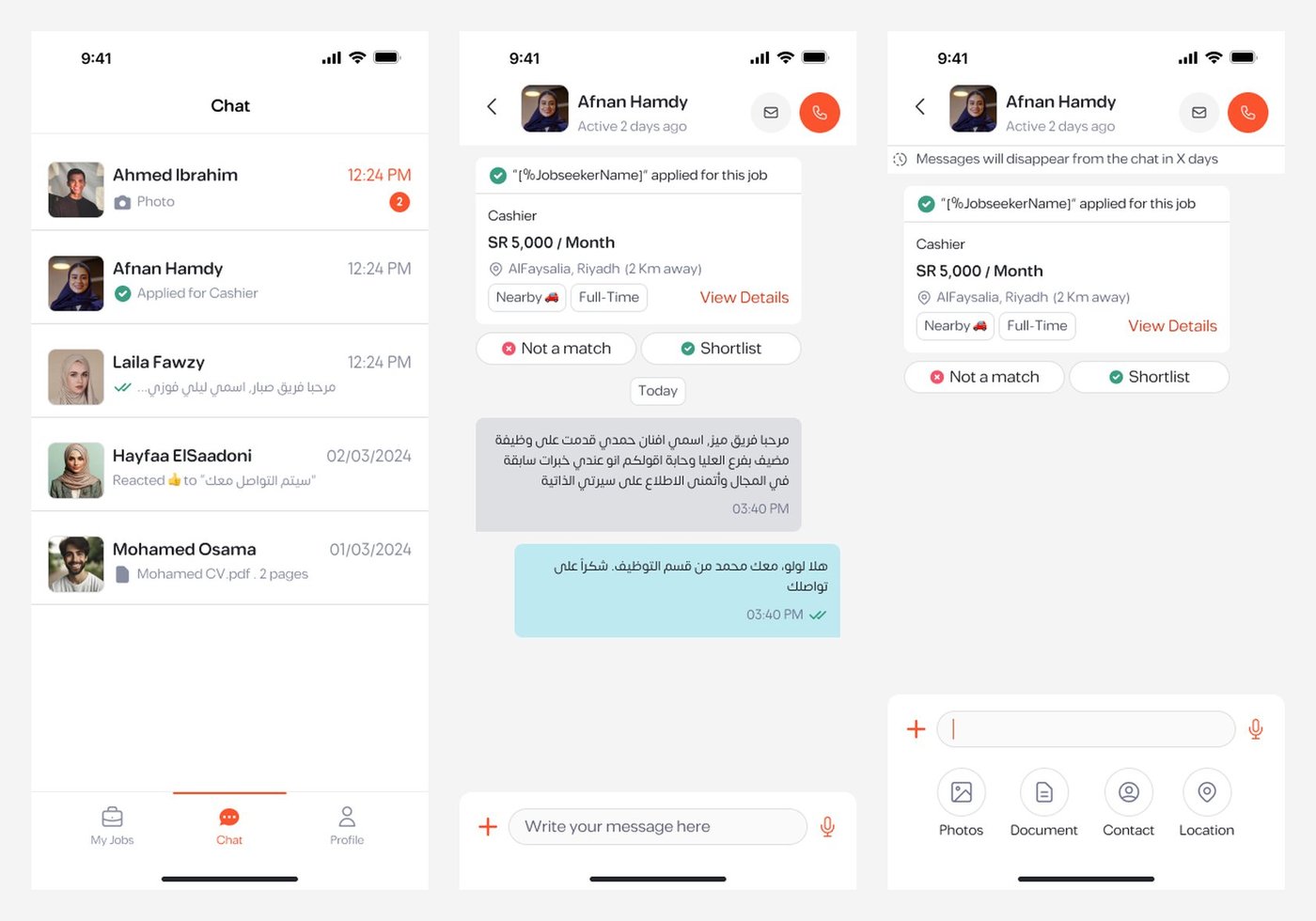
Chat on Sabbar is more than text.
- The job card: the thread starts with it, with Shortlist and "Not a match" options.
- Text messages and reactions.
- Voice notes: to hear the candidate and be heard.
- Photos and PDFs: such as a job offer or a location map.
- CV request: if the candidate attached no file, ask them to upload one.
- A call from the thread.
- Seen ticks and a typing indicator: so you know your message landed.
What does unlocking a CV or profile mean?
Unlocking reveals the candidate's contact details: mobile number and email, with chat and WhatsApp. Before unlocking you see experience, skills and area, without contact details.
- It uses the Applicant Contacts in your plan.
- The job seeker is notified that your company unlocked their CV.
- In Candidate Search it is called Unlock Profile.
This protects job seekers from random calls and makes your contact deliberate.
Have matched applicants and want to talk to them? See Sabbar's plans and choose the Applicant Contacts that fit the number of people you want to reach.

Sabbar is Saudi Arabia's leading local hiring platform
The go-to place for job seekers and employers across every sector in the Kingdom, with more than 1.5 million job seekers and thousands of companies
Get started with Sabbar today!
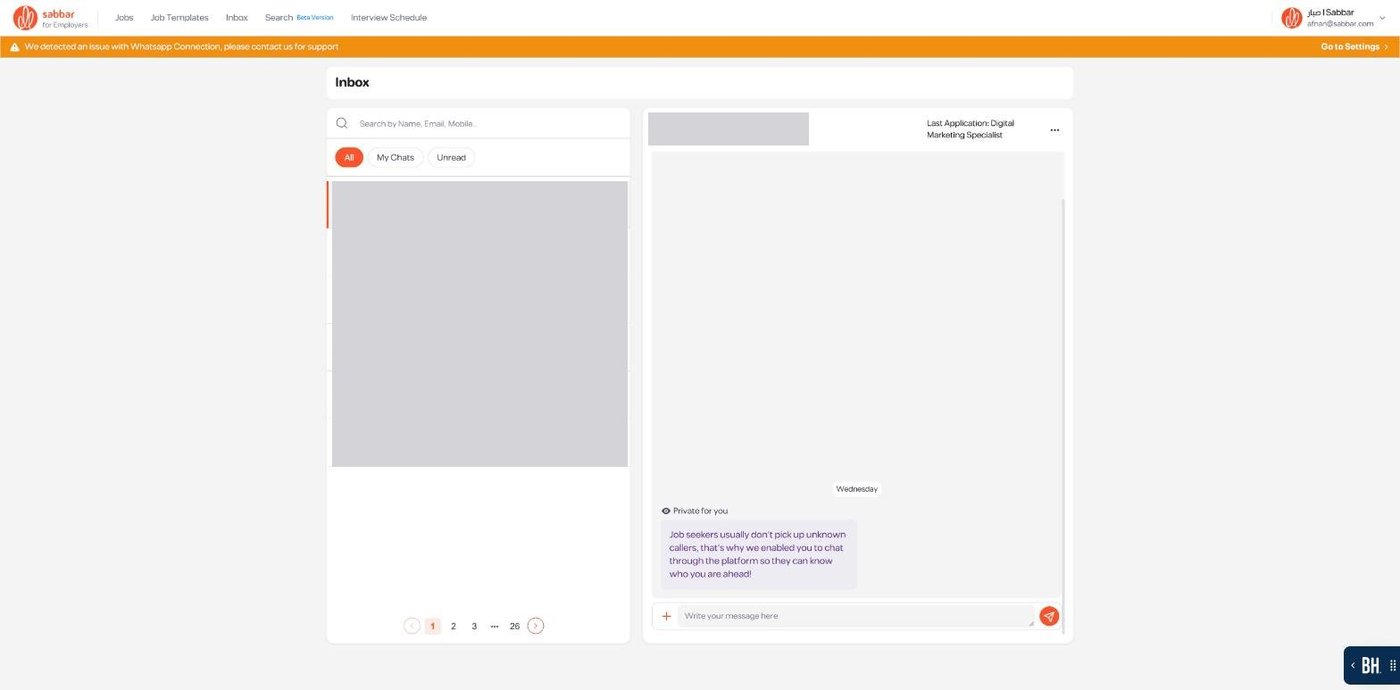
How do you manage the chat inbox?
The chat inbox on the Sabbar employer platform is built for a team handling many conversations.
- Search: by name, email or mobile number.
- Tabs: All, My Chats, Unread.
- Attachments: send and receive files.
- From the applicant's profile: a chat tab next to the CV, interview and notes.
On Enterprise you connect your company's own WhatsApp Business number, with message templates and a shared inbox.
How do you write a first message that gets a reply?
Keep it short and clear, with what the candidate needs to decide.
- Greeting and name: "Hello [name], this is [your name] from [company]."
- Role and location: "We are looking for a [title] for our branch in [district]."
- The essentials: salary, contract type and shifts.
- The ask: "Would today or tomorrow suit you for a quick chat?"
- A choice of times: offer two.
Avoid generic messages such as "Are you interested?" with no detail.
7 tips for contact that ends in an interview
- Reply within hours: good candidates receive other offers.
- Mention salary early: it saves both sides time.
- Send the branch location: as a map link.
- Use a voice note: it adds warmth and saves typing.
- Do not ask for sensitive documents early.
- Set the next step: a time, a place and the interviewer's name.
- Close politely: if they are not a fit, the impression lasts.
When should you call, and when should you write?
- Write first: to introduce yourself and ask for a good time.
- Call once agreed: a short call to confirm the basics.
- Use WhatsApp: if the candidate prefers it, after unlocking.
- Meet in person: those who passed the chat and the call.
If numbers are high, let Saud run the first interview on WhatsApp in the Premium and Premium Plus plans. See AI interviews on WhatsApp with Saud.
What is not allowed in contact?
Sabbar protects both sides with simple rules.
- Phone numbers, emails and links are hidden from the post text; contact starts in chat.
- A candidate is never asked for money, under any name.
- A candidate is never asked for passwords or verification codes.
- Job seekers can report suspicious behaviour.
How do you follow up after the chat?
Follow up from the hiring stages board.
- Move them to Shortlisted if they fit.
- Add notes on the profile for your colleagues.
- Schedule the interview, or choose "Not a match". A dismissed applicant is not notified.
Managing the list is covered in Candidate shortlisting with AI, and reaching people who have not applied in Inviting candidates to apply.
Start with the step before contact. Post your job on Sabbar for free and see who matches it first.
An illustrative example: a chat from first message to interview time
This illustrates the flow of a successful chat; it is not a real conversation. A perfume shop in Jeddah contacts an applicant for a sales associate role.
- The shop's first message: a greeting by name, the job and branch, the shift and salary, and a question about whether today suits her for a chat.
- The applicant's reply: interested, and she asks about days off.
- The shop, within an hour: one fixed day off a week, then two questions: when can she start, and how will she get to the branch.
- Her answer: she can start within a week and lives ten minutes away.
- The shop: proposes two interview times and sends the branch location and the manager's name.
- Confirmation: she picks a time, and the shop moves her to Shortlisted.
Six short messages in one day, with no phone call. Each message from the shop carried one piece of information and one clear question.
Ready wording for three recurring messages
Your team writes these every day. Preparing them saves time and gives the company one voice.
- Follow-up after no reply: "Hello (name), we messaged you yesterday about the (title) role at our (district) branch. If you are still interested, let us know a time that suits you. If not, no problem, and we wish you well."
- Confirming the interview: "We will meet on (day) at (time) at the (district) branch. Here is the map link. (Name) will meet you. The interview takes half an hour. Please confirm."
- A polite decline: "Thank you for your time and interest in the (title) role. We have chosen another candidate for this position, and we will keep your profile for future openings that suit your experience."
Many skip the decline message, yet it protects your reputation with a job seeker who may be your candidate or your customer later.
How to use contact credit wisely
Contact credit is limited by your plan, so spend it on the right people. This order achieves that.
- Sort applicants by best fit and read the reason for each rating.
- Apply the filters that matter: district, experience and contract type.
- Watch the intro video and read the CV before any contact.
- Pick the best five to eight per vacancy.
- Contact them first, and only move to the next group if your shortlist is not complete.
Viewing applicants and their ratings is free, so all screening happens before you use any credit.
Rules for a team sharing the inbox
When several people reply to candidates, duplication and contradictions appear. Agree on simple rules.
- Whoever starts a chat finishes it, unless it is clearly handed to a colleague.
- An agreed reply time: the same working day, for example.
- No salary promises beyond what is approved: the figure written in chat must match the offer.
- Update the stage after each contact: Shortlisted or Not Suitable, so colleagues know where the candidate stands.
- One professional style: a greeting, the sender's name, and no unclear abbreviations.
Common mistakes in contacting candidates
- A message with no salary or location: the candidate has nothing to decide on.
- Many questions at once: it reads like an interrogation. One or two per message.
- Replying days later: a good candidate will have agreed with someone else.
- Moving the chat to personal channels for no reason: you lose the record and colleagues lose the context.
- Leaving a chat hanging: with no appointment and no decline.
Talk to your candidates directly, with no intermediary
Messages, voice notes, files and a call from the same thread. Post your job for free, unlock the best profiles, and reach people the way they actually reply.
Summary
You contact candidates on Sabbar directly, with no intermediary: chat with messages, voice, files, calls and CV requests, and unlocking that reveals contact details using your plan's Applicant Contacts. Write a clear first message, reply fast and set the next step.
FAQs about chat and unlocking CVs on Sabbar
Is chatting with applicants free?
Seeing applicants is free. Contacting them, meaning chat and revealed details, needs a paid plan.
Does the candidate know I unlocked their profile?
Yes. They are notified that your company unlocked their CV.
Can I call the candidate from chat?
Yes. Calling is available from inside the thread.
What if the candidate did not attach a CV?
Ask them to upload it through chat with the CV request option.
Can I use my company's WhatsApp?
Connecting a WhatsApp Business number with a shared inbox is part of the Enterprise plan.