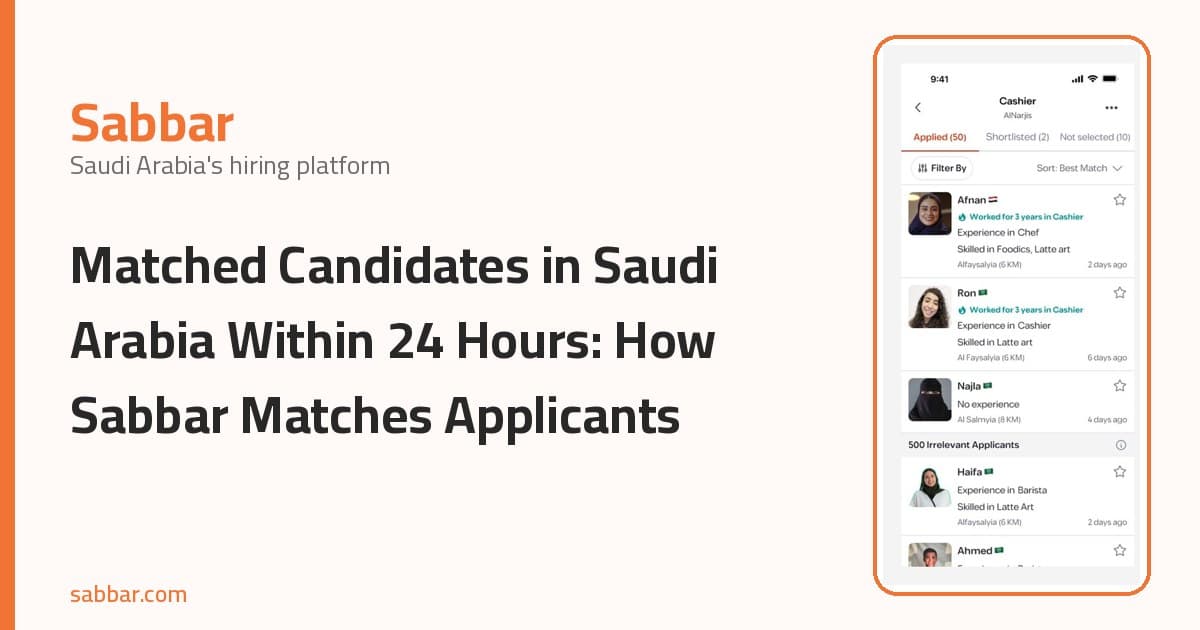
The goal when you find candidates is not the number of applications but the number that match. A hundred applications with nobody suitable are worse than ten with three excellent people. Sabbar tackles this with matching: applicants are ranked by how close they are to your requirements, and most jobs receive matched candidates within 24 hours.
This article explains how matching works, what makes it fast, and how to write a post that gets better matches.
What you will learn
- What matching means on Sabbar and the data it relies on.
- Why candidates arrive quickly after you post.
- How to read the fit rating and its reason.
- Steps that raise the quality of matched candidates.
What does it mean to find candidates by matching?
To find candidates by matching means the platform shows applicants ranked by how well they fit the job, instead of a random list ordered by time. Matching is an automated comparison between the job's structured requirements and each job seeker's data.
On Sabbar, AI Matching is part of every plan, and you see it even on a free job post. For a wider view of the services, read the Sabbar for Employers guide.
How does Sabbar match applicants to your job?
Sabbar matches applicants using the requirements you entered in the post's fields. The main inputs:
- Job title: and previous experience in the same title.
- Location: the job's district against the applicant's home, and the distance between them.
- Contract type: what you offer against what the applicant wants.
- Salary: the offer against expectations.
- Skills and language: what you asked for against the CV.
- Readiness: whether they can join immediately.
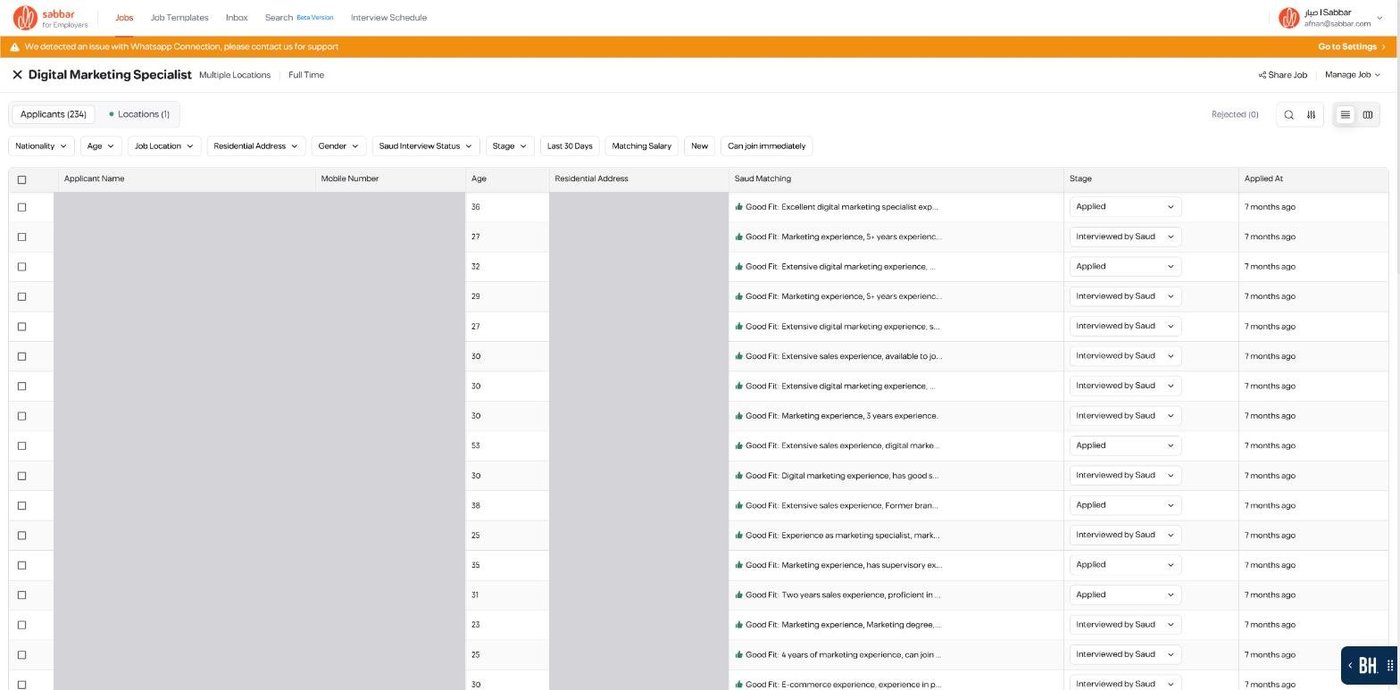
Each applicant then shows a Good Fit or Close Fit rating with a one-line reason.
Why do candidates arrive within 24 hours?
Candidates arrive quickly for four reasons to do with the size of the base and how jobs are distributed.
An active base
Sabbar has more than 1.5 million job seekers, about 500,000 of them active weekly. An active job seeker opens the app and sees your job the same day.
A personalised feed for each job seeker
Your job appears in the For You feed of job seekers whose field and location match the post, so the right people see it without searching.
Job alerts
Anyone with a saved search matching your job gets a push notification and an email when it is published.
Applying in a few taps
The job seeker's CV is already in their account, so applying takes under a minute. Easy applications raise applicant numbers in the first hours.
Test the speed on a real role. Post your job on Sabbar for free and review the first matches tomorrow.

Sabbar is Saudi Arabia's leading local hiring platform
The go-to place for job seekers and employers across every sector in the Kingdom, with more than 1.5 million job seekers and thousands of companies
Get started with Sabbar today!
How do you read the matching result?
Read the result from three elements on the applicants list.
- The rating: Good Fit meets the core requirements; Close Fit misses one aspect.
- The reason: a short phrase such as relevant experience or close to the job location.
- The order: sort by Best Match or Newest.
In the Companies App you also see tags such as New and Recommended, and low-match applicants are grouped at the end so they do not crowd out the right ones.
What if not enough matches apply?
If matches are few, Sabbar gives you more tools.
- Recommended job seekers: right after posting, Sabbar suggests matching people for you to invite.
- Candidate Search (beta): search the database by job title near a city or district.
- Job post promotion: in Premium and Premium Plus, to reach more people.
- Review the post: salary, location and requirements are the first things to check.
6 steps that raise the quality of matches
Match quality starts with post quality. Six steps:
- Pick the title from the list: a standard title matches better than an internal one.
- Fill the requirement fields: experience, language, skills.
- Enter the real salary: even if you hide it, it is used for matching.
- Set the district precisely: especially for frontline roles.
- Do not overdo the conditions: every unnecessary one cuts the number of matches.
- Write a clear description: or use "Write with Saud".
The full posting flow is in How to post a job in Saudi Arabia for free.
What should you do when matches arrive?
When matches arrive, move fast; good candidates receive other offers.
- Open the applicants list and sort by Best Match.
- Review Good Fit profiles first and watch the introductory video if there is one.
- Move the right people to the shortlist.
- Contact them by chat or call after choosing a plan.
- Set the interview within a day or two.
The Companies App says it plainly in its alert: you got new applicants, contact them before they get other offers.
The right candidate arrived and you want to talk now? Choose the Sabbar plan that fits, paid once with no auto-renewal.
An illustrative example: two posts for the same job, two different results
This illustrates how the post shapes matching. Two companies in Jeddah look for a customer service agent in the same week.
The first company used the title "Employee", left the experience and language fields empty, put every condition in the description paragraph, and did not set the district. It received many applications, but most showed as Close Fit because the system had nothing to compare against, and the manager spent two days reading.
The second company picked "Customer Service Agent" from the list, set one year of experience and intermediate English in the fields, and entered the real salary and the branch district. It received fewer applications, but the Good Fits appeared at the top with a clear reason each, and the manager started contacting people the next day.
The difference was not the platform or the market. It was five minutes spent writing the post.
A plan for the first 24 hours after publishing
Fast candidate flow is useless without speed on your side. Here is a first-day plan.
- Right after publishing: check the preview, and make sure your company details are complete so the post is not left pending.
- In the first hours: open the recommended candidates and invite the ones who suit you to apply.
- At the end of the day: review the first applicants, sort by best fit, and move the strongest to Shortlisted.
- The next morning: contact the best fits and book interviews.
- Before the end of day two: decide whether the post needs editing based on what you saw.
Turn on Companies App notifications so you do not depend on opening the account manually.
Signals in the applicant list that tell you to edit the post
The applicant list tells you what is wrong if you know how to read it.
- Most are Close Fit because of salary: your pay is below market expectations, and the fair-pay warning usually confirms it.
- Most are Close Fit because of experience: the requirement is higher than what is available. Ask whether someone with less experience could be trained.
- Most live in distant districts: the job location is not set precisely, or few people in that area look for this title.
- Very few applicants: the title is unfamiliar, or the contract type does not suit the people you want.
- Many applicants and no Good Fits: the requirement fields are empty and the conditions are only in the description.
Short questions that settle the match in the first chat
The rating ranks people; the chat settles it. Ask these before booking an interview.
- When can you start?
- Does the shift in the post suit you?
- How will you get to the branch?
- Is the advertised salary acceptable to you?
Four clear answers save you an interview that ends in five minutes. In Premium and Premium Plus, Saud asks questions of this kind in the first interview, so the answers arrive with the summary.
Mistakes that delay matched candidates
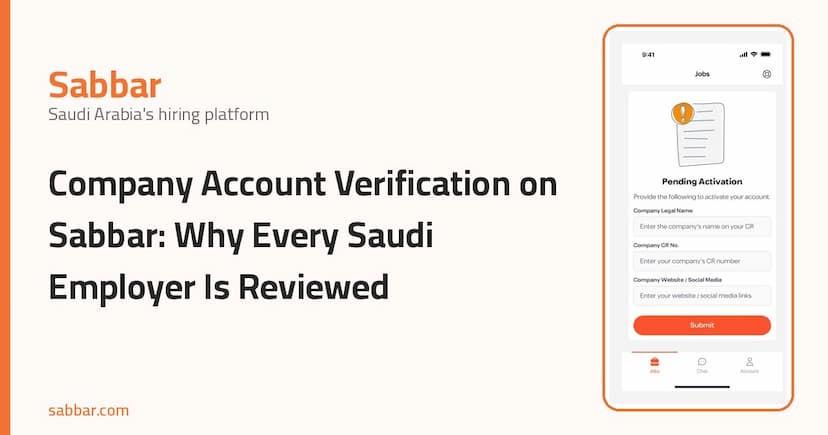
- An account that is not yet approved: the post is not shown to job seekers until the company review is complete.
- A non-standard title: it does not appear in searches or in personalised feeds.
- No salary: fewer people apply, and matching on pay becomes weaker.
- Too many unnecessary conditions: each extra one pushes good candidates out of Good Fit.
- Ignoring recommended candidates: inviting them to apply is one of the fastest routes to good fits on day one.
Post now and receive your first matched candidates within 24 hours
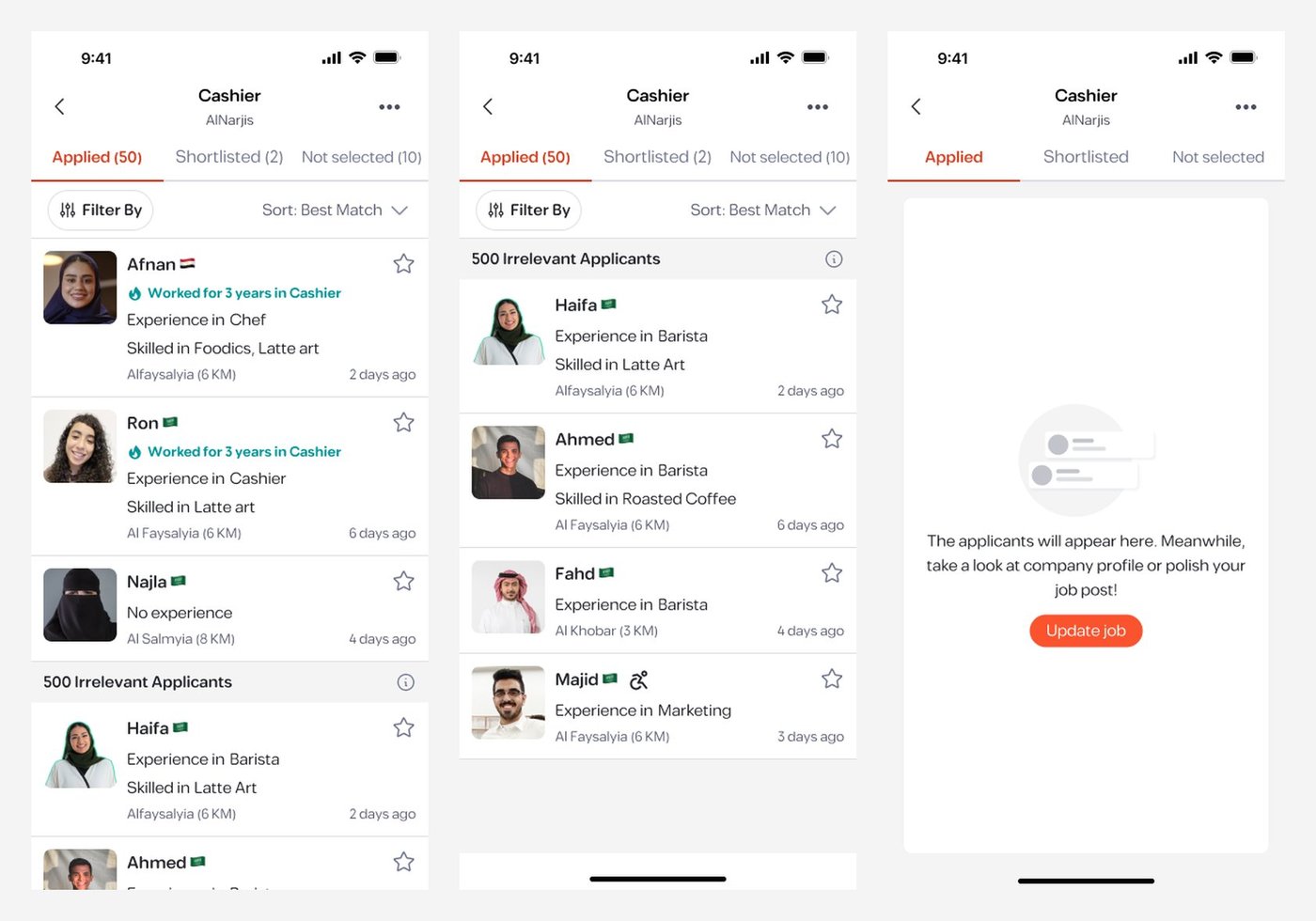
Your job appears straight away in front of suitable job seekers near its location. Post for free, see who matches your requirements and why, and pay only when you make contact.
Summary
When you find candidates on Sabbar, matching matters more than volume. Your structured requirements are compared with an active base of job seekers, so most jobs receive matched candidates within 24 hours, each with a clear reason for the rating.
FAQs about matched candidates on Sabbar
Do matches arrive within 24 hours for every job?
For most jobs. Rare specialisms or posts with many conditions may take longer.
Is matching available on a free job post?
Yes. You see matched applicants and their ratings for free. Contacting them needs a plan.
What is the difference between Good Fit and Close Fit?
Good Fit meets the core requirements; Close Fit meets most and misses one or two.
Can I see applicants who were not rated a match?
Yes. All applicants appear in the list, with low-match ones grouped at the end.
Can I invite candidates who have not applied?
Yes. Sabbar recommends matching job seekers after you post, and each can accept, decline or ask for details.