Sabbar Employer App for Saudi Businesses: Manage Jobs and Candidates from Your Phone 2027


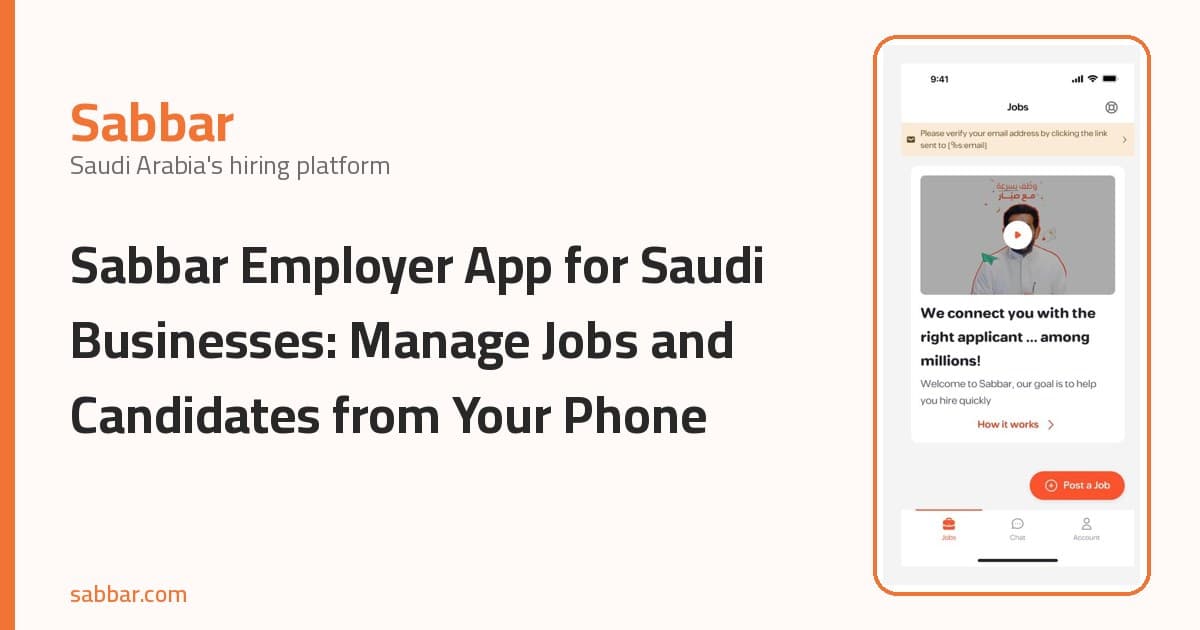
A café owner does not sit at a computer, and a branch manager spends the day between the floor and the stockroom. For them, a desktop-only tool is not much help. The Sabbar Companies App is a recruitment app that puts the whole hiring loop on a phone, from posting the job to chatting with the candidate.
This article explains what the app does, how to start, and how it differs from the web platform.
What you will learn
- What the Sabbar Companies App is and whom it is for.
- What you can do from your phone, step by step.
- Why instant alerts are its most important feature.
- How the app and the web platform differ, and when to use each.
What is the Sabbar recruitment app for employers?
The Sabbar Companies App is a recruitment app for phones, available on iOS and Android in Arabic and English. It is built for small and medium business owners and branch managers hiring frontline roles such as cashier, barista and chef.
It runs on the same account as the Sabbar employer web platform. You sign in with a Saudi mobile number and an SMS code, with no password. For the full range of services, read the Sabbar for Employers guide.
How is the app organised?
The app has three tabs in the bottom bar.
- Jobs: your posts, their status and their applicants.
- Chat: all your conversations with applicants.
- Account: company profile, plans and billing, and settings.
What can you do from your phone?
Sign up and post your first job
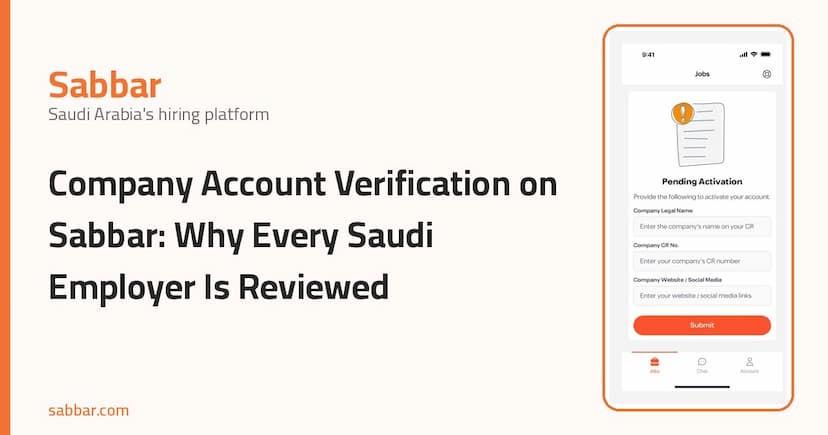
You register your company and post a job in the same sitting. A new company can post right away; the job shows "Pending Approval" until Sabbar reviews the account details: legal name and Commercial Registration number.
Create a post in short steps
The form is a sequence: title and industry, contract type, workplace, location, salary, description, requirements, skills, then preview and publish, and uploading the company logo.
Write the description with Saud
"Write with Saud AI" drafts a short description and duty list in Saudi Arabic, and "Rewrite with Saud AI" improves your own text. The app hides phone numbers and links in descriptions and highlights phrases that break MHRSD rules.
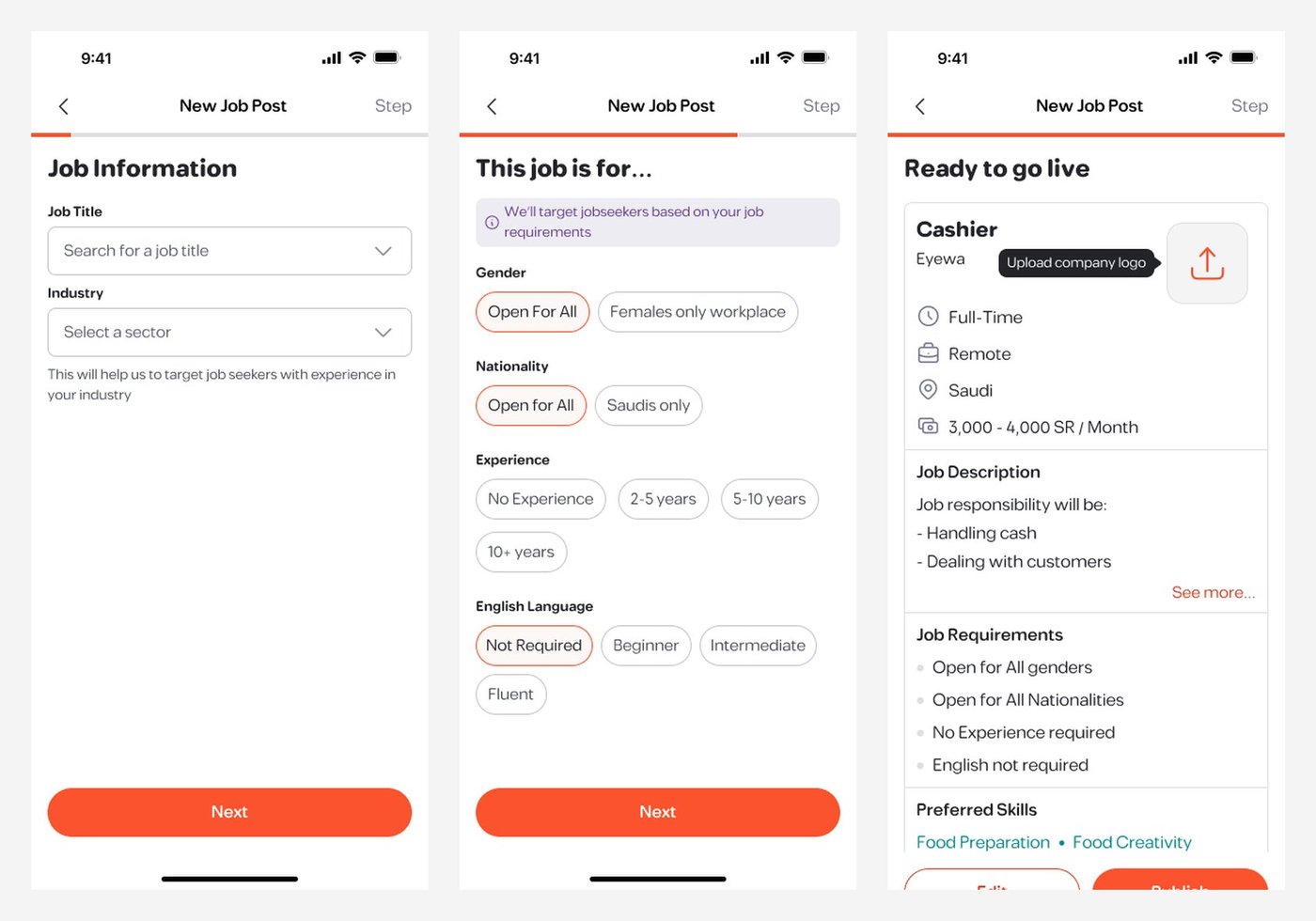
Your phone is enough to hire your next employee. Register your company on Sabbar and post your first job for free.

Sabbar is Saudi Arabia's leading local hiring platform
The go-to place for job seekers and employers across every sector in the Kingdom, with more than 1.5 million job seekers and thousands of companies
Get started with Sabbar today!
Review applicants
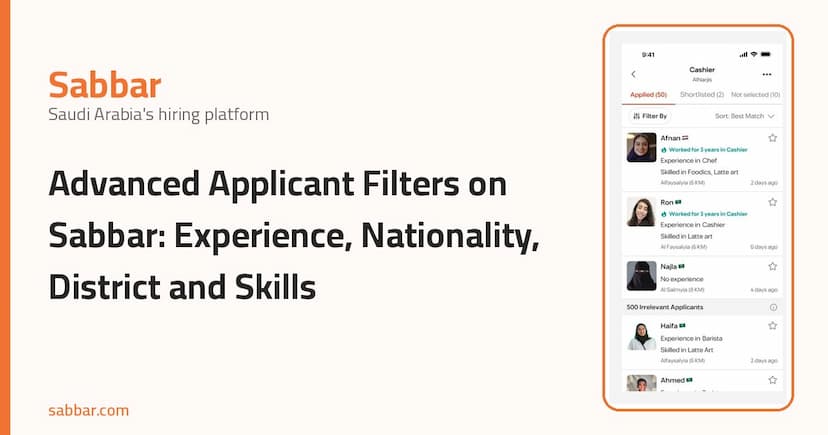
The applicants list has three tabs: Applied, Shortlisted and Not selected. Sort by Best Match or Newest. Each card shows name, nationality, experience in the role, skills, district and distance, and when they applied.
Filters
Filter by experience, gender, employment status, contract preference, age group, Saudi or non-Saudi, district, health card, salary range and language. Some advanced filters need a paid plan.
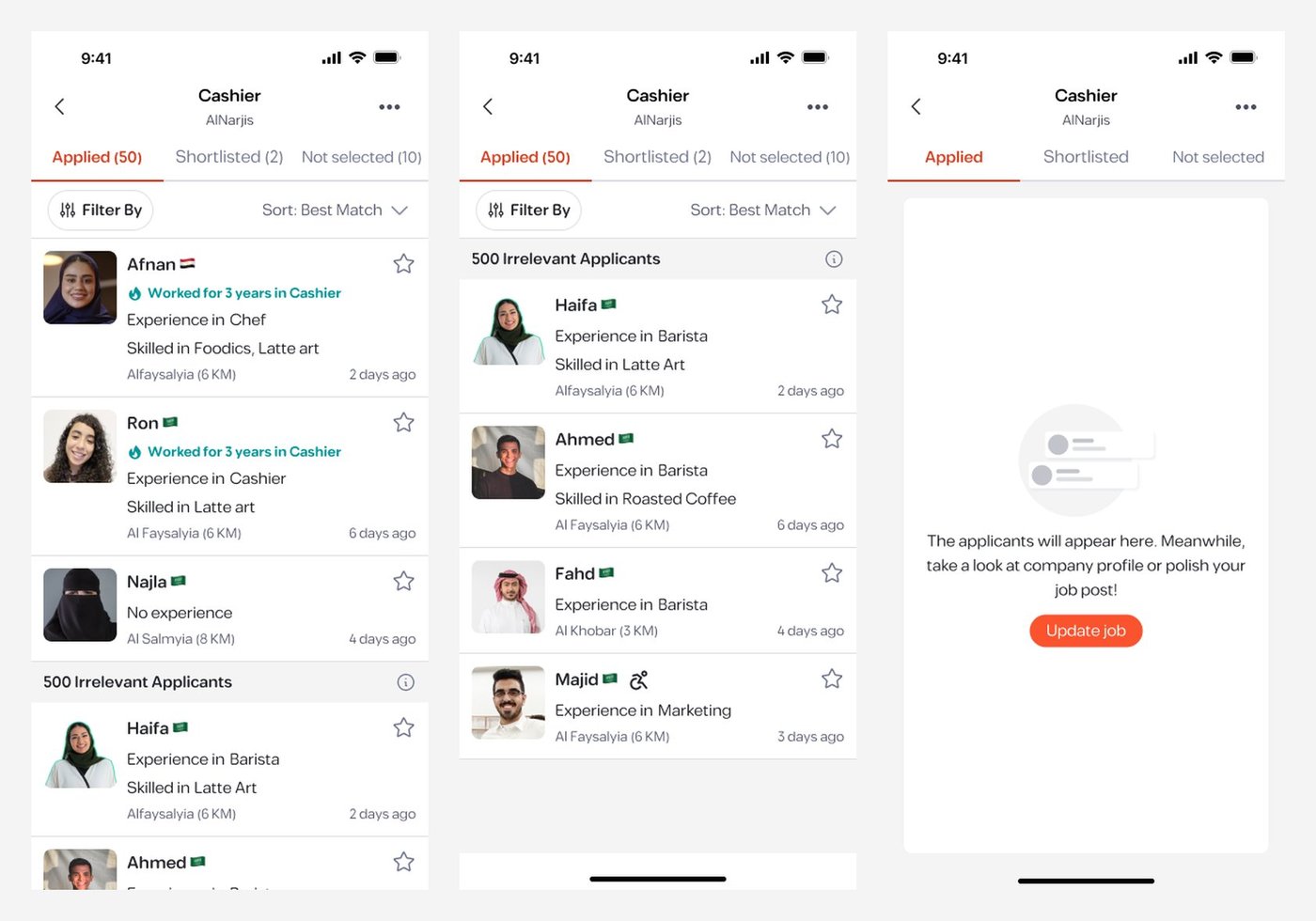
Applicant profile and Saud's results
You see experience, skills, languages, education, the introductory video and the CV attachment. If Saud ran an interview you see his verdict, Good Fit, Close Fit or Not Fit, with Saud Notes and "View Full Interview".
Chat and calls
The thread starts with the job card. Send text, photos, PDFs and voice notes, call from the thread, and request a CV if none is attached.
Manage the job
Close a job manually with a reason, reopen it, or clone it for another branch.
Why are instant alerts the key feature?
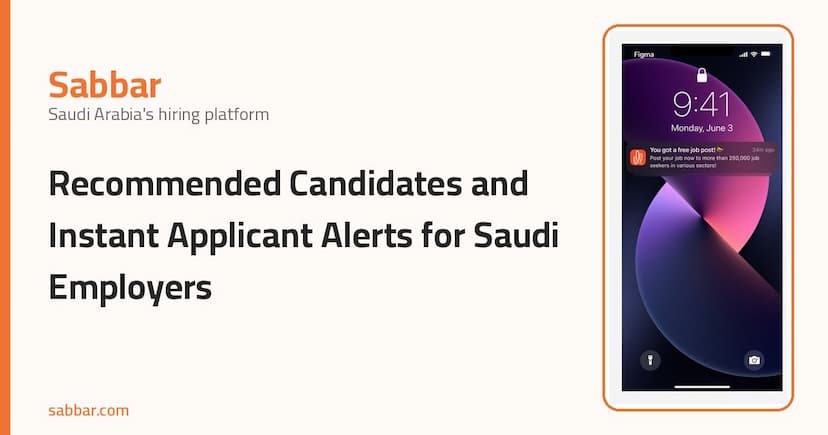
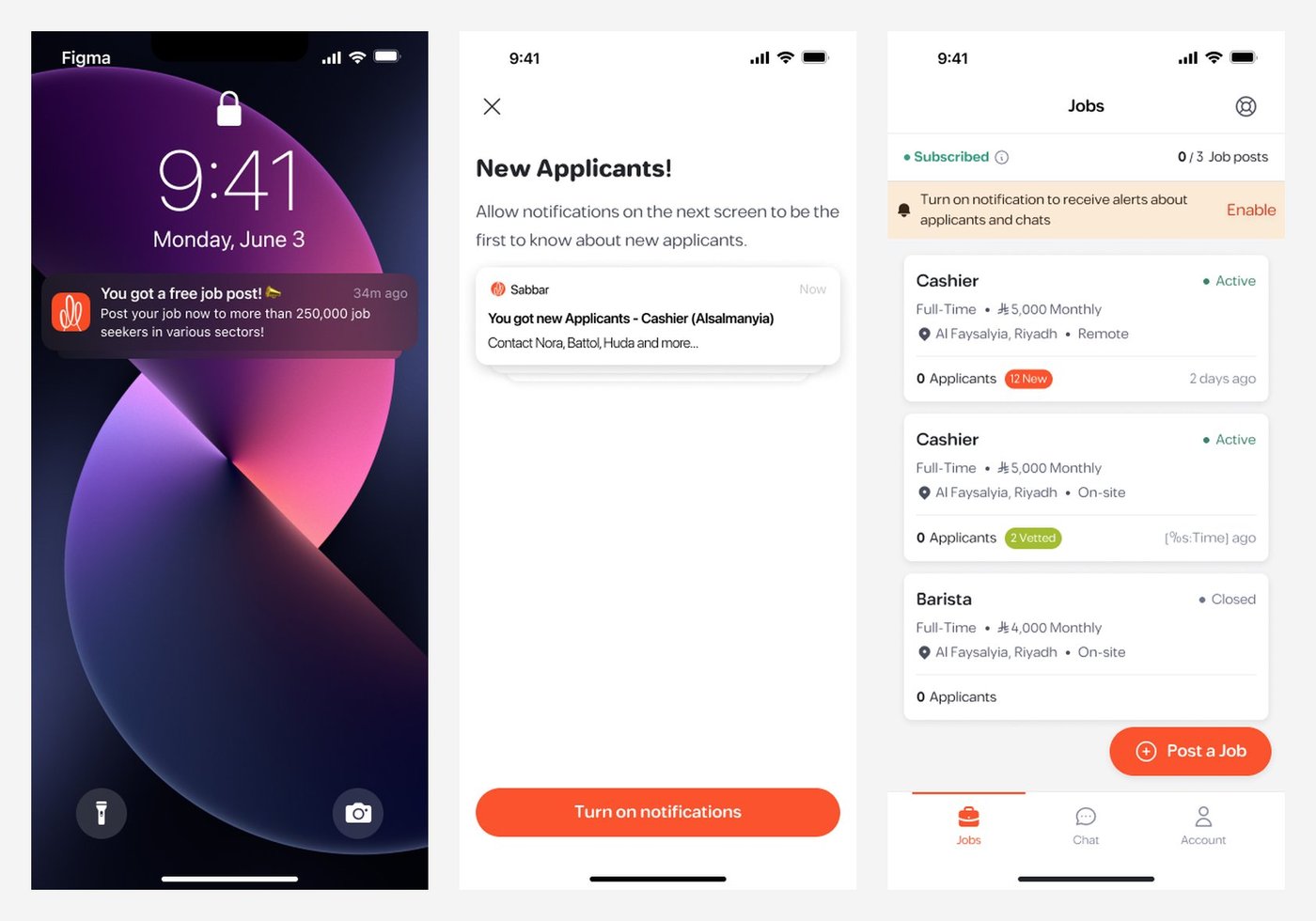
Because speed is what wins candidates for frontline roles. The app sends a push alert the moment a new applicant arrives, and it says so plainly: you got new applicants, contact them before they get other offers.
Someone applying for a cashier job applies to several places the same day and goes with whoever replies first. The employer who sees the alert and replies within the hour beats the one who opens a computer the next day.
How does payment work from the app?
Plans are not paid inside the app. When you choose a plan, the app sends a secure payment link by WhatsApp and email that opens web checkout with the plan already selected.
In the Account tab you see your current plan and remaining job posts, download invoices as PDFs, and add your VAT details for tax invoices. Plans are explained in Sabbar plans for Saudi employers.
How do the app and the web platform differ?
The account is the same; what differs is what suits each screen.
- The app: quickest for posting, daily follow-up and replying to applicants, with instant alerts.
- The web platform: the column-based stages board, Candidate Search, user management and the Enterprise tools.
- Both together: the owner follows on a phone while the HR team works from a desk.
Who benefits most from the app?
- A restaurant, café or shop owner who handles hiring personally.
- A branch manager hiring for their own branch.
- A field supervisor who needs to reply between sites.
- A recruiter who wants to follow applicants outside office hours.
For restaurant and retail roles, read Hiring cashiers, baristas and customer service staff fast.
6 tips for getting the most from the app
- Turn on notifications: from day one.
- Complete the company profile: logo, photos and About.
- Post in the morning: so you can review applicants the same day.
- Reply within an hour: to matched applicants.
- Use voice notes: quicker and warmer.
- Clone a job: for another branch instead of rewriting it.
How do you get the app?
The app is on the iOS and Android stores as the Sabbar Companies App. You can also start from the Employers page on Sabbar's website, which has registration and the app link.
Want to know the cost before you start? See Sabbar's plans; posting is free and you pay only on contact.
An illustrative example: a café owner's day with the app
This illustrates how the app fits a normal working day; it is not a real customer case. A café owner in Abha needs a barista for the evening shift.
- Morning, before opening: he posts the job from his phone in minutes, using "Write with Saud" for the description.
- Midday: an alert arrives for a new applicant. Between two orders he opens the profile, sees suitable experience and a nearby home, and moves him to Shortlisted.
- Afternoon: two more alerts arrive. He watches one applicant's intro video.
- Evening, after the rush: he messages all three in chat and proposes an interview at the café tomorrow.
- Before bed: two have confirmed.
He never sat at a computer and never set aside time for hiring. He used the free minutes between tasks, which is what the app is designed for.
A ten-minute daily routine for hiring from your phone
A busy owner does not need an hour for hiring. Ten minutes, spread out, are enough.
- Two minutes in the morning: open the Jobs tab and see how many new applicants arrived since yesterday.
- Three minutes at midday: review the best fits, move the right ones to Shortlisted and the rest to Not Selected.
- Three minutes in the afternoon: open the Chats tab and answer every unread message.
- Two minutes in the evening: confirm tomorrow's interviews and send the branch location to those coming.
Daily consistency matters more than one long session a week, because a good applicant will not wait a week.
How to set alerts so you miss nothing and are not overwhelmed
Instant alerts are a strength when set up and a nuisance when left unmanaged.
- Allow app notifications in your phone settings, or nothing will arrive.
- Exclude the app from battery saver so notifications arrive on time.
- Set two or three reply times a day: you do not need to open each alert the moment it arrives if you are with a customer.
- Share the follow-up: add the branch manager as a user so they follow their own branch's applicants.
- Close the job once filled: so alerts stop for a role that is taken.
When to move from the phone to the web platform
The app covers most daily work. These are signs you need the web alongside it.
- You have more than five open jobs: the stages board gives a clearer picture.
- You want to search for candidates yourself: candidate search is on the web platform.
- You want to add colleagues and set their roles: user management is on the web.
- You are considering Enterprise: its tools are managed from the web.
- You review many invoices and tax details: a large screen is easier.
It is one account, so what you do on one appears on the other.
Common mistakes in using a hiring app
- Posting and forgetting: applicants arrive and nobody answers.
- Turning off notifications: you lose the app's most important feature.
- Not moving applicants between tabs: the list gets mixed and you lose track of who you reviewed.
- Answering chats days later: the candidate has started somewhere else.
- Leaving the job open after hiring: people keep applying for a role that no longer exists.
Run all your hiring from your phone
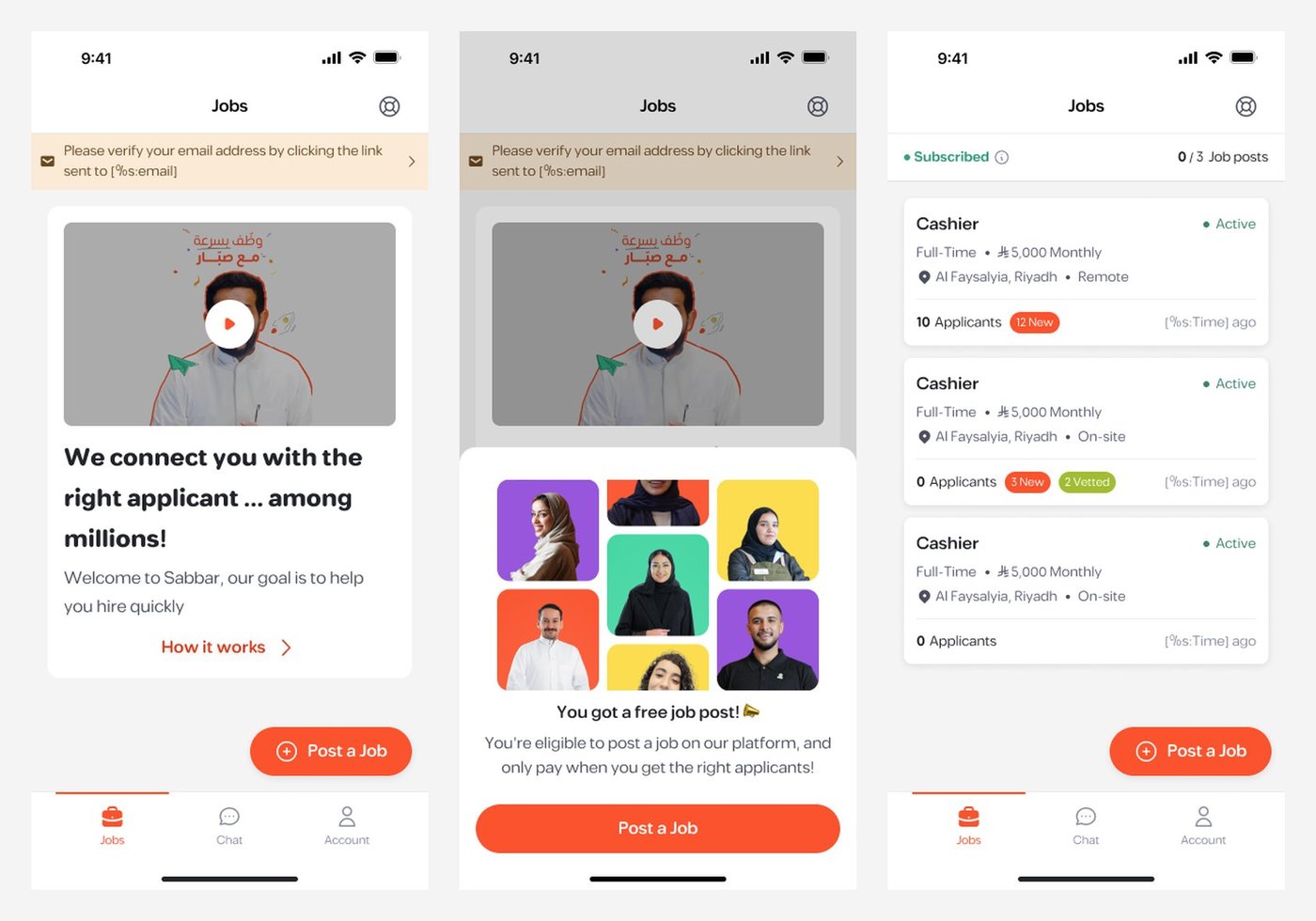
Post your job in minutes, get an alert the moment each applicant arrives, and review the profile and chat from the same screen. Register your company and start with a free post.
Summary
The Sabbar Companies App is a complete recruitment app on your phone: posting, review, filters, Saud's results, chat and calls, and instant alerts. It runs on the same account as the web platform and suits anyone who manages hiring while standing in their branch.
FAQs about the Sabbar Companies App
Is the Sabbar Companies App free?
Downloading it and using it to post a job and view applicants is free. Contacting applicants needs a plan.
Do I need a different account from the web?
No. One account covers the app and the web platform.
Can I pay inside the app?
The app sends a secure payment link by WhatsApp and email that opens web checkout.
Is the app available in Arabic?
Yes, in Arabic and English.
Can I see Saud's interview results in the app?
Yes. The fit verdict, Saud Notes and the full interview view appear on the applicant's profile.