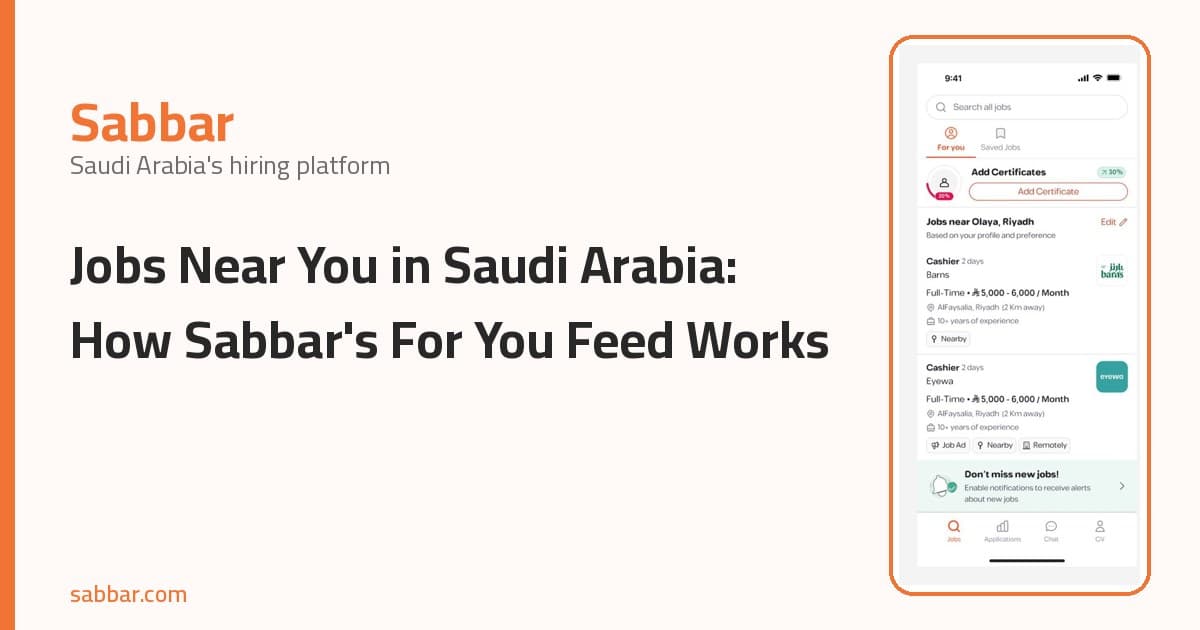
When you type "jobs near me" you want a job you can reach easily, not a post in another city. The For You feed in the Sabbar app is built on that idea: it shows jobs in your field and close to home, without a new search each time.
This article explains how the feed works, what appears in it besides jobs, and how to tune it for the best results.
What you will learn
- What the For You feed is and how it picks jobs.
- What the feed contains: cards, tags and prompts.
- How to set your preferences for closer, better jobs.
- Why distance matters to you and to employers.
What is the For You feed, and how does it find jobs near me?
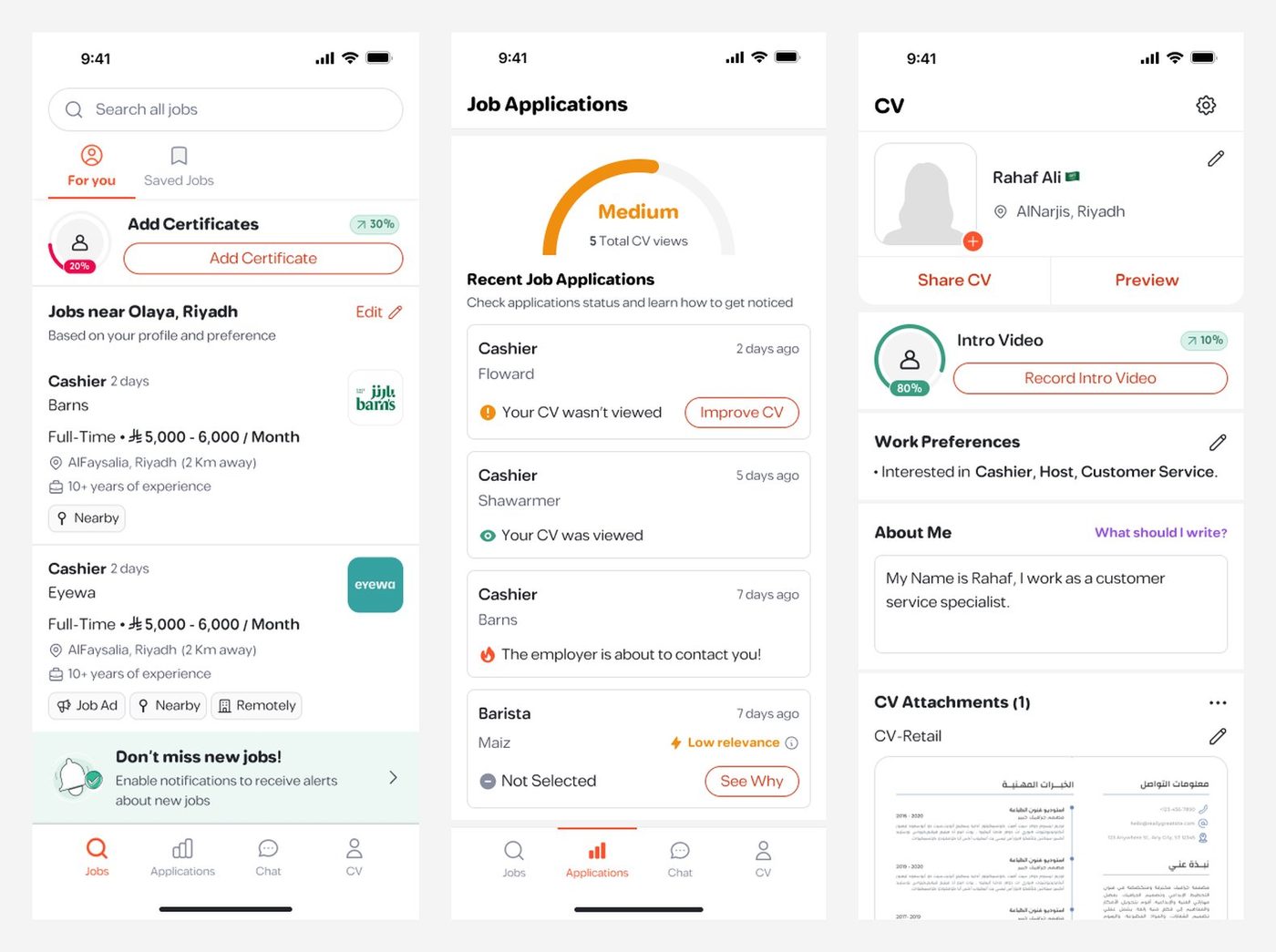
The For You feed is the home of the Jobs tab and shows a list of jobs personalised for each job seeker. It draws on your profile, your preferences and your location, so jobs near you in your field come first.
Search needs a keyword from you; For You works on its own. For an overview of the app, read the Sabbar job app guide.
How does the feed choose jobs near you?
The feed chooses jobs from four things you set at sign-up.
- Work type: full-time, additional income (part-time or flexible), or internships.
- Categories and titles: such as sales, restaurants or customer service.
- Preferred work location: the district or area you want to work in.
- Your experience: your level in each category.
The app states an important rule when you choose a location: it will not limit jobs, but nearby ones are shown first.
What else appears in the feed?
Three kinds of cards sit above the job list.
Cards that need your action
- Requires Your Attention: a photo or video to fix.
- Job Interviews: Saud interview invitations with a "Respond" button.
- Job Invitations: companies inviting you to discuss a job.
Profile completion prompts
A progress ring shows how complete your CV is and the next task, such as "Add Video". Prompts appear in a fixed order: notifications, photo, then video.
Job cards
Each card shows the title, company and logo, contract type, salary, area and distance, and experience required.
See jobs near your district now. Download the Sabbar app, set your location and field, and your personalised feed appears at once.

Sabbar is Saudi Arabia's leading local hiring platform
The go-to place for job seekers and employers across every sector in the Kingdom, with more than 1.5 million job seekers and thousands of companies
Get started with Sabbar today!
What do the tags on job cards mean?
Tags are small labels on the card that sum up something important.
- Nearby: the job is close to your location.
- New: recently posted, and applying early helps.
- Remotely: work from home.
- Always Hiring: a job that stays open.
- Easy Apply: apply inside the app in a few taps.
- Job Ad: posted outside Sabbar; you apply with the advertiser.
How does the feed handle multi-branch companies?
For multi-branch jobs, the app shows the branch nearest to your home. A café chain with twenty branches in Riyadh appears with the one near your district, not as a list of twenty.
That saves you hunting for the right branch, and saves the employer from candidates who live far away.
Why does distance matter when choosing a job?
Distance matters because it shapes your day and how long you stay in the job.
- Commute time: an hour each way eats your day.
- Cost: fuel or rides can take a large share of a part-time wage.
- Shifts: an evening shift is easier when work is close.
- Your chances: employers prefer nearby candidates, and distance is part of matching.
That is why a distance warning appears when you apply to a job far from home.
How do you tune the feed for better results?
Tune it in five simple steps.
- Update Work Preferences: in the CV tab.
- Enter your district accurately: in Personal Information.
- Add more than one title: such as "cashier" and "customer service" to widen results.
- Turn on notifications: to receive new jobs and company invitations.
- Complete your CV: the fuller it is, the more jobs you are suggested for. See One CV for every job in Saudi Arabia.
When should you use search instead of the feed?
Use search when you want something specific outside your usual preferences.
- A job in another city you plan to move to.
- A new title you want to try.
- A different contract type, such as a seasonal job.
Search also has a "Near Me" quick chip. Details are in Job search on Sabbar: filters and job alerts.
Prefer browsing on a computer? Browse jobs on Sabbar's website and choose your city in the filters.
An illustrative example: how your feed changes when you change your preferences
This illustrates how the feed works. A job seeker lives in Al Aziziyah, Makkah, and at sign-up chose only the Sales category and a general location: the whole city.
Before adjusting: sales jobs appear from scattered districts, some far from home, and no cashier or customer service jobs show up even though he could do them.
After adjusting:
- He enters his district precisely in Personal Information.
- He adds two related titles: Cashier and Customer Service.
- He sets the work type he really wants: full time.
- He turns on notifications.
The result: jobs near his district move to the top, and the number of suitable jobs grows because there are now three titles. Nothing changed in the market. What changed is what the app knows about him.
How to work out the cost of getting there before you apply
The salary in the post is not what stays in your pocket. Before applying to a distant job, work out three things.
- Travel time: multiply the journey by two, then by your working days per month. That is time the job takes from your day unpaid.
- Monthly transport cost: fuel, ride-hailing or public transport. Subtract it from the salary to see what you really keep.
- End of shift: is there a way home when the evening shift finishes?
If the salary gap between a nearby job and a distant one is smaller than the transport cost, the nearby job is better financially even with a lower figure.
What to do if there are few jobs nearby
Few nearby jobs is not a reason to stop. Widen the circle step by step.
- Add neighbouring districts: change your preferred work location to include the area around you.
- Add titles close to your experience: jobs with similar skills multiply your options.
- Try another contract type: part-time or temporary work may be more available near home than full time.
- Use the Remote filter: if your field allows it.
- Save an alert: so you are notified when a new job is posted in your district.
Questions to ask about location before accepting a job
Being close on the map is not enough. Ask these in chat or at the interview.
- When exactly does the shift start and end?
- Is it a single shift or a split shift with a long break?
- Is there a transport allowance or staff transport?
- Will I work at one fixed branch, or might I be moved between branches?
- Is there parking near the workplace?
A split shift means two journeys a day, which changes the whole calculation even when the branch is close.
Common mistakes in setting location and preferences
- Entering the city without the district: it makes the nearby ranking less accurate.
- Choosing one narrow category: it hides jobs that suit your skills in related fields.
- Not updating your location after moving: if you move home, update the district immediately.
- Ignoring the distance warning: it appears for your benefit, so do not skip it without thinking.
- Rejecting anything that is not very close: a job at a reasonable distance with better pay and prospects may be worth it.
Find a job close to home and apply today
Sabbar shows jobs in your district and city first, from more than 12,000 companies in Saudi Arabia. Set your field and location once and let suitable jobs come to you.
Summary
To reach jobs near me on Sabbar you do not need to search again and again. The For You feed shows jobs in your field close to home, with the nearest branch for multi-branch employers. Set your preferences and district, turn on notifications, and apply early.
FAQs about the For You feed and nearby jobs
Does the feed show only jobs in my city?
It shows nearby jobs first and does not hide the others. Location orders the results; it does not restrict them.
How do I change the categories I see?
In the CV tab, open Work Preferences and edit your categories, titles and location.
Do I need to enable location on my phone?
You set your preferred work location and home district in your profile, and results are built on those.
What does the "Nearby" tag mean?
It means the job is close to your location; the distance is shown on the card.
Why do I see jobs that do not suit me?
Usually because your preferences are broad or your CV is incomplete. Update your titles and experience to improve results.