Should you put your photo on your CV, and if so, which one? A profile picture for a CV is a small detail that shapes the first impression, especially for sales, reception and customer service roles. A good photo builds trust; an unsuitable one can hurt more than none.
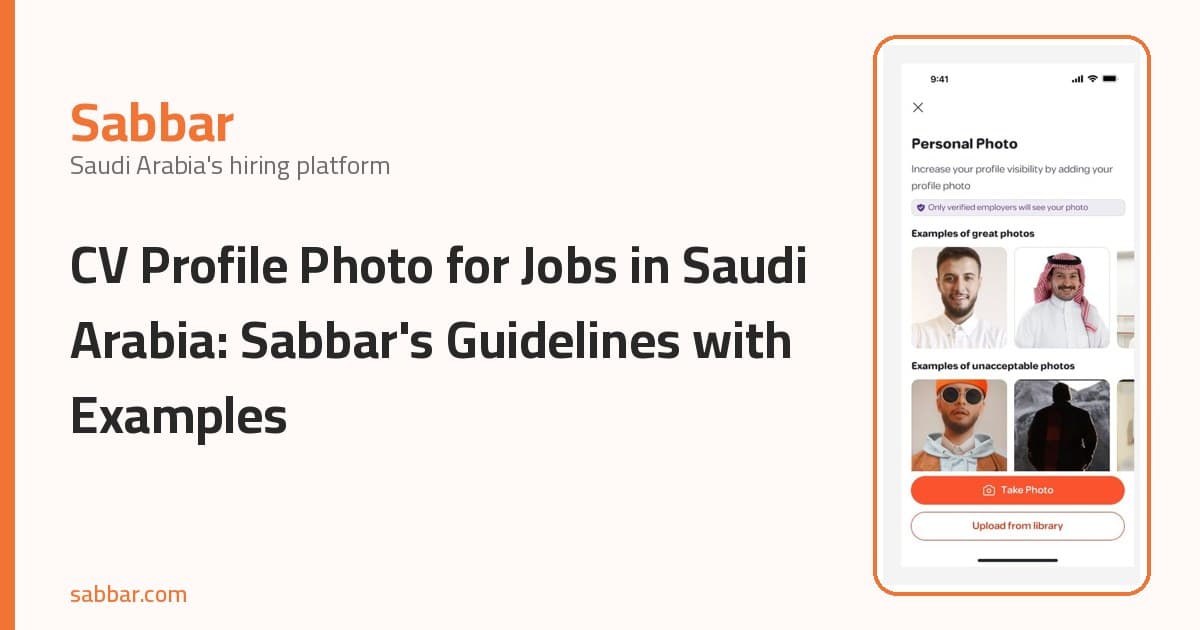
In the Sabbar app you add a photo under clear guidelines, and Sabbar reviews it. This article explains the guidelines with examples, how to upload, and what to do if the photo is returned.
What you will learn
- Whether you need a photo and who sees it.
- What makes a photo accepted or returned.
- How to take and upload the photo on Sabbar.
- What to do if your photo is returned.
What is the profile picture for a CV on Sabbar?
The profile picture on Sabbar is your personal photo, shown at the top of your profile. It is optional, and only verified employers can see it.
Sabbar reviews every photo before it appears, against guidelines shown on the photo screen with examples of great and unacceptable photos. Adding a photo is one of three tasks that raise your CV's visibility; see How to make your CV more visible on Sabbar.
Do you really need a photo on your CV?
You do not have to have one, but it helps in most cases.
- It raises your CV's visibility: complete profiles show up more.
- It builds trust: the employer sees a real person behind the CV.
- It suits customer-facing roles: sales, reception and hospitality.
- It sets you apart: among many applicants with no photo.
The choice is yours, and your CV works fully without one.
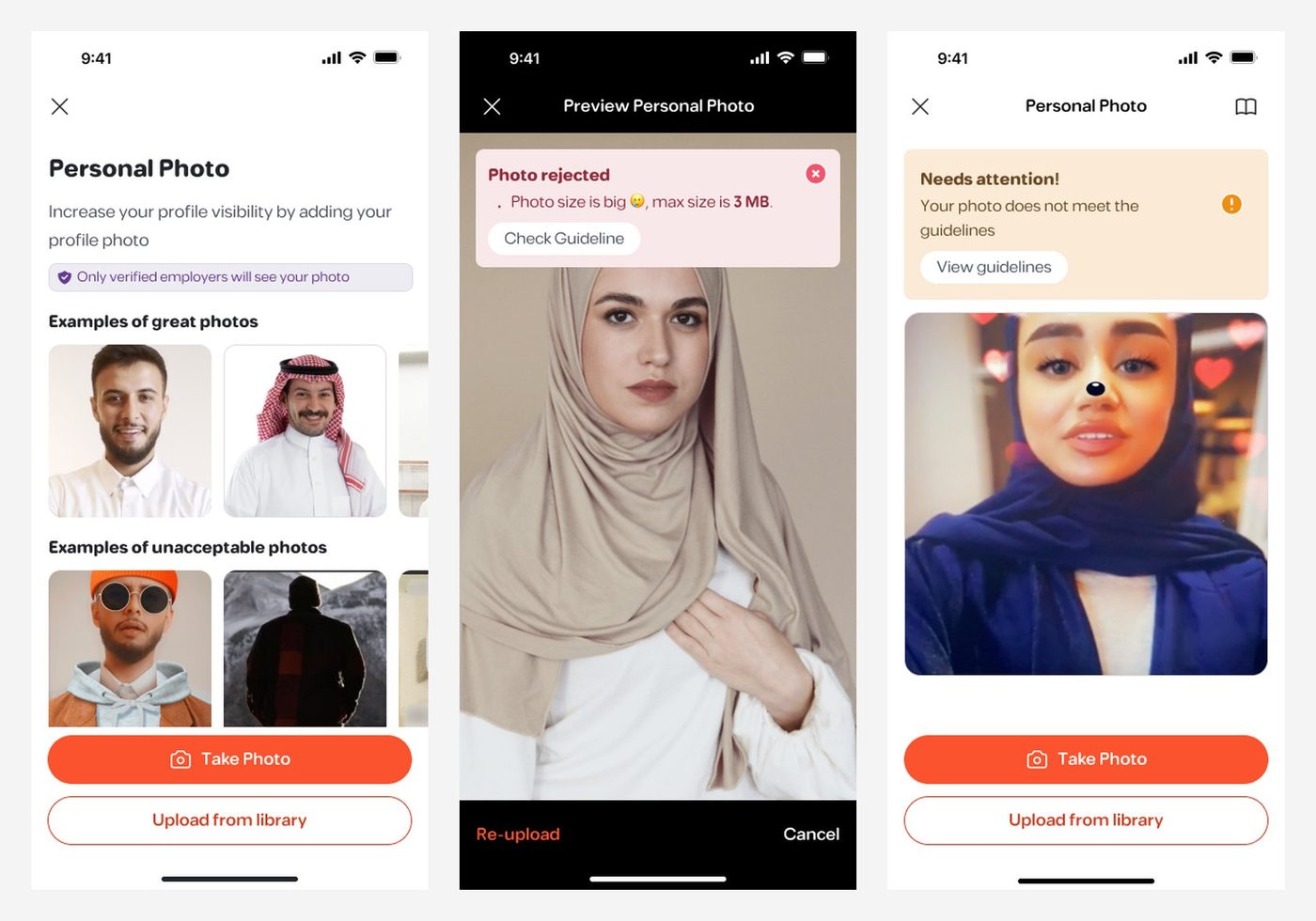
What makes a photo accepted?
An accepted photo is a clear, professional picture of you alone.
- A clear face: centred and looking at the camera.
- Good lighting: natural light from the front, no harsh shadows.
- A simple background: a plain wall is best.
- A tidy look: clothing suited to a workplace.
- A recent photo: it looks like you today.
- Head and shoulders: from the chest to the top of the head.
Which photos are returned?
Photos that do not show you clearly, or do not suit a professional setting, are returned.
- A group photo, or one cropped from a group.
- A photo with a filter or effects.
- A face that is unclear or too far away.
- A dark or blurry photo.
- A screenshot, or a photo of a printed photo.
- A picture of something else: a logo, a view or a character.
- A busy background that distracts.
Photo ready? Add it in a minute. Download the Sabbar app, open your CV and choose Personal Photo.

Sabbar is Saudi Arabia's leading local hiring platform
The go-to place for job seekers and employers across every sector in the Kingdom, with more than 1.5 million job seekers and thousands of companies
Get started with Sabbar today!
How do you take a suitable photo with your phone?
Take it in seven simple steps; no studio needed.
- Stand in front of a light plain wall.
- Face a window so light falls on your face.
- Hold the phone at eye level, or ask someone to take it.
- Leave enough distance to show head and shoulders.
- Smile lightly.
- Take several and choose the clearest.
- Add no filter and no edits.
How do you upload the photo on Sabbar?
Upload it from the CV tab in one of two ways.
- Take Photo: opens the camera from the app.
- Upload from library: pick a saved photo.
Upload runs in the background, so you can keep using the app. The photo then goes for review.
What do you do if your photo is returned?
If the photo does not meet the guidelines it is returned with the reason, and that says nothing negative about your profile.
- Open the "Requires Your Attention" card in the For You feed.
- Read the reason.
- Take a new photo that fixes it.
- Upload again.
The most common reasons are weak lighting, an unclear face or a filter.
Is your photo safe?
Yes. Your photo is not public. Only verified employers can see it, meaning companies whose accounts Sabbar has reviewed.
When you share your CV outside Sabbar as a link or PDF, it shows your city but not your district, and your birth year only.
Does the photo differ by job?
The rules are the same; the details adapt a little.
- Sales and reception: a formal look and a clear smile.
- Restaurants and cafés: clean and tidy.
- Office jobs: normal work clothing.
- Field jobs: a clear, simple photo is enough.
What completes the photo on your profile?
A photo alone is not enough. Add three things.
- An introductory video: one minute about you. See Video introduction for your CV.
- A CV attachment: an up-to-date PDF.
- Well-written experience and skills. See One CV for every job in Saudi Arabia.
Profile complete with a photo? Test it. Apply to open jobs on Sabbar and watch your CV visibility gauge.
An illustrative example: three photos of the same person
This illustrates how small changes alter the outcome. A young man wants to add a photo to his CV and makes three attempts.
- First attempt: a crop from a group photo at an event. Someone else's shoulder is in frame and the lighting is yellow. It is sent back.
- Second attempt: a selfie in the car with sunglasses. The face is unclear and the background is busy. Also sent back.
- Third attempt: he stands in front of a white wall near a window and asks his brother to take the photo at eye level. Tidy clothes, a slight smile, head and shoulders visible. Accepted.
The third attempt took no more than five minutes. The difference was not the camera. It was the background, the lighting and a clear face.
What should you wear in a CV photo?
The simple rule: wear what you would wear on your first day in the job you want.
- Thobe with shemagh or ghutra: suitable for every field. Tidy them before the photo.
- Formal wear: a shirt in a calm colour suits office roles.
- For women: neat, modest clothing in calm colours. A hijab or niqab is accepted.
- Avoid: caps, sunglasses, sportswear and large logos.
- Colours: calm colours work better than loud ones, and choose a colour different from the background so you do not blend into it.
You do not need new clothes. You need clean, ironed clothes that suit a workplace.
Common questions about the small details
These are details many people ask about before taking the photo.
- Should I smile? A slight, natural smile beats a stiff face or a wide laugh.
- Should I look at the camera? Yes, straight into the lens.
- Prescription glasses? No problem. Just check there is no reflection on the lenses.
- Indoors or outdoors? Indoors near a window is better. Direct sun creates hard shadows.
- Front camera? The rear camera is sharper, so ask someone to take the photo if you can.
- Can I edit it? Cropping to fix the frame is fine. Filters and changing your features are not.
When should you change your photo?
A photo is not permanent. Change it in these cases.
- Two years or more have passed: the photo should look like you today.
- Your appearance has clearly changed.
- The current photo is poor quality: taken in a hurry on your first day.
- You changed field: from frontline to office work, for example, and want a look that fits the new field.
A new photo goes through the same review before it appears.
The photo is part of a complete profile
An excellent photo does not make up for an incomplete profile. It opens the door, and the rest does the work.
- A specific summary: three lines on your field and what you want.
- Experience with duties: not the title alone.
- Chosen skills: from the app's suggestions.
- An intro video: it completes the photo with voice and presence.
To raise the visibility of your whole profile, read How to Make Your CV More Visible to Saudi Employers on Sabbar.
Add your photo now and raise your CV's visibility
A clear, professional photo makes employers pause on your profile. Add it for free from your phone under Sabbar's guidelines; only verified employers will see it.
Summary
A good profile picture for a CV is clear, recent and professional, with a simple background and no filters. On Sabbar you upload it from your phone, the team reviews it, and only verified employers see it. If it is returned, fix the reason and upload again.
FAQs about the profile photo on Sabbar
Is a profile photo required?
No. It is optional, but it raises your CV's visibility.
Who sees my photo?
Verified employers only.
Why was my photo returned?
Because it did not meet the guidelines, for example weak lighting, a filter or an unclear face. The reason is shown with the return.
Can I change my photo later?
Yes. You can upload a new one at any time.
Can I use a selfie?
You can, as long as it is clear, at eye level, with a simple background and no filter.