Sabbar FAQs for Job Seekers in Saudi Arabia: Language, Notifications, Mobile Number and Account Deletion 2026


Once you have used the Sabbar app for a while, small questions appear: how do I change the language, why am I not getting notifications, I changed my number so what now, how do I delete my account? This Sabbar app FAQ gathers the answers in one place.
Each answer starts with the direct reply, then the steps. Everything here is in the Settings screen or the CV tab.
What you will learn
- Where Settings are and what you control there.
- Answers on language, notifications and dark mode.
- How to change your mobile number and verify your email.
- How to contact support and delete your account.
Sabbar app FAQ: where are the settings?
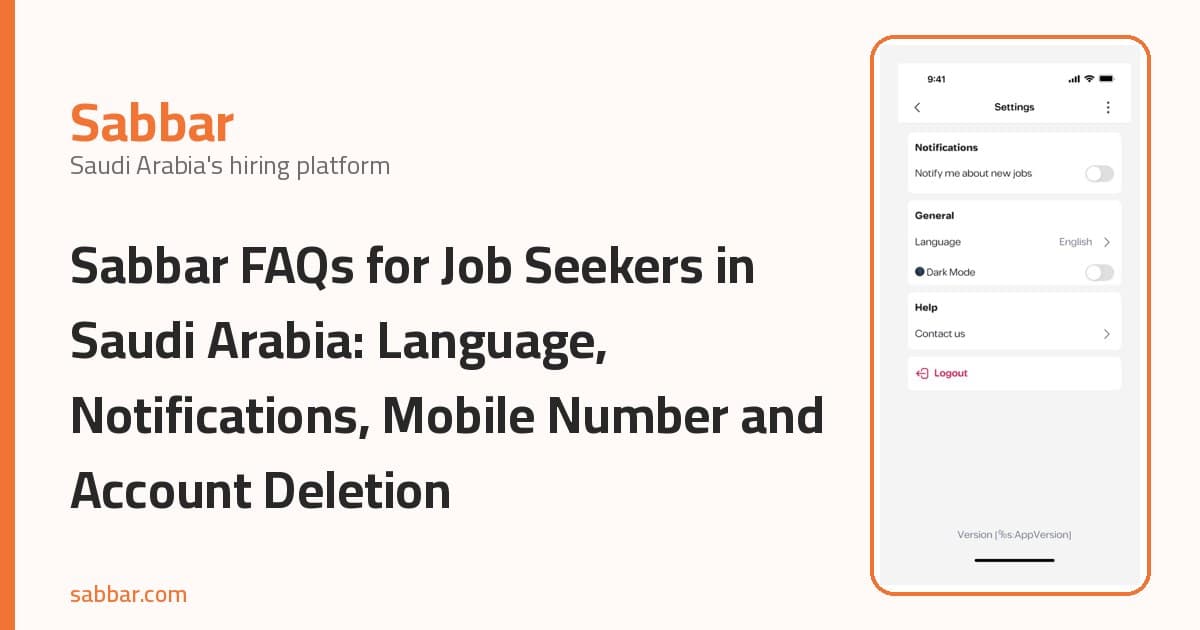
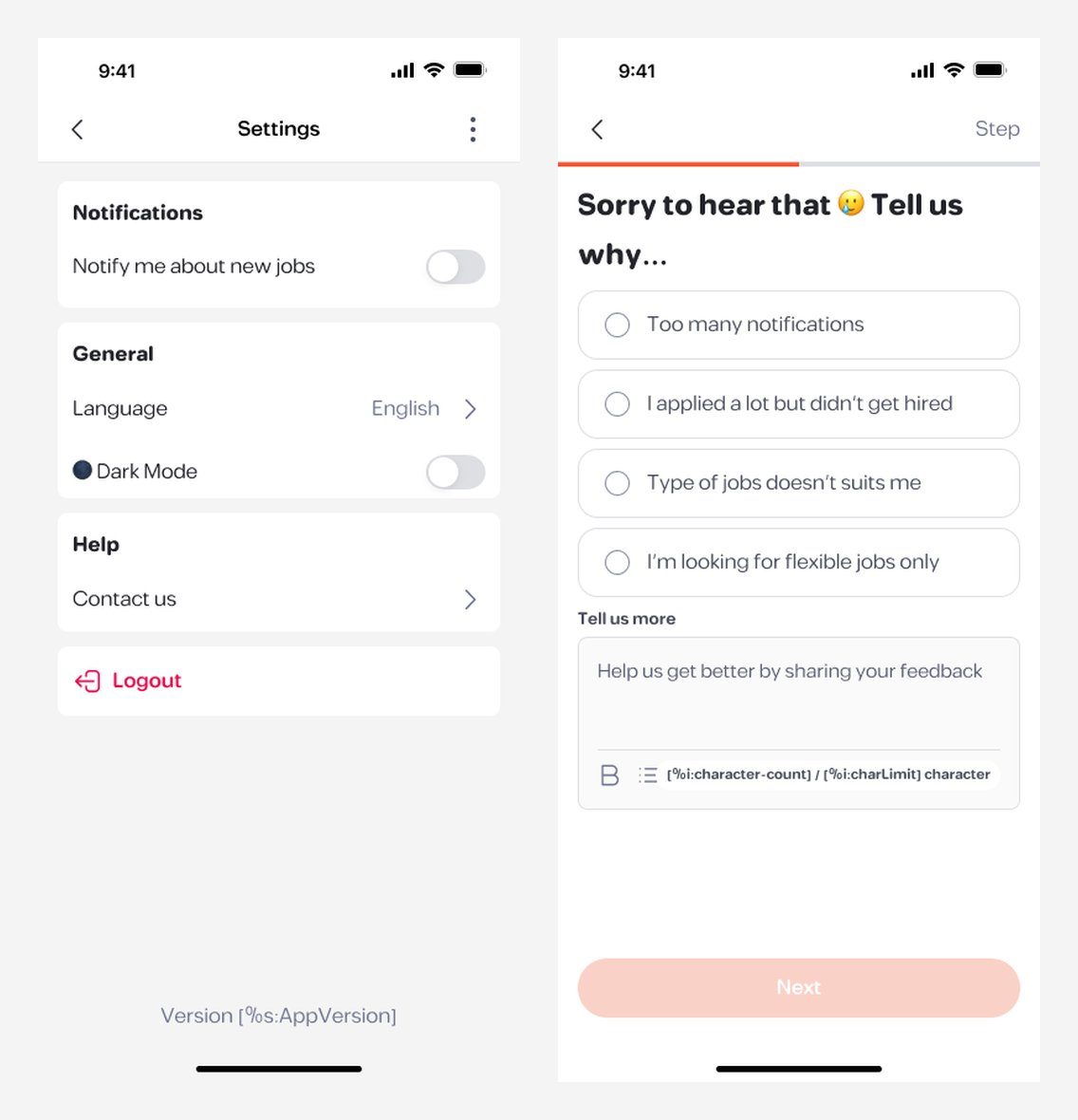
Settings are reached from the CV tab. The screen includes: Notify me about new jobs, Language, Dark Mode, Contact us, Logout, links to About Sabbar, Terms and Conditions and the Privacy Policy, and Delete account.
For the full picture of the app, read the Sabbar job app guide.
Language questions
How do I change the app language?
In Settings, open Language and choose English or العربية. The change applies across the app.
What is the default language?
The app follows your phone's language when it is Arabic or English, and asks for your preferred language on first launch.
The job description is in a language I do not read. What now?
Tap "Show Translation" on the job page. It appears when the description is in another language.
Can I share my CV in a different language?
Yes. In Share Settings, choose Arabic or English before sharing the CV as a link or PDF.
Notification questions
Which notification channels does Sabbar use?
Four: push notifications, email, text message and WhatsApp.
What will I be notified about?
- A company invited you to discuss a job.
- You have an interview with Saud.
- A company viewed your CV.
- A company unlocked your CV.
- A new message from a company.
- New jobs that match your alerts.
How do I turn new job notifications on or off?
In Settings, switch "Notify me about new jobs" on or off. Saved-search alerts are managed under "My Job Alerts".
Why am I not getting notifications?
Usually because notifications are off for the app in your phone's own settings. Open your phone's settings, then apps, then Sabbar, and allow notifications. Check the option is on inside the app too.
Which emails does Sabbar send?
A weekly summary, job alerts, Saud interview invitations and application updates.
Do not miss a chance because of a muted notification. Download the Sabbar app, or update it, and allow alerts from the start.

Sabbar is Saudi Arabia's leading local hiring platform
The go-to place for job seekers and employers across every sector in the Kingdom, with more than 1.5 million job seekers and thousands of companies
Get started with Sabbar today!
Mobile number and email questions
How do I change my mobile number?
Change it inside the app; a verification code is sent to the new number to confirm it. After that you log in with the new number.
Do I need a password?
No. Sabbar does not use passwords. You log in with your mobile number and a code sent by text.
How do I add and verify my email?
Add the email in Personal Information, and a verification link is sent. Tap it and an "Email Verified" page appears.
The verification link did not arrive. What should I do?
Tap "Resend" on the Verify your Email screen and check your spam folder.
Why does Sabbar ask for my mobile number?
Because it is how you log in, and employers may contact you on it. See How to sign up for Sabbar with your Saudi mobile number.
Appearance and account questions
Does Sabbar have a dark mode?
Yes. Turn it on in Settings under Dark Mode.
How do I log out?
Choose Logout in Settings. You log back in with your number and a code.
Can I use my account on another phone?
Yes. Download the app on the new phone, log in with your number and code, and your CV and applications are there.
Privacy questions
Who sees my photo and introductory video?
Verified employers only.
What shows when I share my CV outside Sabbar?
Your city but not your district, and your birth year but not the full date.
Can I delete my introductory video?
Yes, at any time, from the Introductory Video screen.
Does a company see my feedback about it?
No. The private feedback card asking how it is going with a company is never shown to the company.
Support questions
How do I contact Sabbar support?
Choose "Contact us" in Settings. Describe the issue, attach screenshots if needed, and follow your past tickets in the same place.
How do I report a suspicious job?
On the job page, choose "Report" and pick the reason. See Fake jobs and job scams in Saudi Arabia.
Account deletion questions
How do I delete my Sabbar account?
Delete it from Settings in three steps.
- Choose Delete account.
- Give a reason.
- Confirm with a verification code.
Can I stop notifications instead of deleting?
Yes. If alerts are the reason, switch off "Notify me about new jobs" and keep your account and CV.
I found a job. Should I delete my account?
That is up to you. Many people keep the account because the CV is ready for the next opportunity, and just mute alerts.
Settings sorted? Back to what matters. Browse new jobs on Sabbar and apply to what suits you.
Quick tips for settings that help your search
- Allow app notifications on your phone.
- Verify your email so job alerts reach you.
- Save two or three searches as alerts. See Job search on Sabbar: filters and job alerts.
- Update your number as soon as it changes.
- Complete your CV to raise its visibility.
Settings to fix on your first day
Most questions that reach support come from a setting that was never adjusted. Five minutes on day one saves trouble later.
- Language: pick the language you read fastest. Job descriptions have a translate option when needed.
- App notifications: allow them in your phone settings. They alert you to an interview invitation or an employer's message.
- New job alerts: turn the option on, then save one or two searches as alerts.
- Email: add and verify it, so you receive the weekly summary and application updates.
- Mobile number: make sure it is the number you carry and answer.
- Dark mode: optional, and easier on the eyes if you browse in the evening.
Notifications not arriving? Check in this order
Notification problems have a small number of causes. Check them one by one instead of deleting and reinstalling the app.
- Notification permission: in phone settings, then apps, then Sabbar, confirm notifications are allowed.
- Do Not Disturb: if it is on, no notification will appear.
- Battery saver: some phones stop app notifications in this mode. Exclude Sabbar from it.
- The in-app alerts option: confirm "Alert me to new jobs" is on.
- App update: update to the latest version from the store.
- Internet connection: notifications need a connection that works in the background.
If the problem remains after these steps, contact support and mention your phone type and what you tried.
Changed your phone or number? Do this
A new phone or number does not mean starting again. Your CV and applications are saved in your account.
- A new phone with the same number: download the app, log in with your number and the code, and everything is as you left it.
- A new number while you still have the old one: change the number inside the app before you cancel the old SIM.
- After the change: allow notifications on the new phone. That permission does not move automatically.
- Check your email: a verified email gives you another channel for updates.
The rule: do not create a second account with another number, or your applications and CV will be split between two accounts.
Before you delete your account: lighter alternatives
Many people delete the account when what they want is something simpler. Look at these first.
- You found a job: update your employment status in Personal Information and turn off job alerts, and keep your CV for when you need it.
- Too many notifications: turn off "Alert me to new jobs" or delete saved alerts you no longer need.
- You do not want the video seen: delete the intro video alone.
- You want a break from searching: log out. Your account stays as it is.
If you still decide to delete, it is available in Settings. Remember that your CV and applications are deleted with it.
How to write a support message that gets solved quickly
A clear message cuts the back-and-forth. Put four things in "Contact us".
- What happened: one sentence describing the problem.
- When and where: on which screen, after which step.
- What you tried: so you are not told to do what you already did.
- A screenshot: attach it. It is faster than explaining.
For example: "I do not receive the verification code when changing my number. I tried resend twice in fifteen minutes. The phone is Android and the app is up to date. Screenshot attached."
Download the Sabbar app and set it up your way
Your language, your notifications and your privacy are in your hands. Download the app for free, build your CV, and let nearby jobs reach you the way you prefer.
Summary
This Sabbar app FAQ comes down to one screen: language, notifications, dark mode, support and account deletion. You change your mobile number with a code sent to the new one, verify your email with a link, and never need a password.
A few more quick questions
Is the Sabbar app free?
Yes. It is completely free for job seekers.
Is the app on iOS and Android?
Yes, on both, in Arabic and English.
Can I apply without the app?
Yes. You can apply on Sabbar's website with a short form and a CV upload.
Where is the privacy policy?
In Settings, and on Sabbar's website.