What employers ask most before using Sabbar for employers is not how to post. It is what comes afterwards: who writes the contract, who registers the employee with GOSI, does Sabbar touch the salary, and which job types can be posted?
This article answers those questions directly and marks exactly where Sabbar's role ends and where the employer and the government platforms take over.
What you will learn
- The limits of Sabbar's role between company and employee.
- Who is responsible for the contract and social insurance.
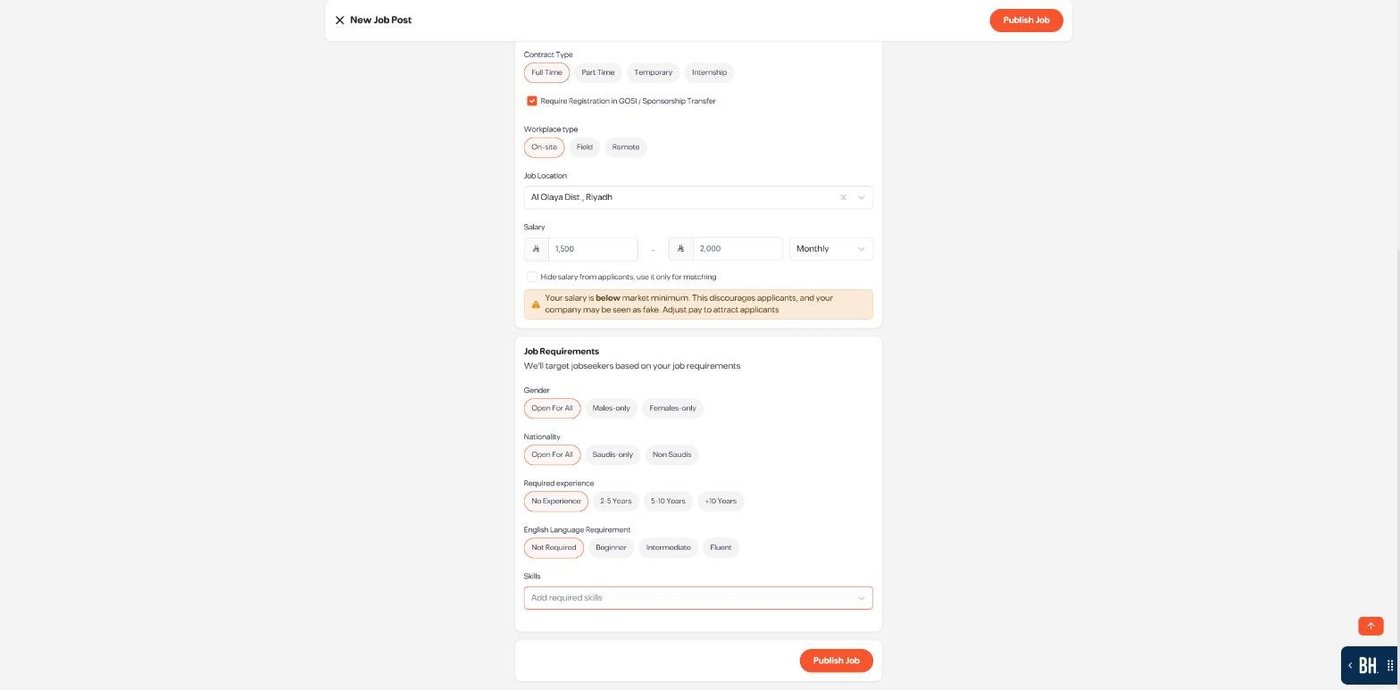
- How salary is written in a post and how to hide it.
- The contract types and workplaces available in a post.
Sabbar for employers: what exactly does it do?
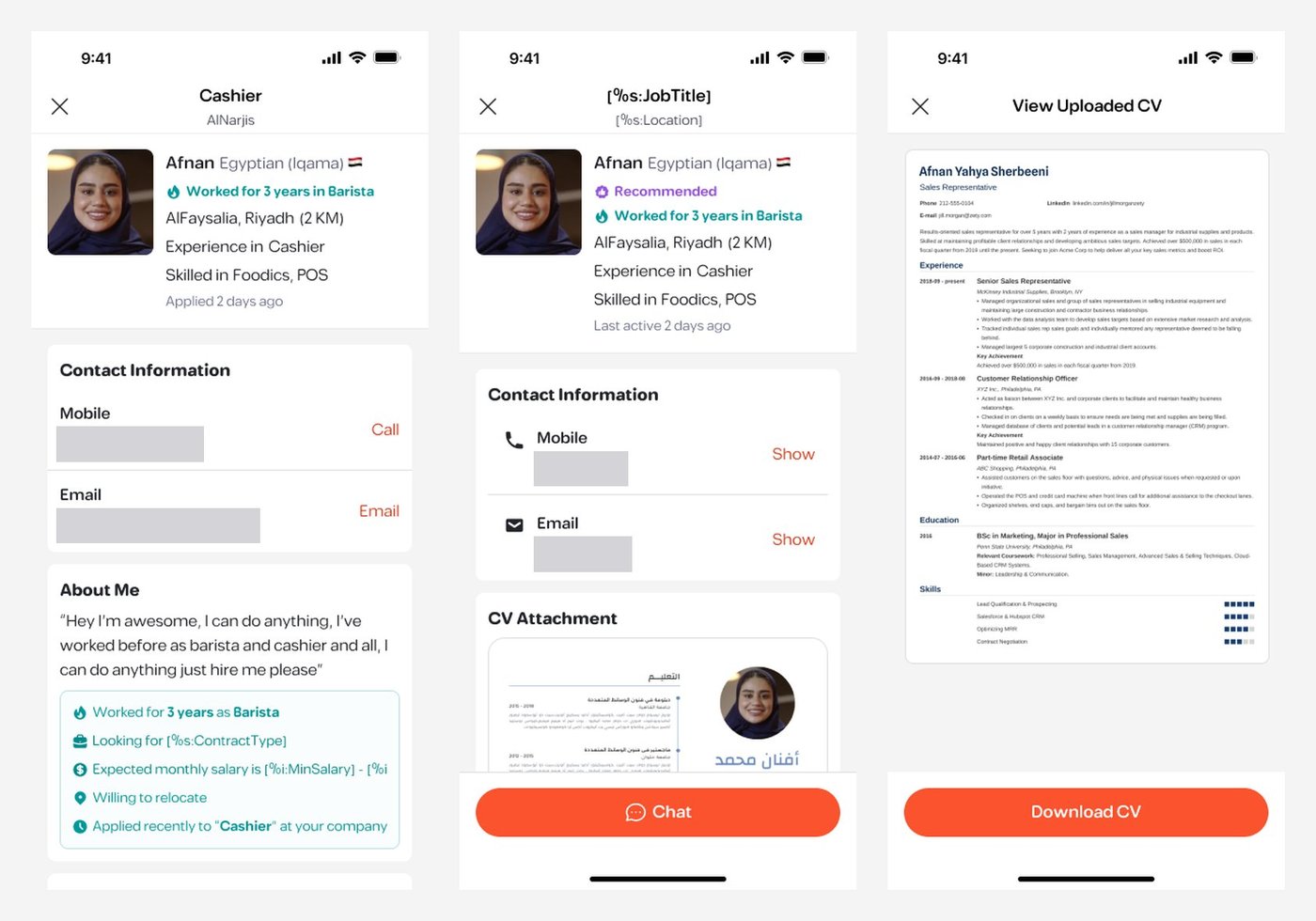
Sabbar for employers is a hiring platform that connects a company with the right candidate: posting the job, matching applicants, screening, chat and the first interview with Saud. Sabbar's role ends when you reach the candidate and agree terms.
The employment relationship after that is directly between the company and the employee. Sabbar is not the candidates' employer and is not an overseas recruitment office. The full picture is in the Sabbar for Employers guide.
Contract questions
Who writes the employment contract?
The employer writes the contract and signs it with the employee. Sabbar does not issue contracts and is not a party to them.
Where is the contract documented?
The contract is documented on Qiwa, the Ministry of Human Resources and Social Development's platform, and the employee approves it from their own account.
Which contract type should I choose?
Choose by the nature of the job: fixed-term, indefinite, part-time or temporary. Qiwa lists the contract options available to your establishment.
Does Sabbar help after the candidate accepts?
On the Enterprise plan there is Applicant Onboarding: you request documents from the new hire and Saud reviews them. Contract documentation itself stays on Qiwa.
GOSI questions
Who registers the employee with GOSI?
The employer registers the employee with the General Organization for Social Insurance. Sabbar does not register employees or pay contributions.
Does a hire made through Sabbar count in Nitaqat?
Yes, if the employee meets the counting conditions, because they are a lawful employee of your establishment. Counting depends on the contract, GOSI registration and wage, not on the channel you found them through. See the Saudization hiring guide.
What is the GOSI contribution rate?
Rates are set by GOSI and differ between Saudi and non-Saudi employees. Check GOSI's official website for the current figures.
Leave government procedures to their platforms and leave reaching the candidate to us. Post your job on Sabbar for free and start by viewing matched applicants.

Sabbar is Saudi Arabia's leading local hiring platform
The go-to place for job seekers and employers across every sector in the Kingdom, with more than 1.5 million job seekers and thousands of companies
Get started with Sabbar today!
Salary questions
Does Sabbar set the salary?
No. The employer sets the salary. Sabbar shows it in the post as you entered it.
How do I enter salary in a post?
You enter salary as monthly, daily or hourly, depending on the job.
What is the fair-pay warning?
The fair-pay warning is a message shown when the pay is below the market minimum for that role. It does not block publishing; it tells you the offer may not attract applicants.
Can I hide the salary?
Yes. There is a Hide salary option, and the figure is then used for matching only and not shown in the post.
Does Sabbar pay employees' salaries?
No. The employer pays the employee directly under the contract and the Wage Protection System.
Job type questions
Which contract types can I advertise?
You can advertise four types on Sabbar: Full Time, Part Time, Temporary and Internship.
Which workplaces are available?
You choose one of three: On-site, Field or Remote.
Which jobs are most in demand on Sabbar?
Frontline roles lead: cashier, barista, sales associate, customer service and chef. Office and administrative roles across sectors are posted too.
Can I advertise jobs in several cities?
Yes. You publish a post per location, and on Enterprise you publish one job across many locations with auto-close per branch. See AI mass hiring for restaurant and retail chains.
Can I require a nationality, gender or age?
Requirements are set in the dedicated fields when you create the post. Phrases inside the description that break MHRSD rules are highlighted for you to review before publishing.
Account and activation questions
Do I need a Commercial Registration?
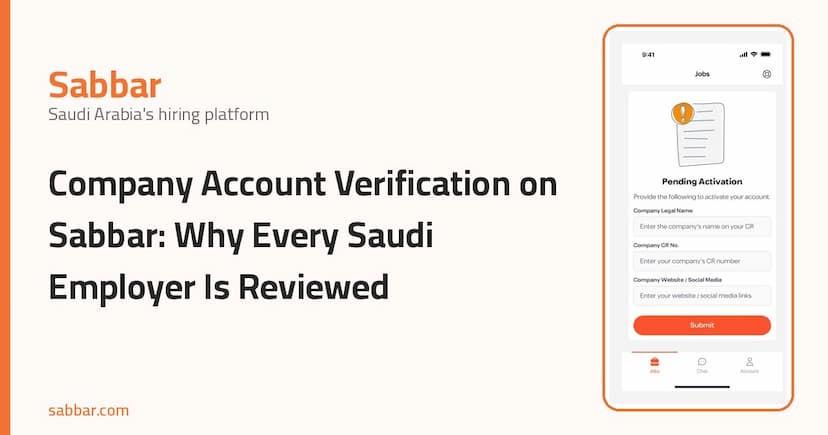
Yes. Sabbar asks for the company's legal name and CR number to activate the account. You can post right away, and the job shows "Pending Approval" until the review is done.
How many users can I add?
Users are unlimited on every plan, with the role Recruitment Manager or Recruiter.
Is there an app for employers?
Yes. The Sabbar Companies App on iOS and Android runs on the same account as the web platform.
Questions about cost before you start? See Sabbar's plans; payment is one-time, with no auto-renewal.
Who does what: a summary
- Sabbar: job post, matching, filters, chat and Saud interviews.
- The employer: the decision, the salary, the contract and employee registration.
- Qiwa: contract documentation and the Saudization ratio.
- GOSI: employee registration and contributions.
After acceptance: the employer's steps in order
Once you have chosen a candidate on Sabbar, the next steps belong to the employer alone. Doing them in order protects you from violations and gives the employee a clear start.
- A written job offer: title, salary, allowances, working hours, location and start date.
- Collect documents: ID or Iqama, qualification, any certificates the profession requires, and bank account details.
- The employment contract: written by the employer and documented on Qiwa, then approved by the employee from their own account.
- Social insurance registration: the employer registers the employee within the periods GOSI sets.
- Salary through the bank: wages are paid through banking channels under the Wage Protection System.
- Onboarding: an introduction to the team and duties, and training in the first days.
Sabbar does not carry out these steps for you. Always check details and legal deadlines at the official source, because they are updated by decision.
An illustrative example: from the job post to day one
This illustrates who does what; it is not a real customer case. A pharmacy in Madinah is hiring a sales associate.
- On Sabbar: the employer posts the job, reviews matched applicants, chats with three of them, and chooses one after the interview.
- At the company: the manager sends the job offer and receives the documents.
- On Qiwa: the employer creates the contract, and the employee reviews and approves it.
- At GOSI: the employer registers the employee.
- On day one: the employee starts with a documented contract and a known salary.
Sabbar's role ended at the first line. Everything after it is between the employer, the employee and the government platforms.
Questions candidates will ask you, and how to prepare
Good candidates ask before they accept. Having the answers ready raises your offer acceptance rate.
- What type of contract, and for how long? Be ready: fixed-term or indefinite, and whether there is a probation period.
- When and how is the salary paid? Give the day of the month and confirm payment through the bank.
- Is the salary in the post the real one? The post must match the contract, or you lose the candidate's trust.
- What are the shifts and days off? State them clearly, especially in restaurants and retail.
- Is there medical insurance and allowances? Explain what the company actually provides.
- When do I start? Give the start date and what the employee needs on the first day.
Putting most of this in the job post itself cuts the questions and attracts applicants who know what to expect.
Mistakes employers make after hiring
These mistakes have nothing to do with the hiring platform, but they waste a good hire.
- Late contract documentation: an employee who starts without a documented contract exposes the company to a violation and feels insecure.
- A salary that differs from the post: the fastest route to an early resignation and a bad reputation.
- Paying wages in cash: weakens proof of entitlement for both sides and breaches the Wage Protection System.
- Late GOSI registration: affects how the employee counts in Nitaqat and may lead to fines.
- An unclear probation period: write it clearly in the contract.
Start with the hard part: reaching the right candidate
Contracts and GOSI are clear steps on the government platforms. The hard part is finding someone worth contracting. Post your job on Sabbar for free and receive matched candidates within 24 hours.
Summary
Sabbar for employers handles reaching the candidate: posting, matching, screening and contact. The employer writes the contract and documents it on Qiwa, registers the employee with GOSI, and sets the salary, entered as monthly, daily or hourly.
A few more quick questions
Is Sabbar a recruitment or manpower office?
No. Sabbar is a digital hiring platform that connects you with job seekers inside Saudi Arabia.
Does Sabbar take a share of the employee's salary?
No. Sabbar takes nothing from the salary. The company pays a one-time plan to contact applicants.
Does Sabbar guarantee the employee will stay?
No platform can. Good matching, an honest description and a clear salary are what raise retention.
Are applicants inside Saudi Arabia?
Yes. Job seekers on Sabbar live in the Kingdom, Saudi and non-Saudi.