How to apply for a job sounds like a simple question, yet many people get stuck on long forms, requested files and messages nobody answers. Applying on Sabbar is different: your CV is already in your account, and the app asks only for what is missing.
This article explains Easy Apply on Sabbar step by step, what happens after you submit, and tips that raise your chances.
What you will learn
- What Easy Apply means and which jobs it covers.
- The application steps inside the app.
- The questions you may be asked while applying.
- What happens after you submit and how to track it.
How to apply for a job on Sabbar
You apply for a job on Sabbar by opening the post and tapping "Apply", confirming the requirements suit you, then tapping "Submit Application". That is Easy Apply, and it takes a few taps because the app uses your saved CV.
Easy Apply covers Sabbar jobs, the ones tagged "Easy Apply". Posts tagged "Job Ad" were published outside Sabbar, and you apply on the company's website, by WhatsApp or by email. For an overview of the app, read the Sabbar job app guide.
Easy Apply steps in the Sabbar app
Easy Apply is six steps, and most appear only when needed.
1. Tap "Apply"
Open the job page, read the description and requirements, then tap "Apply". If the job is far from your home, a distance warning appears first so you decide knowingly.
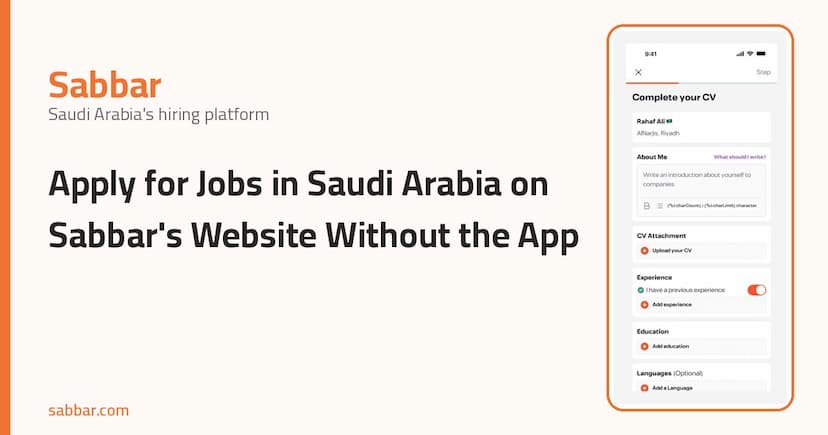
2. Complete your CV if something is missing
"Complete your CV" appears only if a required section, such as experience or education, is empty. If your CV is complete you never see this step.
3. Answer the job's questions
Some jobs need short answers, such as English level, when you can start, transportation and expected salary. These appear only when the job needs them.
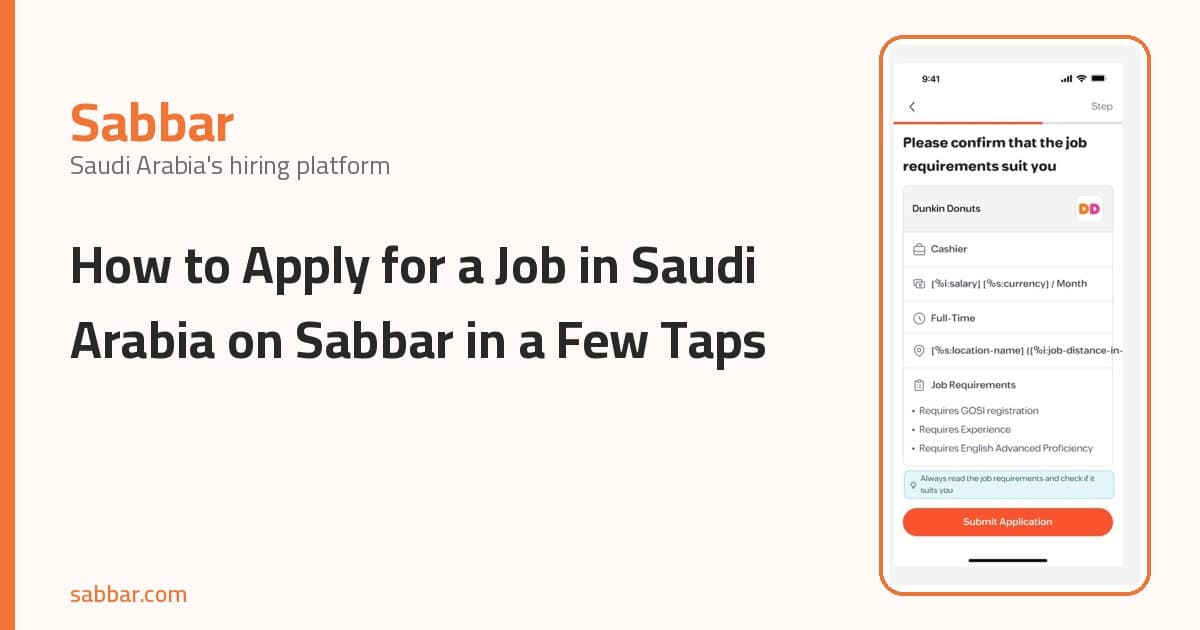
4. Confirm the requirements suit you
"Please confirm that the job requirements suit you" shows a summary of the conditions. Be honest here; applying to a job that does not fit wastes your time and the employer's.
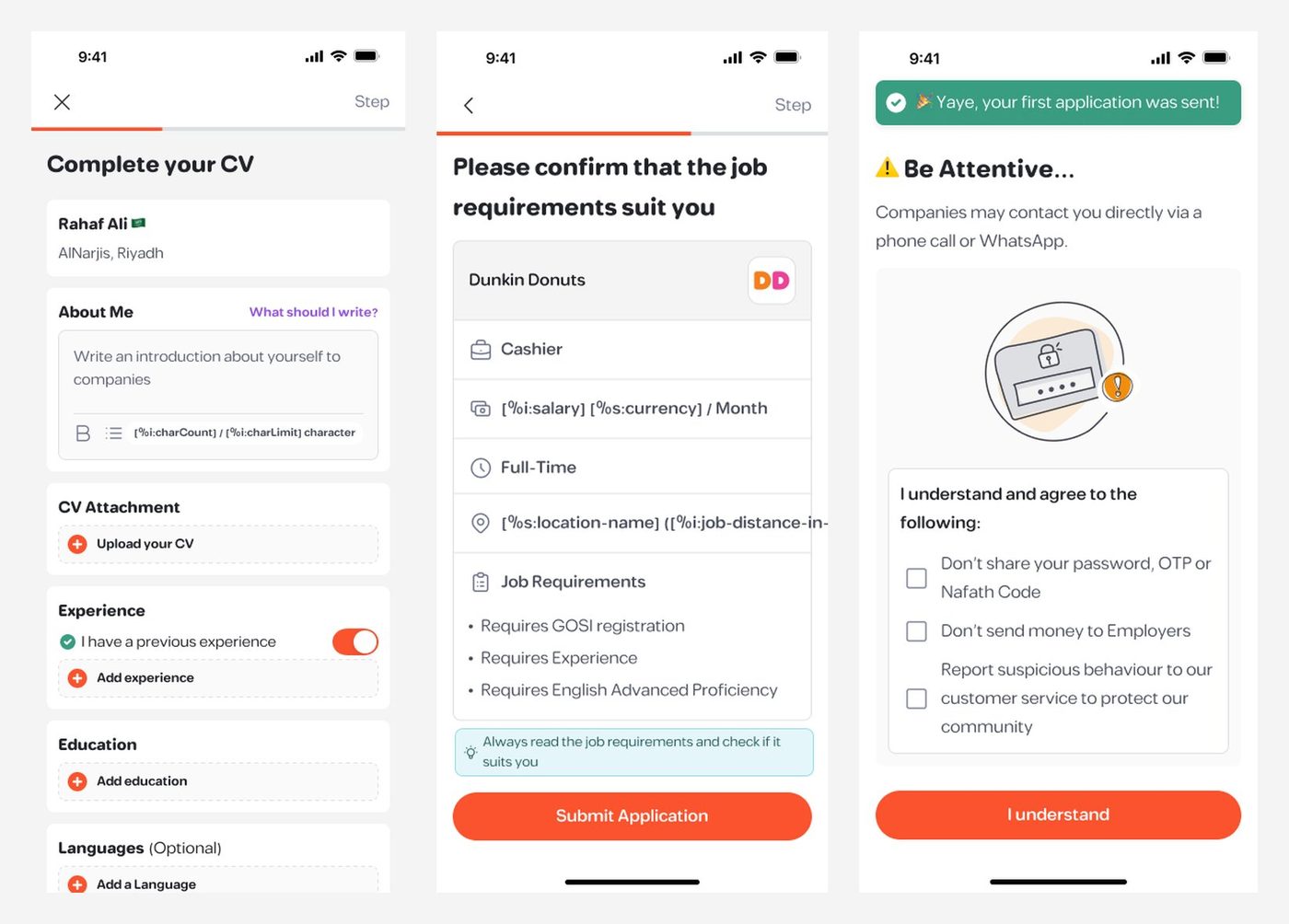
5. Submit
Tap "Submit Application". Your application reaches the employer with your full CV.
6. Read the safety page
After your first application, a page reminds you: do not share passwords or codes, do not send money to any employer, and report suspicious behaviour.
The steps are clear and the jobs are waiting. Browse jobs on Sabbar and apply to the first one that fits right now.

Sabbar is Saudi Arabia's leading local hiring platform
The go-to place for job seekers and employers across every sector in the Kingdom, with more than 1.5 million job seekers and thousands of companies
Get started with Sabbar today!
What happens after you submit?
After you submit, the application moves to the Applications tab, where you follow its status.
- Your CV wasn't viewed: with an "Improve CV" button.
- Your CV was viewed: the employer opened your profile.
- The employer is about to contact you: be ready to reply.
- Not Selected: with a "See Why" option.
- A Saud interview invitation: a short AI interview on the company's behalf.
You also receive notifications when your CV is viewed or a company messages you. After applying, the app suggests adding a photo and an introductory video to stand out.
What about posts tagged "Job Ad"?
For posts tagged "Job Ad" you apply outside the app, and Sabbar makes that easier.
- Company website: the link opens, with an option to download your CV as a PDF.
- WhatsApp: a ready message that includes your CV link.
- Email: a ready message with the CV link as well.
Can you apply on the website without the app?
Yes, you can apply directly on Sabbar's website. Every job page has an application tab with a short form: name, district, nationality, date of birth, gender, mobile, email and a CV upload in Word or PDF, then "Submit".
The app is still better for follow-up, because it shows your application statuses and your chats with companies.
6 tips that raise your chances
Getting selected starts before you tap "Apply". Six tips:
- Apply early: employers start with the first good matches, so turn on job alerts.
- Choose jobs near you: distance matters, especially for frontline roles.
- Complete your CV: experience, skills and About Me. See One CV for every job.
- Add a photo and an introductory video: they raise your CV's visibility.
- Answer questions precisely: expected salary and start date affect matching.
- Reply quickly: to company messages and interview invitations.
No CV yet? Download the Sabbar app, build it in minutes, and use it for every application.
Common mistakes when applying
- Applying to everything without reading the requirements.
- Leaving experience empty despite past work or training.
- Ignoring the distance warning and withdrawing later.
- Leaving notifications off and missing the employer's reply.
- Sharing sensitive details with anyone who asks for money.
How to read a job post in one minute before applying
Reading every post in the same order means you apply only where you fit. Check these before you tap Apply.
- Contract type: full time, part time, temporary or internship, and whether it suits your situation.
- Location and distance: the district and how far it is from you. The daily commute decides whether you stay.
- Salary: monthly, daily or hourly, and how close it is to what you expect.
- Experience required: if it is far above yours, your chance is weaker. If it is close, apply.
- Duties: read the actual tasks and picture the working day. Can you do them?
- The company: open its profile and read the About section and its other jobs.
If a post passes four of these six, it is worth applying.
Examples: weak and good answers to application questions
Application questions are short, but your answers feed into matching. These are illustrative examples.
- Expected salary: weak: a figure far above the offer "to negotiate". Good: a realistic figure close to the salary in the post.
- When can you start? Weak: "any time" while you are serving notice elsewhere. Good: the real date you can begin.
- Transport: weak: choosing "car" when you do not have one. Good: your actual transport, because the employer plans shifts around it.
- English level: weak: "excellent" with nothing behind it. Good: your real level, since the interview will reveal it.
Honest answers save you from interviews that end in apologies and from jobs you will not keep.
How many jobs should you apply to each week?
The right number is the one you can follow up properly. Applying to a hundred jobs without reading brings weaker results than ten chosen applications.
- Pick five to ten jobs a week that match your experience, location and preferred contract type.
- Apply in the first two days after a post goes live whenever you can, and use alerts to manage that.
- Follow every application in the Applications tab, and reply to messages the same day.
- Review your results weekly: how many applications were viewed, and how many employers got in touch? Then adjust your choices.
What to do if your CV is not being viewed
If a week passes and your applications still say "CV not viewed", the cause is usually one of four things.
- An incomplete CV: add experience with duties, skills and the summary, and use "Improve your CV".
- No photo or video: add them. They raise your visibility with employers.
- Jobs that are far away or old: apply to the closest and most recently posted.
- A title that does not match your experience: focus on titles you have done or closely related ones.
How to reply to an employer's first message
Your first reply shapes the employer's impression. Keep it short and specific.
- Thank them and name the job: "Thank you for contacting me about the cashier role at the Al Naseem branch."
- Confirm interest and availability: "I am interested and available for an interview this week."
- Offer two times: "Sunday or Monday afternoon would suit me."
- Ask one important question: about the shift or start date, not every detail at once.
Reply the same day. Employers contact several candidates, and whoever answers first gets the slot.
Apply for your next job in Saudi Arabia in a few taps
Your CV is ready and applying takes under a minute. Choose from thousands of jobs across Saudi cities, submit, and follow the status in real time from the Applications tab.
Summary
The answer to how to apply for a job on Sabbar: open the post, tap Apply, fill in what is missing, confirm the requirements and submit. Then track the status in the Applications tab and reply quickly to any contact.
FAQs about applying for jobs on Sabbar
Is applying for jobs on Sabbar free?
Yes. Applying is completely free, for any number of jobs.
Do I need to upload a CV file each time?
No. Your Sabbar CV is sent automatically with every application.
How do I know the employer saw my application?
The status in the Applications tab changes to "Your CV was viewed" and you get a notification.
Can I apply to a job far from me?
Yes, but a distance warning appears before you continue so the choice is yours.
What should I do if I am not selected?
Tap "See Why" on the application, improve your CV with the suggested tasks, and apply to jobs closer to your experience.