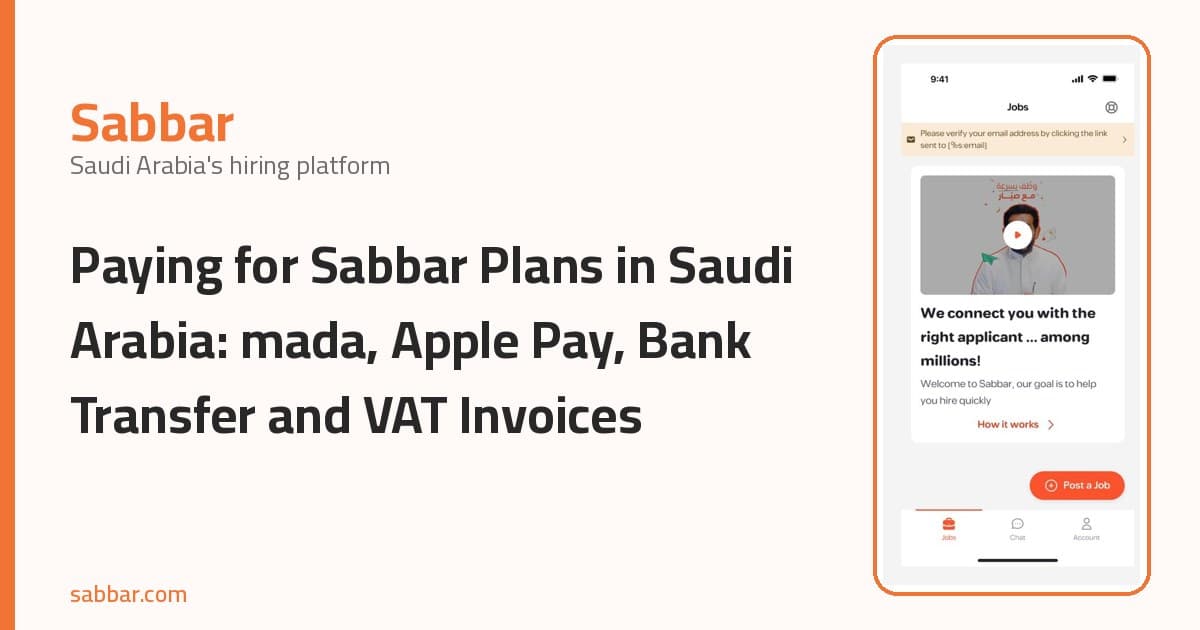
Paying for Sabbar Plans in Saudi Arabia: mada, Apple Pay, Bank Transfer and VAT Invoices 2027


You have decided to buy a plan, and now the accountant has questions: how do we pay, is there a VAT invoice for Saudi tax purposes, does it renew automatically? In many businesses these questions hold up the purchase more than the price does.
This article answers them directly: the payment methods on Sabbar, how to get the tax invoice, and what your accountant needs to know.
What you will learn
- The payment methods available for Sabbar plans.
- How payment works on the web and in the app.
- How to get a tax invoice with your company's details.
- What to know about VAT and renewal.
Does Sabbar issue a VAT invoice for Saudi companies?
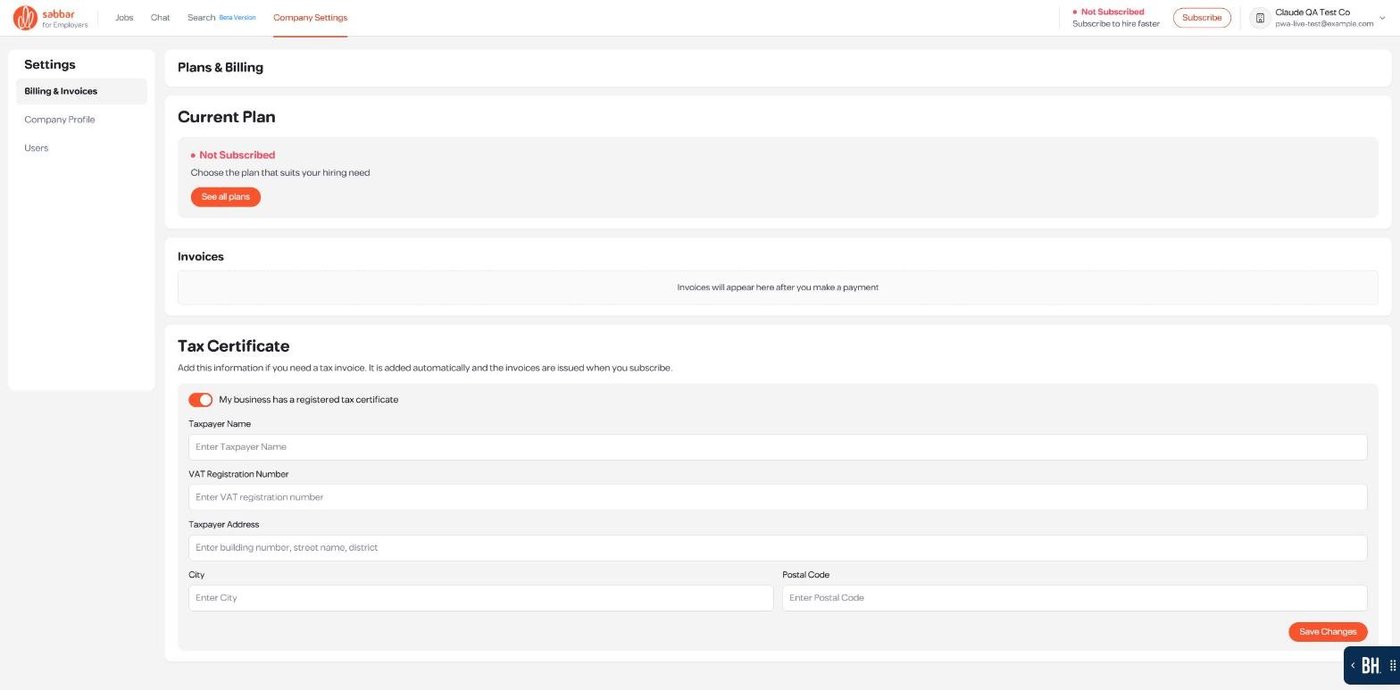
Yes. Sabbar issues a Saudi tax invoice for every purchase. You enter your company's VAT details once under Tax Certificate, and they appear automatically on every invoice afterwards.
You can download invoices as PDFs from the company account at any time.
Which payment methods does Sabbar accept?
There are three groups of payment methods.
Cards
- mada.
- Visa.
- Mastercard.
- American Express.
Apple Pay
Direct payment from Apple devices.
Bank transfer
For businesses that prefer to pay from their bank account, or whose procedures require it.
Questions about the payment process
How do I pay on the web platform?
Choose the plan and the number of job posts, review the final price, add VAT details if you wish, then pick a payment method and complete it.
How do I pay from the Companies App?
Plans are not paid inside the app. The app sends a secure payment link by WhatsApp and email that opens web checkout with the plan already chosen.
Is it a one-time payment or a subscription?
One-time. There is no auto-renewal, and nothing is charged after the plan ends.
Is there a discount for several job posts?
Yes. There is a discount when you buy more than one job post in the same order.
When is VAT added?
At checkout, shown itemised on the invoice.
Want to see prices and payment methods yourself? See Sabbar's plans and choose the number of posts before paying.

Sabbar is Saudi Arabia's leading local hiring platform
The go-to place for job seekers and employers across every sector in the Kingdom, with more than 1.5 million job seekers and thousands of companies
Get started with Sabbar today!
Questions about the tax invoice
How do I add my company's VAT details?
In the billing section of the company account, under Tax Certificate. Enter the taxpayer details once and they apply to every invoice.
Should I add the details before or after paying?
Before is better, so the first invoice carries your company's details straight away. The VAT details field is optional at checkout.
Where do I find my invoices?
Under Plans & Billing on the web platform and in the Account tab of the Companies App. Each invoice downloads as a PDF.
Can I give my accountant access to invoices?
Yes. Invite them as a user on the company account; users are unlimited. See One account for your hiring team.
What appears on the invoice?
The plan details, the amount, VAT and the tax details you entered for your company.
Questions about plans
What exactly am I paying for?
A plan made up of job posts and Applicant Contacts, meaning revealing a number, chat and WhatsApp. Posting and seeing matched applicants are free.
Which plans are there?
Basic, Premium (the most popular), Premium Plus, and a custom Enterprise plan through the team. See Sabbar plans for Saudi employers.
How are Saud AI Interviews counted?
They come with Premium and Premium Plus, and an interview is counted only when it actually happens.
Where do I see what is left on my plan?
Plans & Billing shows the plan's status and validity and remaining job posts, with an Upgrade button.
Questions from accountants and procurement
Do we need a purchase order or a contract?
Standard plans are bought directly on the platform. For Enterprise and special procurement requirements, contact Sabbar's team.
Can we pay from the company bank account?
Yes. Bank transfer is one of the payment methods.
Is the invoice valid for tax accounting?
Sabbar issues a Saudi tax invoice with your company's details. For invoicing and record-keeping requirements, check with ZATCA or your accountant.
Is there a monthly commitment?
No. Payment is one-time with no auto-renewal.
How do you choose the right payment method?
- Small business or owner: mada or Apple Pay, for speed.
- A company credit card: Visa, Mastercard or Amex.
- A company with finance procedures: bank transfer.
- Large amounts or Enterprise: talk to the team.
Practical steps for your first purchase
- Post your job for free and review matched applicants.
- Open the pricing page and choose the plan and number of posts.
- Enter your company's VAT details.
- Pick a payment method and complete it.
- Download the PDF invoice and send it to your accountant.
- Start contacting applicants.
Posting steps are in How to post a job in Saudi Arabia for free.
Common mistakes with payment and invoicing
- Paying before entering VAT details, then asking for the invoice to be changed.
- Entering the wrong VAT number.
- Buying one post at a time and missing the volume discount.
- Waiting for an auto-renewal that does not exist.
- Not giving the accountant access to the account.
Not tried the platform yet? Start without paying. Post your job on Sabbar for free and pay only when you contact the right candidate.
An illustrative example: a first purchase, from owner to accountant
This illustrates the sequence of work; it is not a real case. A restaurant in Khobar decides to buy its first plan after matched applicants arrive on its free job post.
- The owner: picks the plan and the number of job posts needed for the coming months.
- The accountant: is invited as a user on the company account and enters the tax details under the tax certificate section before payment.
- The owner: reviews the final price and pays with a mada card.
- The accountant: downloads the invoice as a PDF from Plans and Invoices and files it with expenses.
- The hiring lead: starts contacting applicants the same day.
The result: the invoice carried the business's details the first time, and nobody had to write in or ask for a correction. The order made the difference: tax details first, then payment.
What should the accountant prepare before paying?
Two minutes of preparation save a lot of back-and-forth later.
- The business's tax details: exactly as on its certificate, copied rather than typed from memory.
- Who pays: the company card or a transfer from its bank account.
- Who approves the spend: if your business requires sign-off before a purchase.
- The expense line: where it is recorded in your books: recruitment, marketing or subscriptions.
- Who receives the invoice: the person who will download and file it.
- Where it is kept: one known folder for recruitment invoices.
How do you estimate what you need before choosing a quantity?
Because payment is one-time and there is a discount for more than one post in the same order, planning before you buy saves money.
- List the expected jobs: how many will you open in the coming months?
- Check your seasons: Ramadan, summer, back to school, a new branch opening.
- Count your usual turnover: how many people typically leave in a quarter?
- Put the need in one order: instead of buying a single post for each job.
- Ask about Enterprise: if your hiring is large and continuous.
You do not need an exact number. A reasonable estimate beats repeated buying under the pressure of an urgent vacancy.
How do you organise recruitment invoices inside your business?
A well-filed invoice saves time at month-end close and during review.
- Name the file consistently: such as date, then supplier, then plan type.
- Keep them in one place: a shared folder the accountant and the hiring lead can both reach.
- Reconcile monthly: downloaded invoices against movements on the card or bank account.
- Link the invoice to the jobs: which posts did this plan cover? That helps you work out cost per hire.
- Do not depend on one person: giving the accountant access means nobody waits for whoever made the purchase.
How do hiring and finance work together?
Most billing problems come from each side assuming the other handled it.
- Before buying: the hiring lead tells finance the plan, the quantity and the reason.
- At purchase: finance confirms the tax details and the payment method.
- After buying: the accountant downloads the invoice, and the hiring lead tracks what is left on the plan.
- Before the plan ends: the hiring lead flags it early, since there is no auto-renewal to cover a lapse.
- Each quarter: a short review of what was spent and the hires it produced.
Pay the way that suits your business and get your tax invoice

mada, credit cards, Apple Pay or bank transfer. A one-time payment with no auto-renewal, and a Saudi tax invoice with your company's details on every plan.
Summary
Sabbar issues a VAT invoice for Saudi companies with every plan, using details you enter once. Pay by mada, Visa, Mastercard, Amex, Apple Pay or bank transfer, once, with no auto-renewal, and VAT is added at checkout.
A few more quick questions
Can I pay with mada?
Yes. mada is one of the payment methods.
Does Sabbar support Apple Pay?
Yes.
Do I get the invoice straight away?
Invoices can be downloaded from Plans & Billing in the company account.
Do displayed prices include VAT?
VAT is added at checkout.
Is my card charged again every month?
No. There is no auto-renewal.