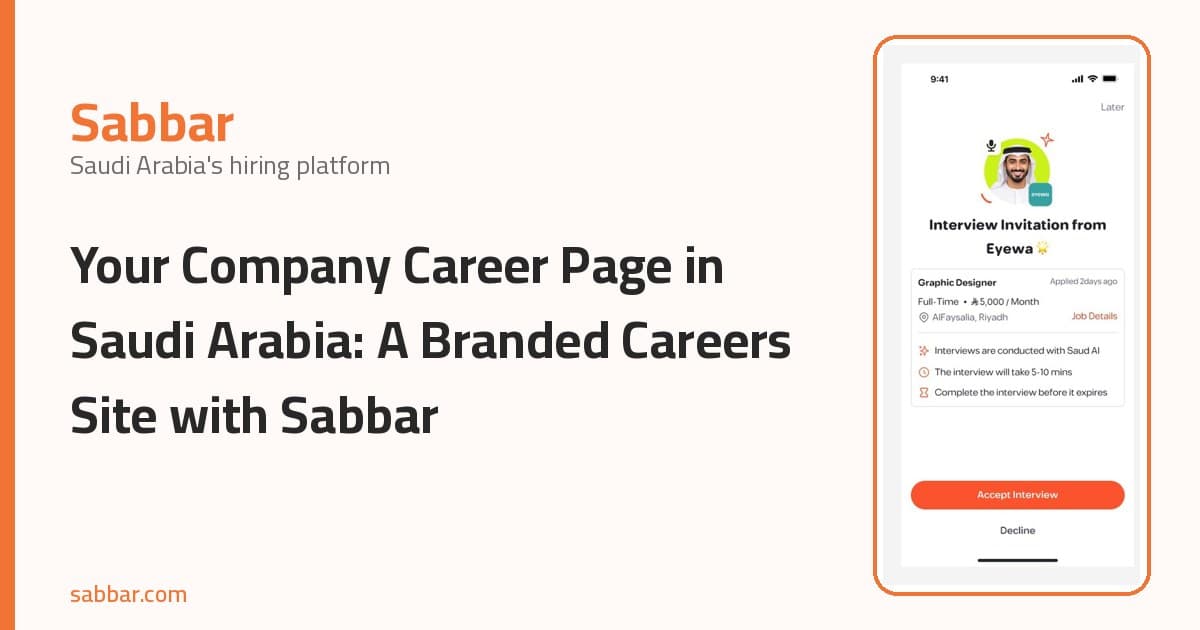
A customer standing in your branch asks, "Are you hiring?" The usual reply is "Email us your CV." Then they never send it, or they send it and nobody answers. A company career page turns that question into an application in a minute.
On Sabbar, larger employers can set up a careers site in their own brand, shared by link or QR code. This article explains what the page is, how to benefit from it, and where to put the link.
What you will learn
- What a career page is and why a company needs one.
- What the Career Website feature on Sabbar offers.
- Where to share the link and the QR code.
- How the page connects to screening and interviews with Saud.
What is a company career page?
A career page is a web page showing one company's jobs in its own visual identity, where job seekers apply directly. It is also called a careers site.
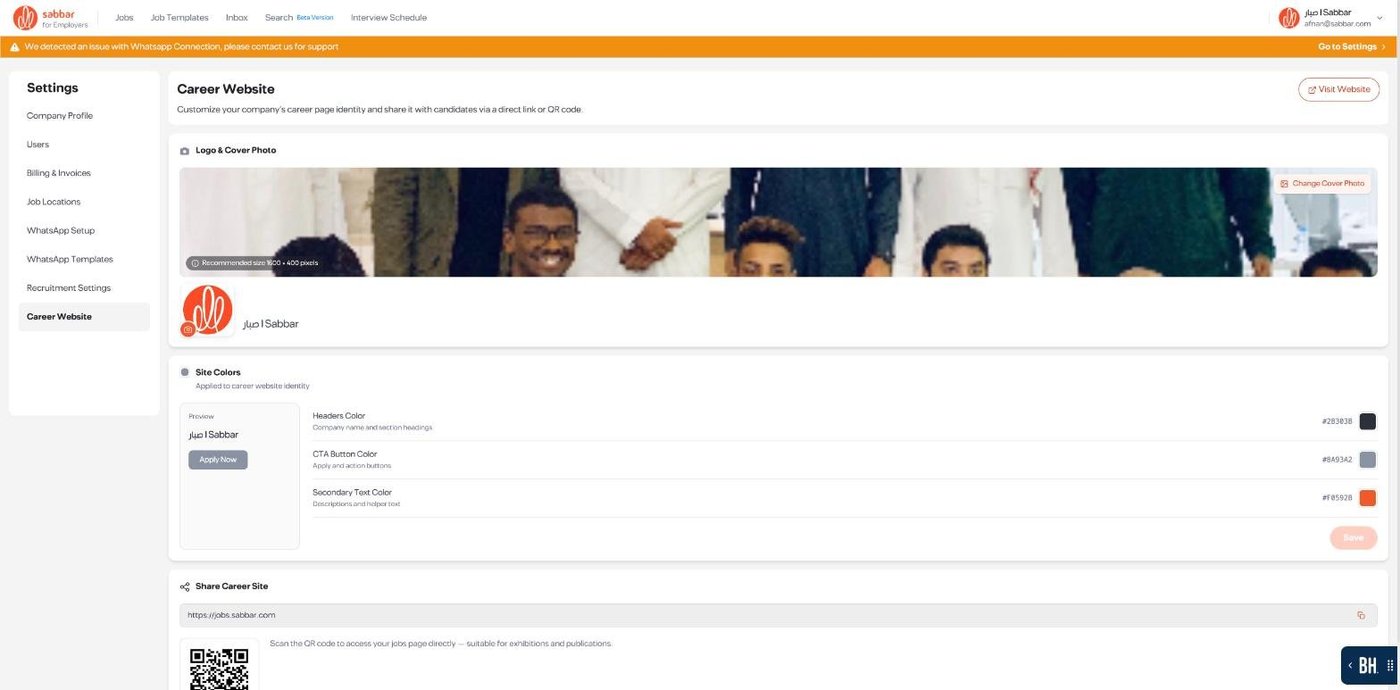
On Sabbar it is the Career Website feature in the Enterprise toolset: a page with your logo, a cover image and your colours, shared by link or QR code.
Why does your company need a career page?
- One address for all your jobs: instead of scattered ads.
- Your identity: applicants see your brand, not a generic post.
- A route for visitors and customers: people who like your brand may want to work for it.
- Organised applications: everyone who applies lands on the same board.
- A professional image: a serious employer has a clear jobs page.
What does the Career Website feature on Sabbar offer?
The feature gives you a ready page with no developer and no hosting.
- Logo: your company logo at the top.
- Cover: a photo of your branch or team.
- Colours: your brand colours.
- Link: an address to share anywhere.
- QR code: to print and place in branches.
Want a career page in your company's brand? Book a Saud demo and ask the team about the Career Website on Enterprise.

Sabbar is Saudi Arabia's leading local hiring platform
The go-to place for job seekers and employers across every sector in the Kingdom, with more than 1.5 million job seekers and thousands of companies
Get started with Sabbar today!
Where do you share the career page link?
The link works on every digital channel you own.
- Your company website: a "Careers" item in the menu.
- Your X, Instagram, LinkedIn and TikTok accounts.
- Email signatures.
- Your business profile on Google Maps.
- WhatsApp Business messages.
- Your paid hiring ads.
Where do you put the QR code?
A QR code turns physical spaces into hiring channels.
- The branch door or window: "Join our team".
- At the till: the customer is waiting, phone in hand.
- On the receipt or bag.
- At job fairs and universities.
- On delivery vehicles.
- In the staff room: so employees share it with people they know.
Scanning the code takes the visitor straight to your page.
How does the page connect to Saud and the other tools?
The career page is the door; behind it is the same Sabbar system.
- The visitor opens the page and sees your jobs.
- They apply to the right one.
- The application lands on the hiring stages board in your account.
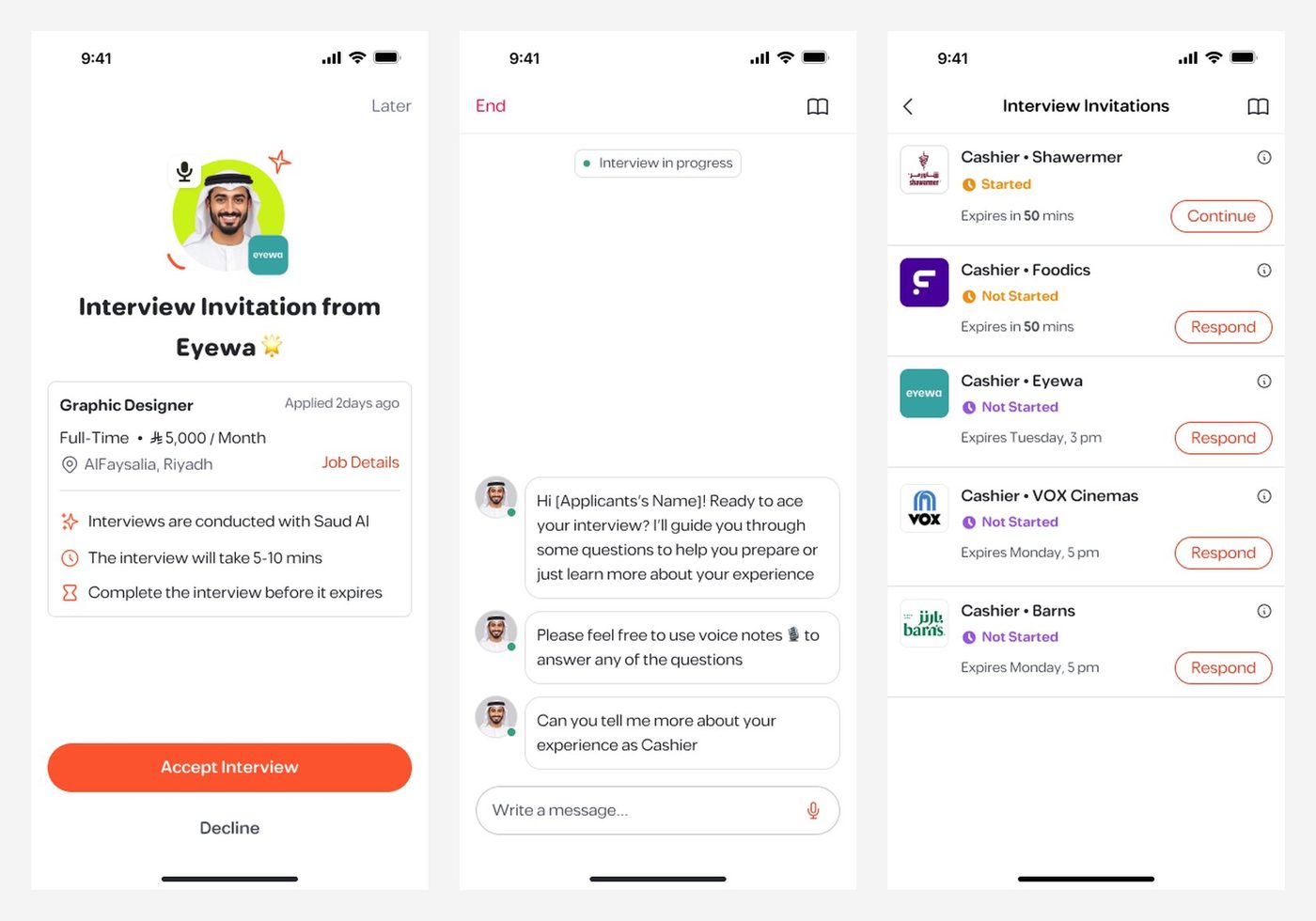
- Saud rates their fit and, if you configured auto interviews, interviews them.
- Your team reviews the shortlist and decides.
Applications from branches or social media no longer get lost in email. The board is explained in Recruitment process in Saudi Arabia, and auto interviews in Screening questions and auto interviews with Saud.
What makes a career page attractive?
The tool gives you the template; the content makes the difference.
- A real cover photo: your team at work, not stock imagery.
- Current jobs: close the ones that are filled.
- Clear descriptions: use "Write with Saud". See How to write a job description in minutes with Saud.
- Salary and shifts stated.
- Colours consistent with your brand.
- A complete company profile: About and photos.
How is a career page different from ordinary Sabbar posts?
- A Sabbar post: shown to job seekers inside Sabbar's app and website, among many companies' jobs.
- A career page: your own page, in your brand, gathering your jobs to share where you choose.
Each completes the other: your jobs reach Sabbar's base of more than 1.5 million job seekers, and also reach your own audience through your page.
Who is a career page for?
- Restaurant, café and retail chains.
- Companies that hire continuously.
- Brands with an audience and followers.
- Companies with many branches and cities.
- Employers who attend job fairs.
It works well with Always hiring jobs and Job Locations; see Hiring for multiple branches with one job post.
A plan for launching your career page
- Prepare the identity: logo, cover and colours.
- Review your jobs: clear descriptions and salaries.
- Publish the link: on your site and accounts.
- Print the QR code: for every branch.
- Tell your staff: your best source of referrals.
- Check applications daily: fast replies protect your brand.
Common mistakes with career pages
- A page listing jobs closed months ago.
- A tiny QR code where nobody sees it.
- Nobody replying to applicants.
- Copied descriptions that do not match reality.
- The page link missing from the company's own website.
Hiring across many cities and branches? Talk to the Saud team about how the page works with multi-location jobs.
An illustrative example: a restaurant chain using its career page in branches
This illustrates how it can be used; it is not a real customer case. A restaurant chain has twelve branches in the Central Region, and customers keep asking staff about jobs.
- Setup: the marketing team uploads the logo and a cover photo of the team, and sets the brand colours.
- In branches: a QR code is printed on a small sticker at the till and on the staff door, with the line "Join our team".
- Online: the link is added to the chain's social accounts and to a Careers button on its website.
- When a customer asks: the employee points to the code instead of taking a paper CV.
- After applying: all applications land on one board, Saud assesses applicants, and each branch manager sees their own branch's candidates.
The daily question "Are you hiring?" now has one answer, and the CV no longer gets lost afterwards.
What to put on the page so a visitor stays and applies
A visitor who scanned the code is curious, not a determined job seeker. The page's content is what turns them into an applicant.
- A real cover photo: your team at a real branch, not a stock image.
- Jobs with clear titles: Cashier, Barista, Shift Supervisor.
- Salary, shift and location on every job: the three questions everyone asks.
- A short description: five duties readable on a phone in half a minute.
- What makes working with you different: training, promotion from within, meals, staff discount.
Keep the listed jobs current. A filled job that still shows weakens a visitor's trust in the whole page.
Turn your employees into a source of referrals
A satisfied employee knows people like themselves. A career page makes referring easy.
- Share the link in the staff group whenever a new job opens.
- Ask them to send it to people they know: a ready two-line message.
- Thank those who refer: a word of appreciation, or an incentive the company decides.
- Ask applicants how they heard: to learn which branch and which employee brings good candidates.
A candidate who came through an employee knows what the work is like before starting, which reduces surprises in the first month.
How do you know the page is working?
A career page is a channel like any other, and it is measured by what it brings.
- Applicants through it: compared with ordinary posts.
- The share who are Good Fits: people who know your brand should fit better.
- Which placement brings most: the till sticker, social accounts or the company website.
- How many hires came from it: the number that matters most.
- Whether paper CVs and scattered messages dropped: a sign that branches are really using it.
Review these numbers monthly, and move the code to the places that prove effective.
Common mistakes with career pages
- A QR code with no caption: the visitor does not know why to scan it. Write "Jobs" or "Join our team".
- A code where nobody sees it: behind a door or at an awkward height.
- A page with no open jobs: it gives the impression the company is not hiring.
- Branding that does not match: an old logo or colours that differ from the branches.
- Creating it and forgetting it: the page needs someone to update its jobs and review its applicants.
Give your company one branded address for hiring
A page with your logo and colours, a link and a QR code, and every applicant lands on your hiring board for Saud to screen. Book a demo and see your company's page.
Summary
A company career page on Sabbar is a careers site in your brand, shared by link or QR code in your branches and on your accounts. Every application lands on one board for Saud to screen and your team to review. It is part of the Enterprise toolset.
FAQs about the career page on Sabbar
Is the career page available in every plan?
No. The Career Website is part of the Enterprise toolset.
Do I need a developer to build the page?
No. You set the logo, cover and colours on the Sabbar employer platform.
How do I share the page?
With a direct link or a QR code you print and place in your branches.
Where do applications from the page go?
To the hiring board in your company account, with your other applicants.
Does Saud interview people who apply through the page?
Saud screens and interviews applicants to your jobs according to your plan and interview settings.