Recruitment Process in Saudi Arabia: Manage Applicants from Applied to Hired on Sabbar 2027


Fifty applicants for one job: ten you contacted, five you are waiting on, three you interviewed, one who withdrew. A week later you cannot remember who is where. A clear recruitment process is what turns that into a path you can follow.
Sabbar has a stages board that shows every applicant at their point in the journey. This article explains the stages, how to use the board, and how to shape it around your company.
What you will learn
- What recruitment stages are and why to track them.
- The core stages on Sabbar's board.
- How to move, filter and annotate applicants.
- How to add custom stages and measure each one.
What is the recruitment process?
The recruitment process is the sequence of steps an applicant goes through from applying to being hired or dismissed: application, screening, first interview, shortlist, final interview, offer, hire.
Tracking the stages answers two questions at any moment: where is each applicant, and where does my hiring get stuck?
Why are memory and a spreadsheet not enough?
- Volume: dozens of applicants per job, and several jobs.
- The team: more than one person contacting the same applicants.
- Timing: a forgotten applicant accepts another offer.
- Duplication: one person is called twice, another never.
- No overview: you cannot see how far you are from filling the vacancy.
What are the core stages on Sabbar's board?
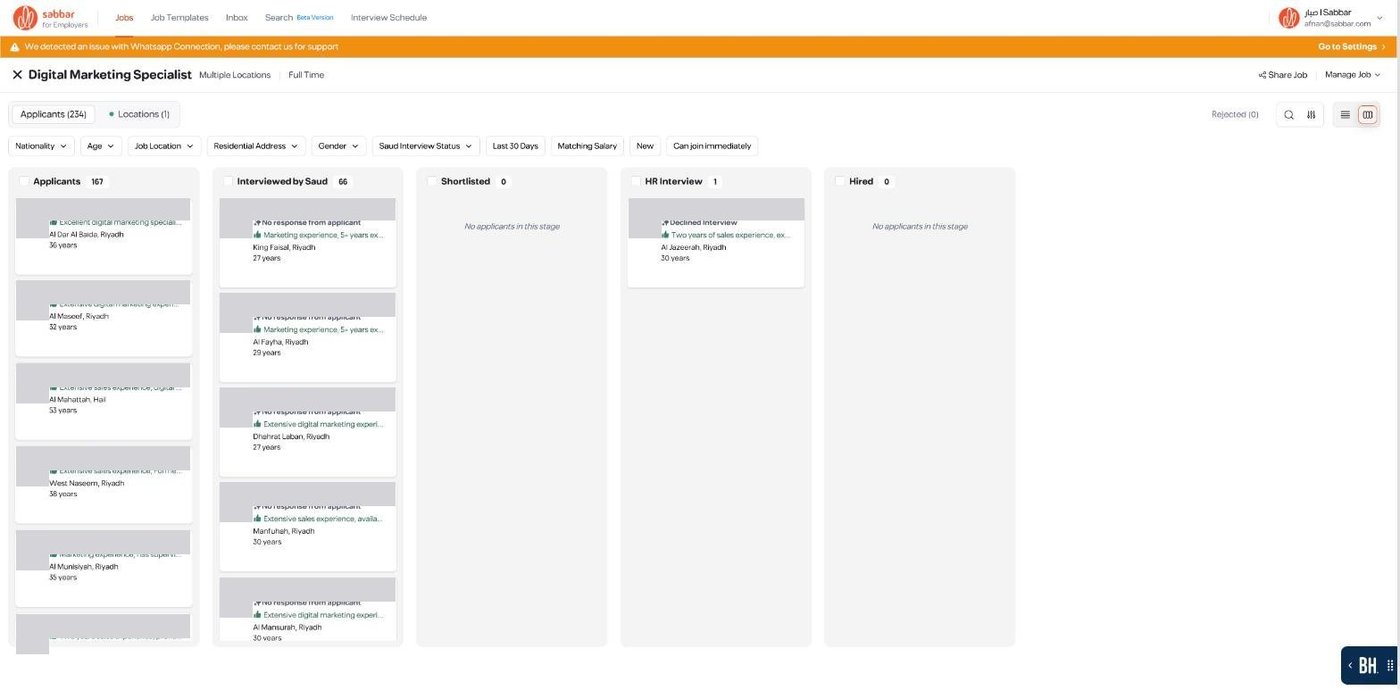
The stages board on the Sabbar employer platform is a set of columns, one per stage. There are four core stages.
Applicants
Everyone who applied. Each shows a fit rating from Saud, Good Fit or Close Fit, with a one-line reason.
Interviewed by Saud
Those who completed the first interview with Saud on WhatsApp. Each profile holds Saud Notes and the transcript.
Shortlisted
The people you chose for the final interview.
Hired
The people you actually hired.
Organise your applicants from day one. Post your job on Sabbar for free and see them ranked on one board.

Sabbar is Saudi Arabia's leading local hiring platform
The go-to place for job seekers and employers across every sector in the Kingdom, with more than 1.5 million job seekers and thousands of companies
Get started with Sabbar today!
How do you view applicants: table or board?
Choose between two views depending on the task.
- Board view: columns for stages, good for seeing the whole pipeline and moving people.
- Table view: a list of all applicants and their details, good for sorting and comparing.
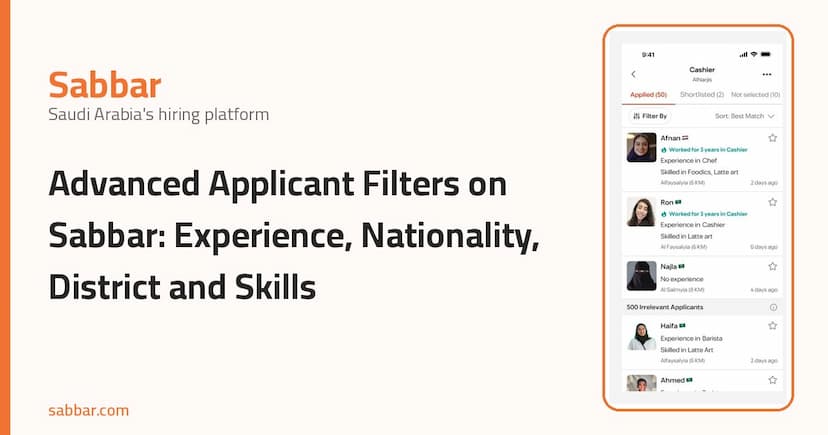
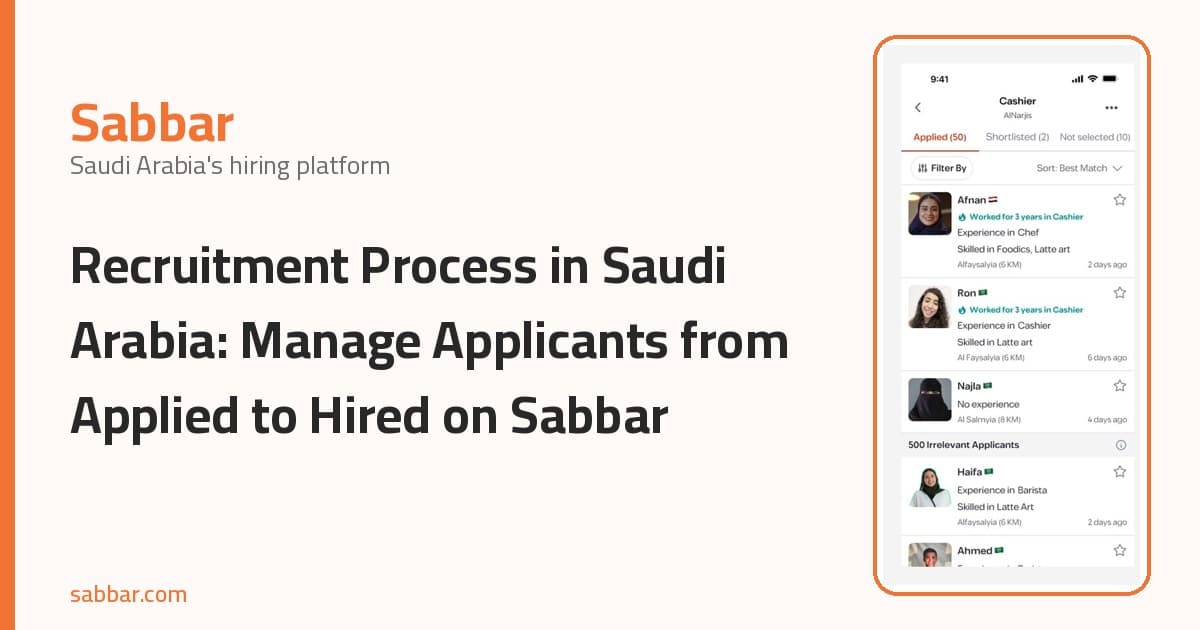
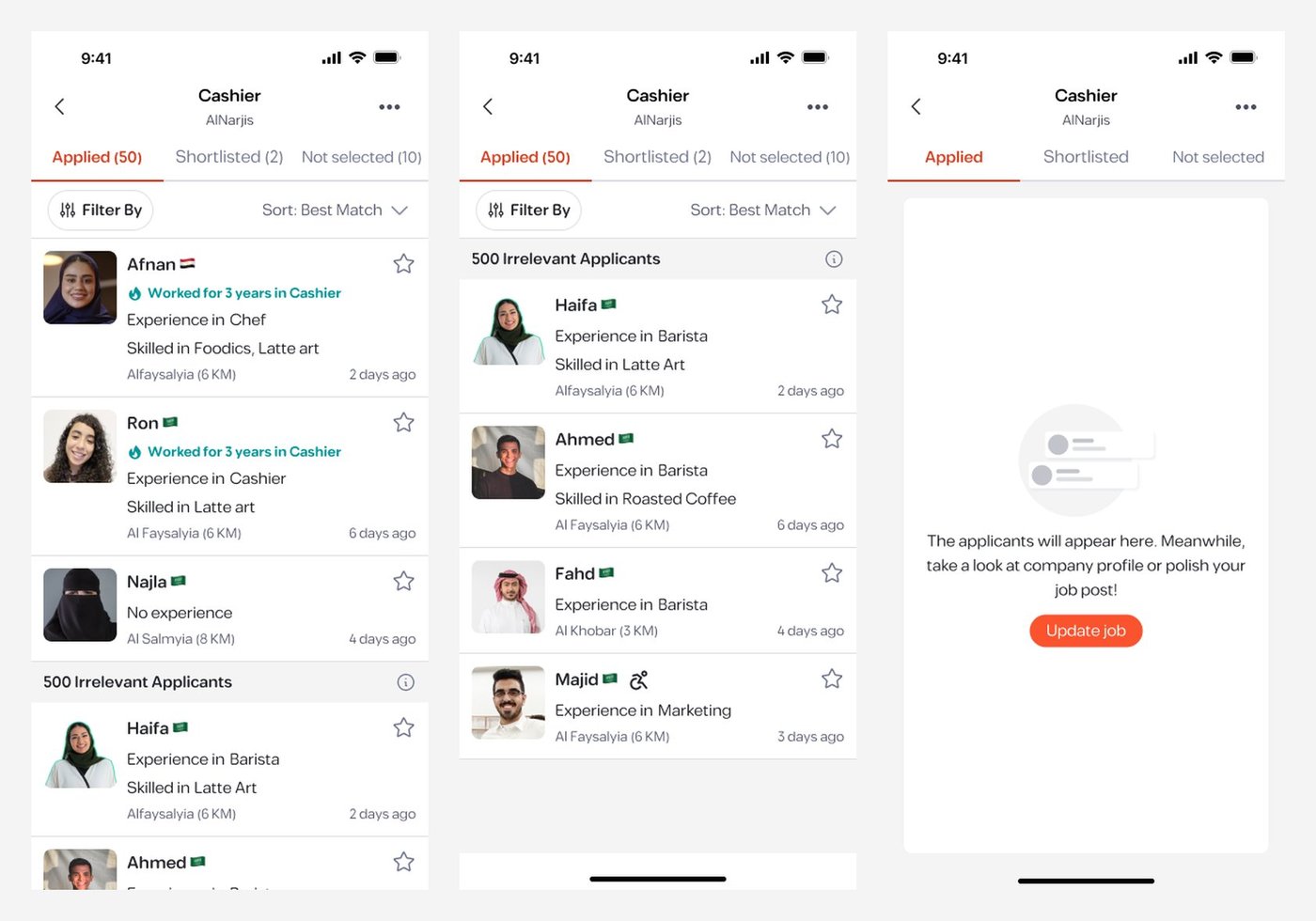
In the Sabbar Companies App there are three tabs: Applied, Shortlisted and Not selected.
How do you filter applicants on the board?
Filters narrow the list to the people who matter now.
- Nationality, age and gender.
- Job location and residential address.
- Saud interview status.
- Stage.
- Recent, and new.
- Matching salary.
- Can join immediately.
What is on the applicant's profile?
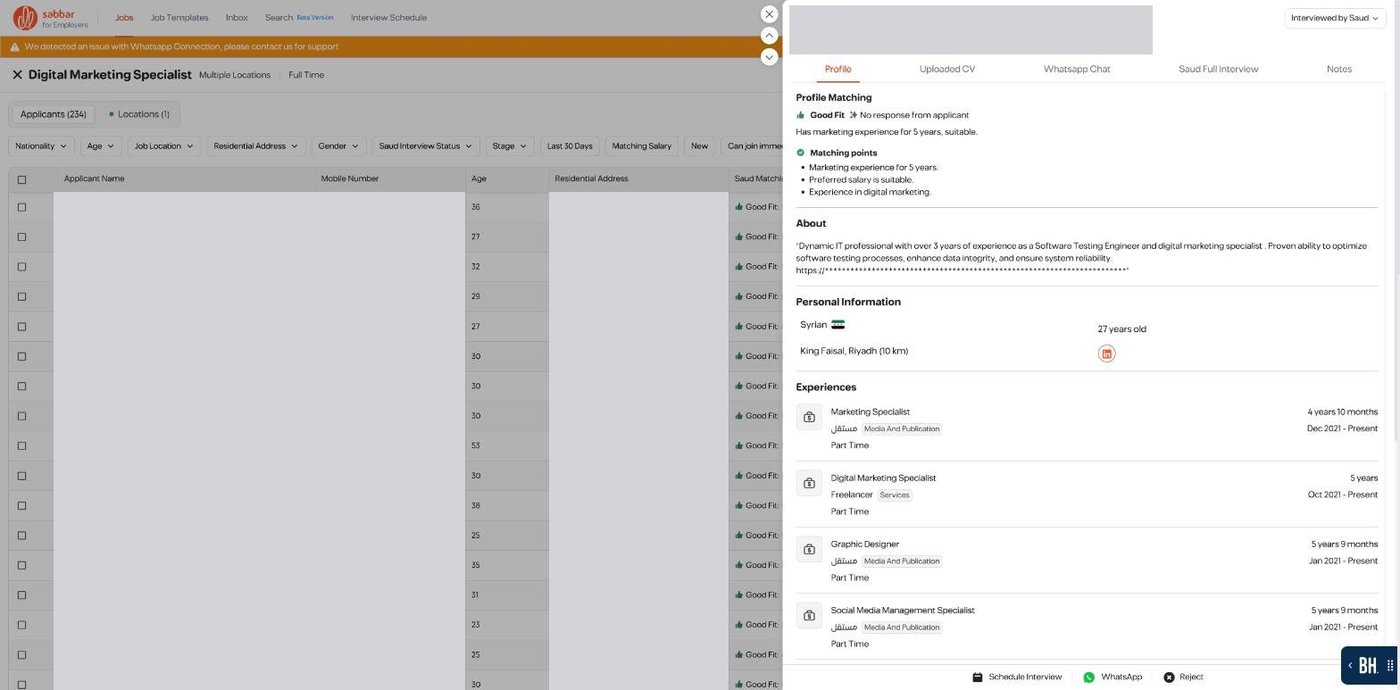
Clicking an applicant opens their profile in a side panel.
- Photo, name, applied time and stage.
- Phone and email with WhatsApp and copy, once contact details are revealed.
- Saud's "Profile Matching" with matching points.
- Personal info: nationality, age, district and distance.
- Experience.
- Tabs: Uploaded CV, WhatsApp Chat, Saud Full Interview, and Notes.
- Actions: Schedule Interview, WhatsApp and Reject.
How do you move an applicant between stages?
- Open the board and review Applicants or Interviewed by Saud.
- Open the profile and read Saud Notes.
- Move them to Shortlisted if they fit.
- Contact them and set the interview.
- Move them to Hired once accepted, or reject with a reason.
A dismissed applicant is not notified.
How do you add your own stages?
Custom stages are part of the Manage Job tools on the Enterprise plan. You add stages next to the fixed ones to mirror your procedures.
Examples of custom stages:
- Branch manager interview.
- Trial shift.
- Medical check.
- Documents in progress.
- Awaiting start date.
In Recruitment Settings you also define your own rejection reasons, so you know why applicants leave the pipeline.
How do you measure each stage?
Measuring shows where hiring stalls. Track four numbers per job.
- Applied to shortlisted: how many applicants are worth it?
- Shortlisted to interviewed: how many actually attend?
- Interviewed to offered: how many succeed?
- Offered to started: how many start?
High drop-off at the first step points to the post. If it is at attendance, read Candidate no-shows in Saudi Arabia.
How does the team work on the same board?
The board is shared by the account's users, and users are unlimited.
- The Recruitment Manager sets up the job and stages.
- The Recruiter reviews and makes contact.
- Notes on a profile are visible to all.
- Chats sit in a shared inbox.
Nobody is called twice and nobody is forgotten.
6 tips for managing recruitment stages
- Check the board daily: five minutes is enough.
- Leave nobody in Applicants more than three days.
- Write a note after every contact.
- Start with Good Fit, then Close Fit.
- Close the job when you have enough: so applicants do not pile up unanswered.
- Use rejection reasons: they are data that improves your next post.
Building the shortlist is covered in Candidate shortlisting with AI, and how the board compares with dedicated software in Saud vs. an applicant tracking system.
Managing hiring for several branches and need custom stages? See Sabbar's plans and what Enterprise adds.
An illustrative example: one job's board a week after posting
This illustrates how to read the board; the figures are for explanation only. A customer service role at a delivery company in Jeddah, one week after it was posted.
- Applicants: forty, most of them not yet opened.
- Interviewed by Saud: fifteen, eight of them rated Good Fit.
- Shortlisted: only three.
- Hired: nobody.
What does this picture say? The first column is full, so reach is not the problem. The second is healthy, so screening works. The bottleneck sits between Interviewed by Saud and Shortlisted: eight Good Fits are waiting for someone to review them. The action needed is not a new post but an hour in which the manager reads the summaries, moves the right people and books interviews.
The board does not solve the problem, but it shows you exactly where it is.
How to find the bottleneck in your pipeline
Any column that is too full is telling you something. Read the board with this rule.
- Applicants full and the rest empty: nobody is reviewing. Set a fixed daily time for it.
- Few applicants: the problem is the post itself: title, salary or location.
- Interviewed by Saud full: summaries are ready and unread. This is the fastest stage to move.
- Shortlisted full: final interviews are late. Usually the branch manager is unavailable or times were not set.
- Few hires from good shortlists: the offer is not convincing. Review salary, shift and how fast the offer goes out.
Useful custom stages by type of job
The four core stages are enough for most jobs. Custom stages help when your process has a real step between two of them.
- Trial shift: for restaurants and cafés, after the interview and before the offer.
- Branch manager interview: when the hiring team does a first interview and the manager decides.
- Offer sent: so you know who is waiting to answer and who has not been sent one yet.
- Documents: for accepted candidates whose papers you are waiting for.
- Reserve: for people who suit the next vacancy.
Do not add a stage you do not really stop at. Every extra stage is one more click per applicant, and a team that stops updating the board.
Simple rules to keep the team on one board
The board loses its value the day one team member stops updating it.
- Move the applicant right after each action: straight after the chat or interview.
- Write a short note: one line on why they were moved or rejected.
- Do not leave anyone in a stage for a week with no action: move them forward or reject them.
- Always choose a rejection reason: it helps when you review the job later.
- A ten-minute weekly review: the team looks at the board together and decides what moves.
Common mistakes in managing hiring stages
- Using the board as an archive, not a working tool: updated at month end instead of daily.
- Too many stages: ten stages for a cashier role is complexity with no benefit.
- Rejecting nobody: the list grows and you cannot tell who is still a candidate.
- Follow-up outside the board: chats and notes on a personal phone that colleagues cannot see.
- Ignoring the numbers: the board gives you conversion between stages, which tells you what to improve.
Follow every applicant from applied to hired on one board
Post your job for free, see applicants ranked by fit, and move them through stages with your team, with no spreadsheets and no scattered messages.
Summary
The recruitment process on Sabbar runs on one board: Applicants, Interviewed by Saud, Shortlisted and Hired, with custom stages on Enterprise. You move an applicant with a click, add notes, and always know where each person stands.
FAQs about recruitment stages on Sabbar
What are the core stages on Sabbar's board?
Applicants, Interviewed by Saud, Shortlisted and Hired.
Can I add my own stages?
Yes. Custom stages are part of the Manage Job tools on Enterprise.
Does an applicant know they were dismissed?
No. A dismissed applicant is not notified.
Is the board available on mobile?
The Companies App shows Applied, Shortlisted and Not selected tabs; the column board is on the web platform.
Can my colleagues see my notes?
Yes. Notes on an applicant's profile are shared across the company account's users.